12 Introduction
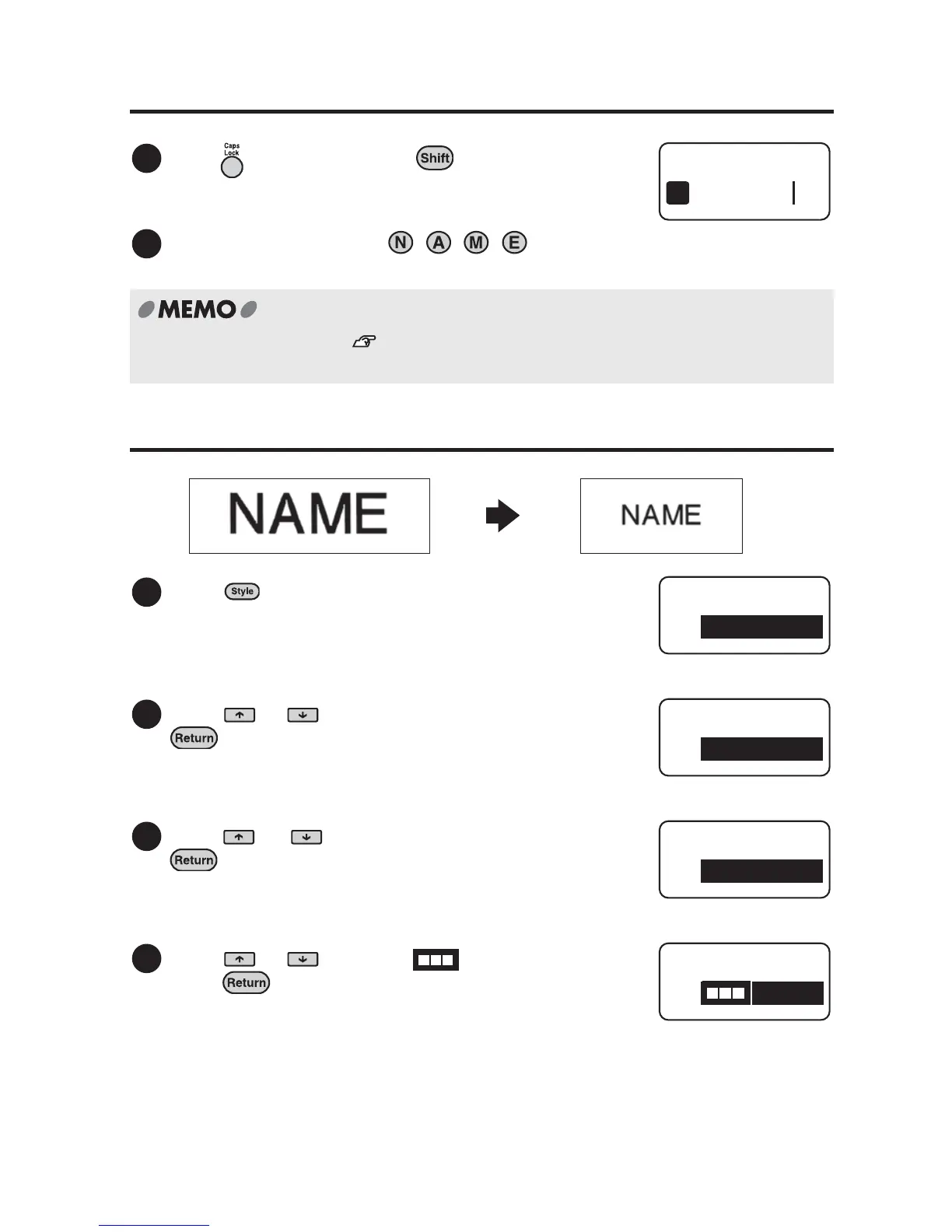
4. Entering texts (Example: NAME)
5. Changing the text size
Press while holding down to enter the
texts in capital letters.
Press the following keys: , , ,
"NAME" appears on the screen.
For further information, see "Creating the Sample Label (from entering text to
completion)" (p.34) for details.
Press .
"Style" menu appears.
Press or to select "Lines", and press
.
Press or to select "1 Line", and press
.
Press or to select " 1c", and
press .
1
2
NAME
1
1
Style
Lines
2
Style
Lines
3
Lines
1 Line
4
1 Line
1 c



 To Next Page