Getting Started 25
Preparation
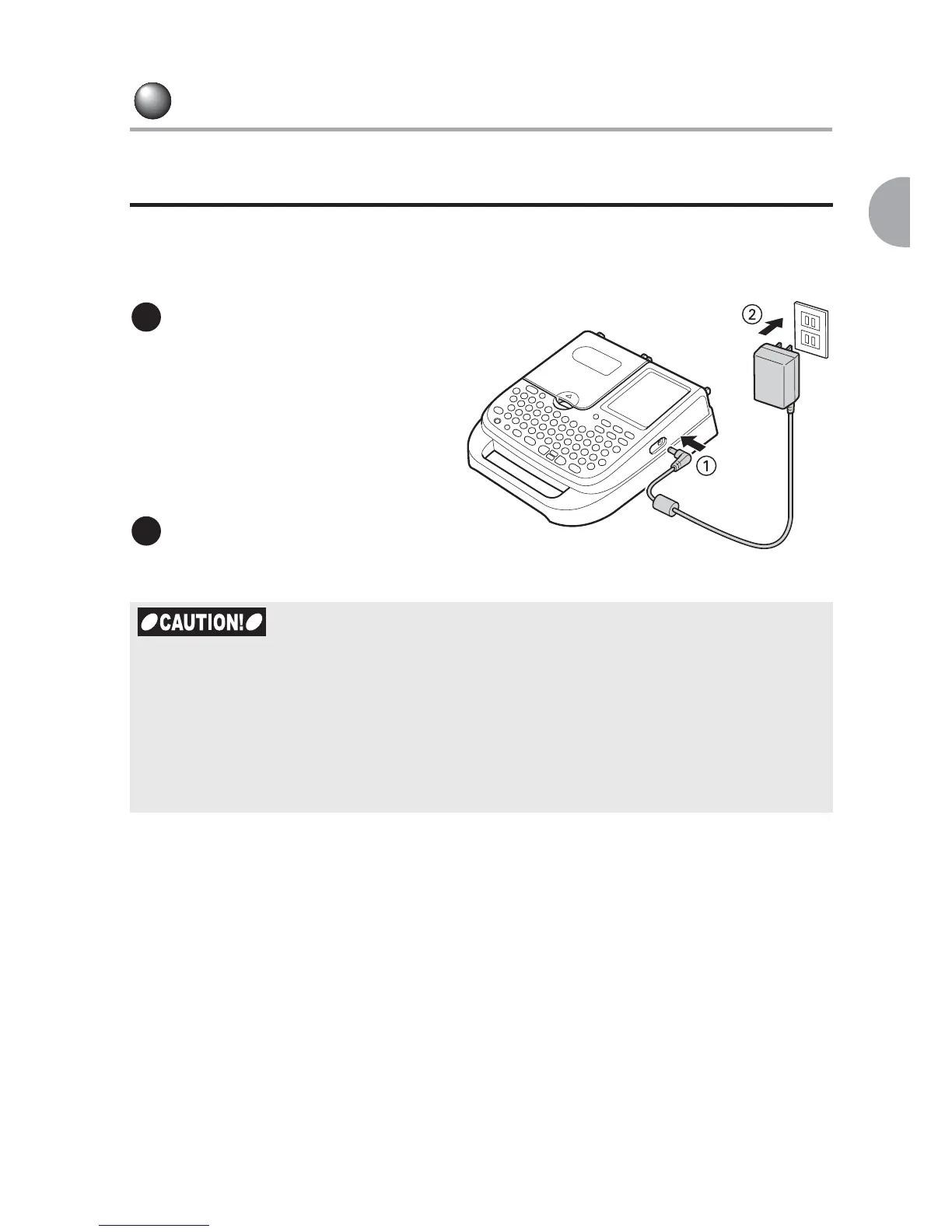
1. Connecting the AC adapter
Connect the AC adapter that comes with your LABELShop
£
BEE3 to supply
power from the electrical outlet (AC120V).
Connect the AC adapter
to the connector on
your LABELShop
£
BEE3 firmly.
* Be sure to connect the adapter as
far as it can go so as to supply
power steadily.
Plug the other end of the
AC adapter into the electrical
outlet.
x Unplug the AC adapter from both the device and the outlet after use. This may prevent
possible accidents caused by tripping over the cord.
x When handling the AC adapter cord, be sure not to pull it forcibly or bend it repeatedly.
This may break the cord.
x The safety feature of the device may cut the circuit of the AC adapter when the plug
shorts out or on other occasions.
x LABELShop
£
BEE3 warranty does not apply to the AC adapter.
1
2



 To Next Page