60 Additional Functions
Improving the Appearance of the Label
- Using the decoration functions -
Improve the appearance of the label by changing the font and the size of the texts.
To change the appearance of the label press , , or then select a function
from the displayed menu.
Functions of each key
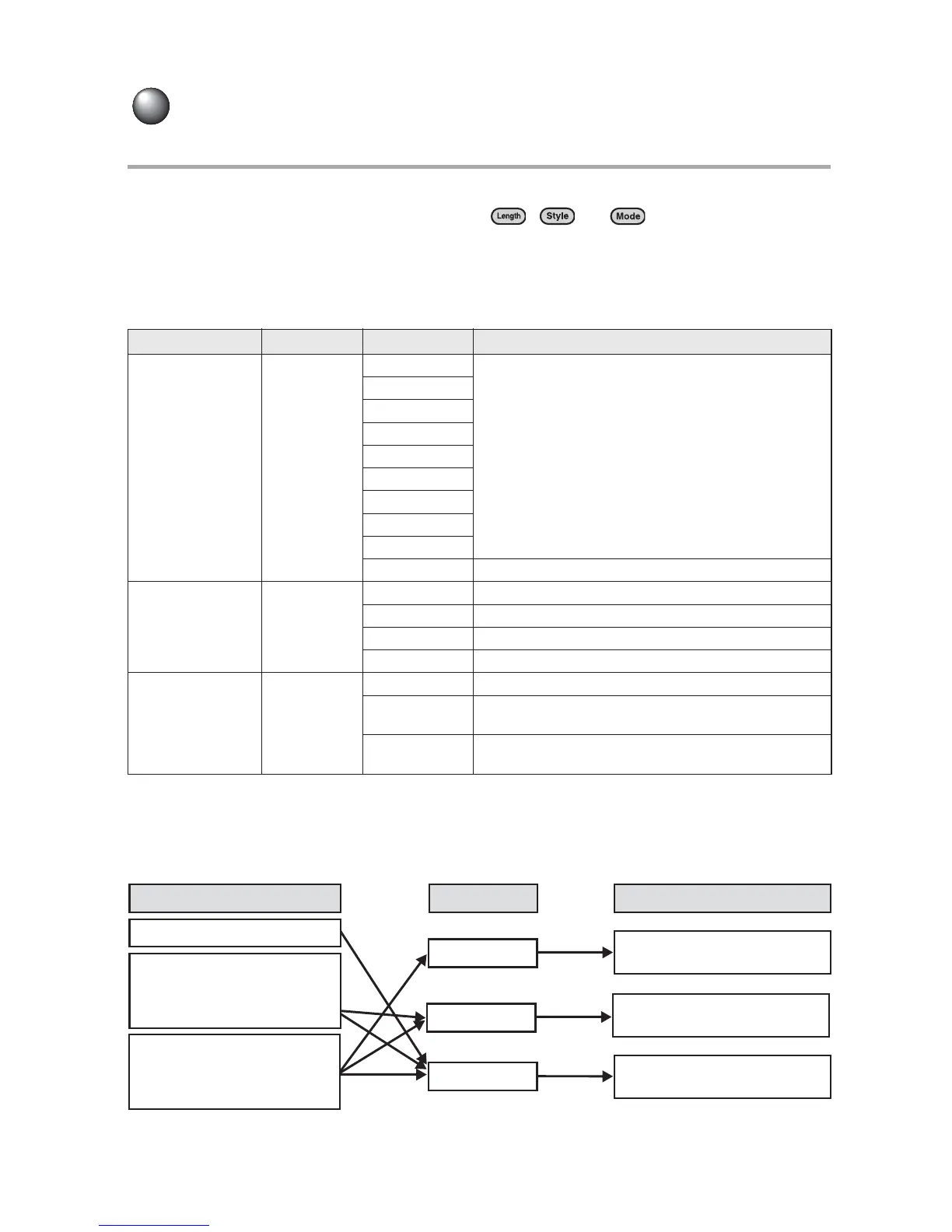
Depending on the specifiable effective area, functions are divided into Length/Style/Mode
keys.
Effective area and the position of the cursor
To select a function, move the cursor to the effective area before pressing the function key. The
position of the cursor determines the text to apply the function. The position at which the cursor
should be placed differs depending on the function or the item being set. Refer to the table below
for the position of the cursor.
Function key Item Function Description
Length Label
Cassette
Sets the length adapted to the label depending
on the usage.
MD
Mini DV
8mm Video
VHS
3.5FD
CD Case
Binder
Off
1.0" - 15.0" Sets the length of the printed label.
Style
Label
Paragraph
Lines Sets the text size line by line.
Vertical Sets vertical, orientation.
Layout Sets the proportion of each line.
Frame Sets Frames and Tables.
Mode
Label
Line
Paragraph
Font Sets the font.
Decorate
Outline, Shadow, Shadow+Outline, Bold, and
Italic are selectable.
Space
Reduces and increases inter-character
spacing.
Anywhere within the line
to be set.
Anywhere within the
paragraph to be set.
Anywhere within the text
to be set.
Style
(Lines, Vertical, Layout,
Frame)
Length
(Font, Decorate,
Space)
Line
Paragraph
Label
Area
Function
Position of the cursor
Mode



 To Next Page