Basic Operations 2 53
Dividing into paragraphs
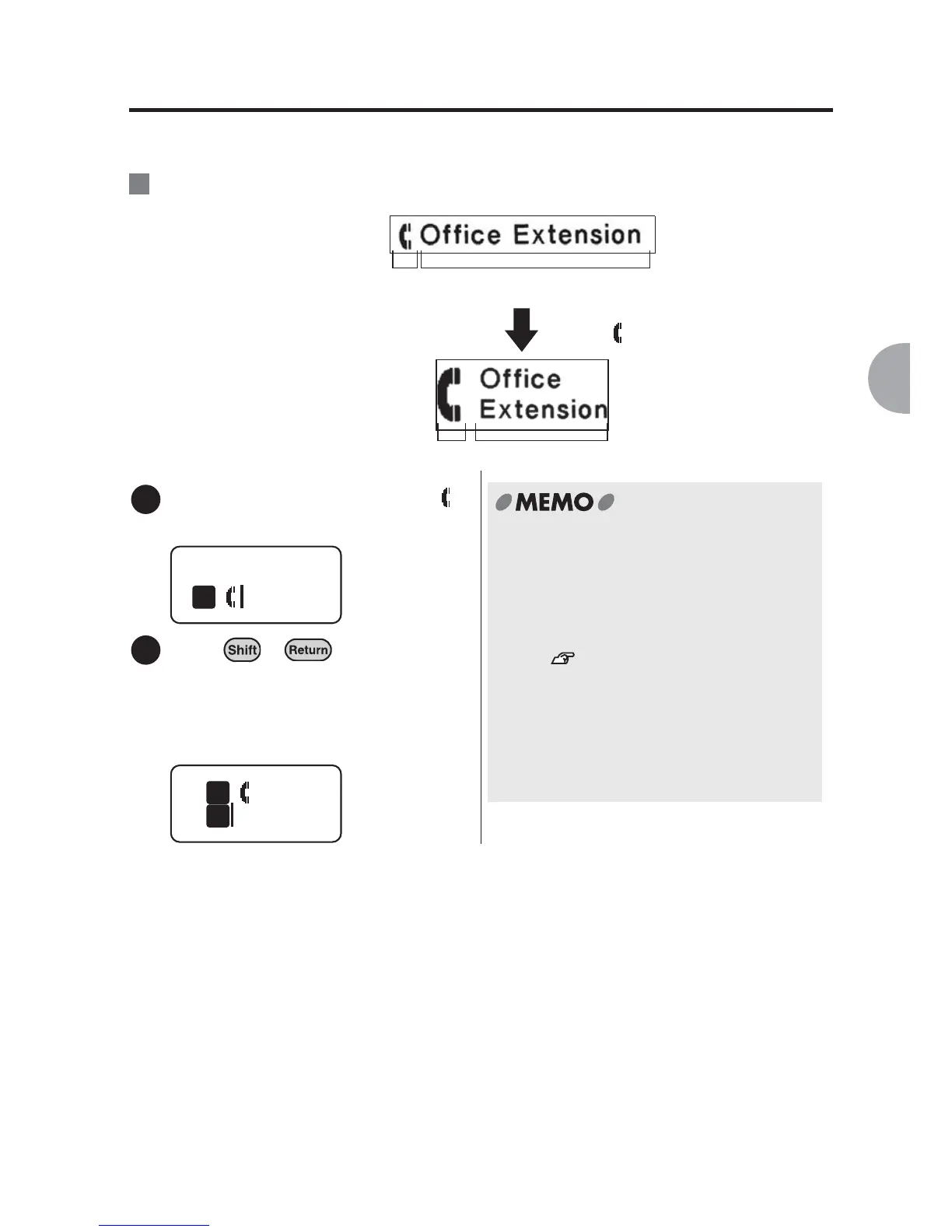
When you divide a text into paragraphs, the text at the right of the cursor moves to the
next paragraph.
:Adding a new paragraph.
Move the cursor to the right of " "
on the first line in paragraph 1.
Press + .
The text to the right of the cursor moves
to the new paragraph. The cursor
moves to the beginning of the new
paragraph. The text in paragraph 1
moves to paragraph 2.
Ex.
Paragraph 1 Paragraph 2
Start a new paragraph at the
right of " " in paragraph 1.
Paragraph 2Paragraph 1
1
Offi
1
2
Offi
1
1
x Up to two paragraphs can be created.
Once a new paragraph is added, text in
the paragraphs cannot be divided any
further.
x A newly-created paragraph takes over
the text style of the previous paragraph.
See "Function description
(Style)" (p.73).
x When a text is divided into paragraphs,
the text size of each paragraph will be
"equal" regardless of the settings. the
text size of each paragraph will be
"equal" regardless of the settings.



 To Next Page