Additional Functions 61
Setting functions
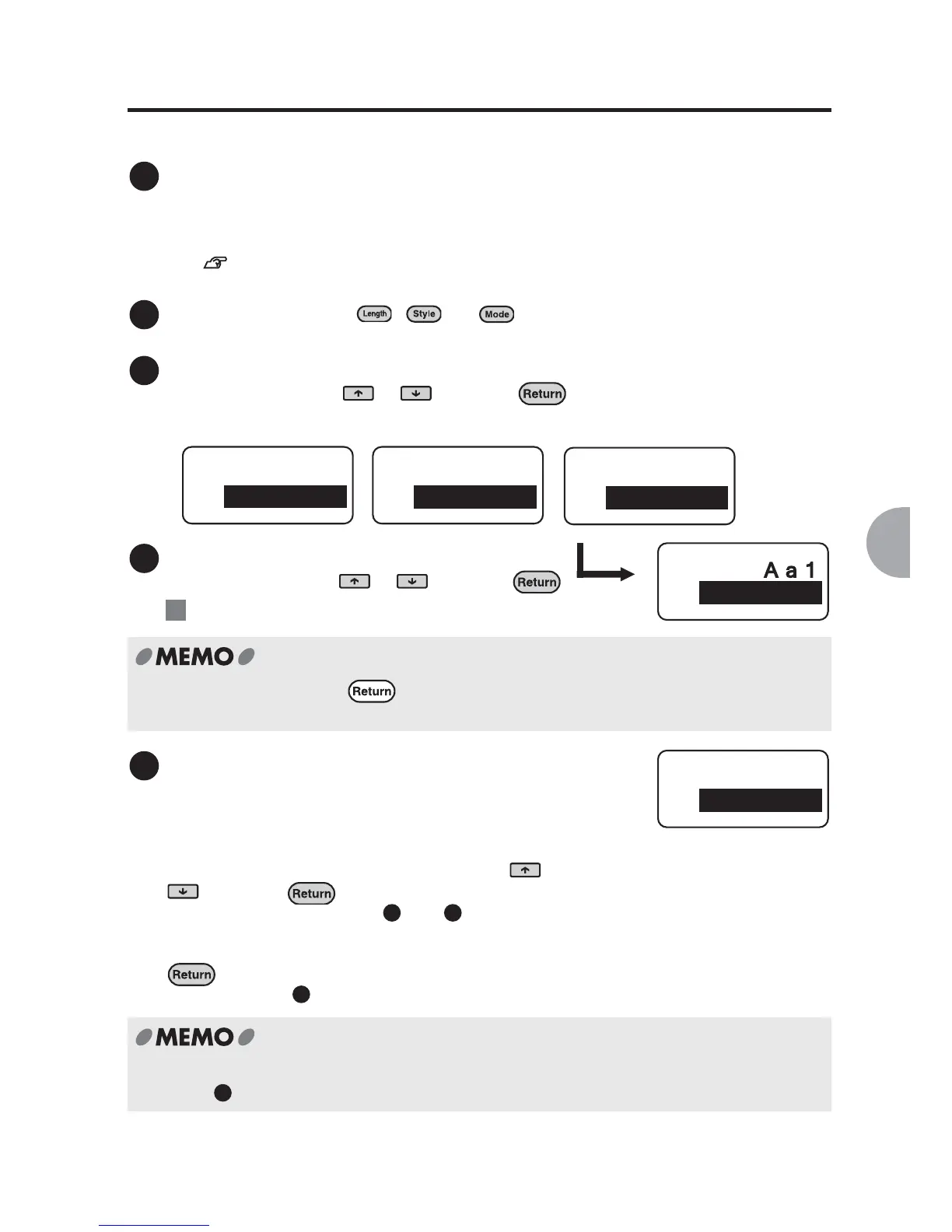
Functions can be set through the following procedure:
Place the cursor.
When applying the function to a whole line or a paragraph, place the cursor in the line or
paragraph respectively.
When applying the function to the entire text, place the cursor anywhere within the text.
See "Effective area and the position of the cursor" (p.60).
Press a function key. ( , , or )
Select a function.
Select a function using or and press .
Set the options for each function.
Select an option using or and press .
: The "Font" option of "Mode"
Select "End?"
Once a function has been set, the next function
within the same menu appears.
A different function can be set within the same menu
(in this case "Mode"). Select a function using or
and press .
Follow the same steps as in and .
Once the setting is complete select "End?" and press
.
Proceed to step .
To set a different function (in this case "Style" or "Length"), return to the text enter screen
after step and press another function key.
1
2
3
Length
Off
Style
Lines
Mode
Font
Length Style Mode
4
Ex.
In "Length" mode, pressing brings you back to the text input screen accepting the
current setting.
Font
SansSerif
5
4 5
6
Mode
End?
6



 To Next Page