Additional Functions 95
Resetting LABELShop
£
BEE3
Reset
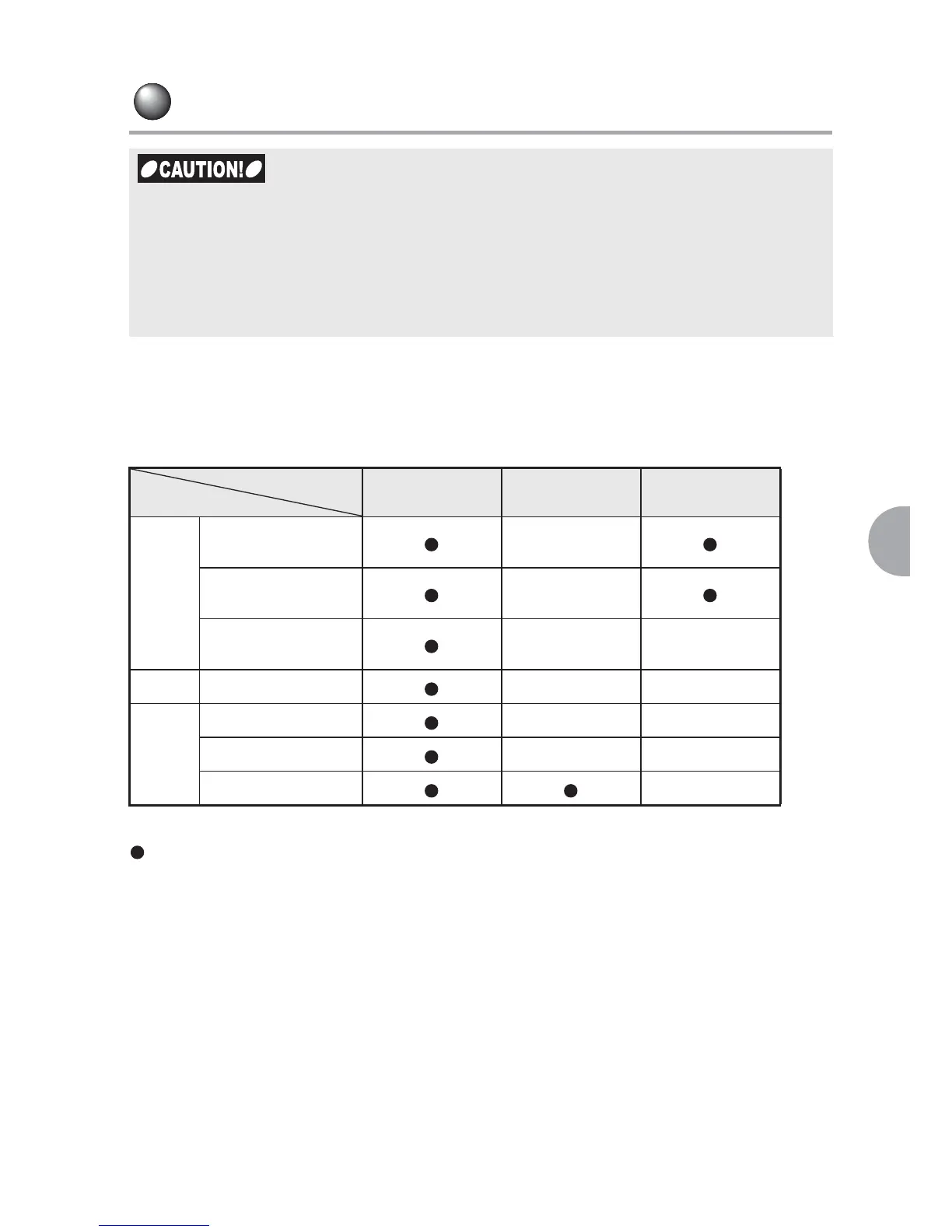
Resetting restores the factory settings.
Before resetting your device, refer to the table below for the items to be deleted.
: Restores the factory settings.
— : Set conditions remain.
*1 : Be sure to delete all the text before performing "AllDefault".
x LABELShop
£
BEE3 is an electronic device and therefore may sometimes stop working
as a result of static electricity or other causes.
x If the display is distorted and the machine has stopped responding, the ON/OFF key
does not work, reset the machine through the following procedure.
x Resetting will delete all the saved data. The data once deleted cannot be restored.
Please accept this in advance.
Reset
Restore
default setting
Delete all
Entry
Text entered on the
display
—*1
Text entered in
fixed forms
—
Input status and
CapsLock status
——
Data File — —
Setting
Print density — —
Display level — —
Various set values —
Function
Content



 To Next Page