88 Additional Functions
Saving a file
Saves text into a file. Select a file number from "File 1" to "File 4". Up to four files can
be saved.
x We recommend to use batteries (commercially available) when saving the text in files. Do
not keep the LABELShop
£
BEE3 without being powered for more than four minutes.
Otherwise all of the text data or settings you entered or saved may be cleared.
x For about four minutes, the power is supplied from the backup electrical circuit. Be sure
to replace the batteries in four minutes, or the saved data may be cleared.
x Saved data can be deleted due to battery exhaustion.
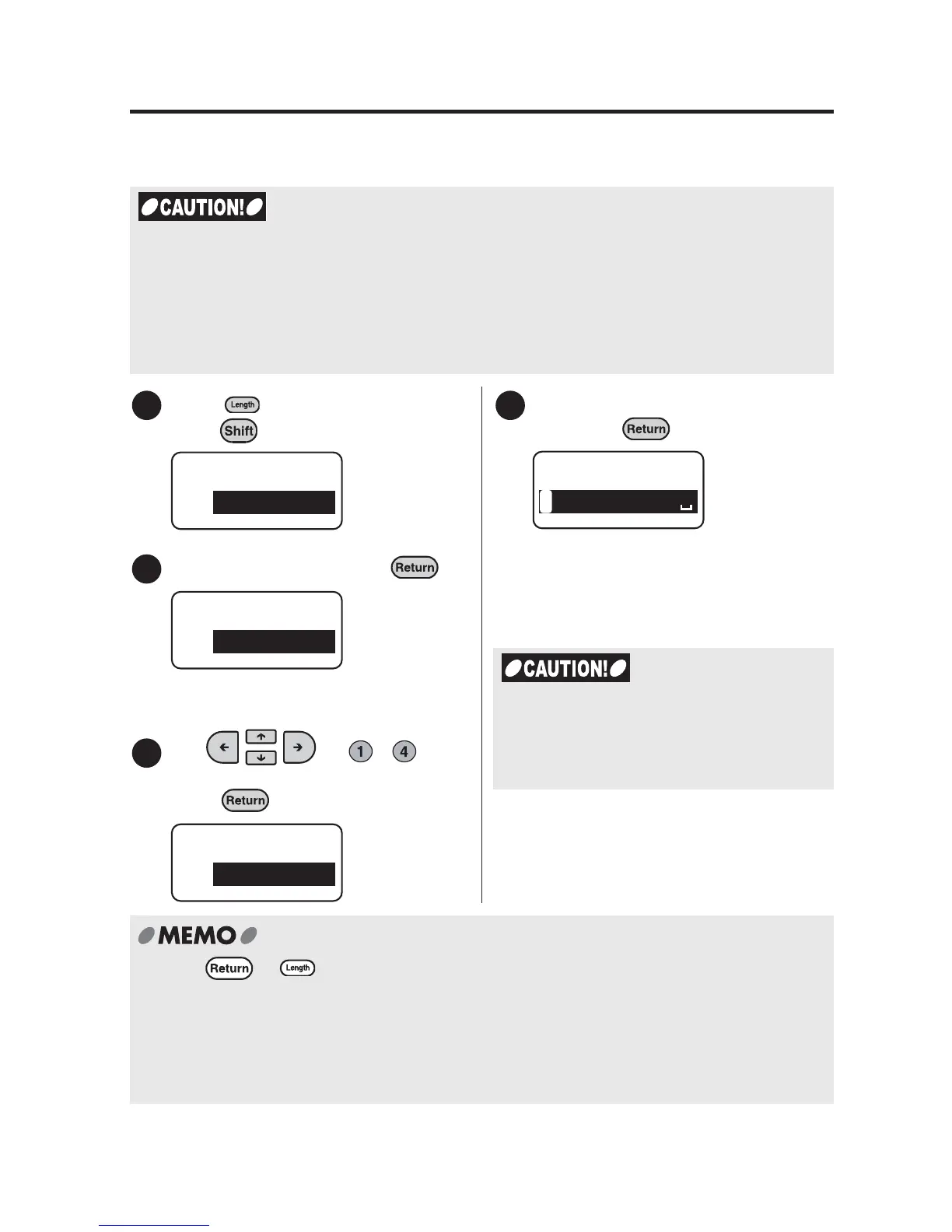
Press (=File) while holding
down .
Select "Store", and press .
The "Store" menu will be displayed.
Use or - to
select a document number and
press .
Check the information to be saved
and press .
"Execute" is displayed, then the screen
will return to the text screen after
saving.
x Press or to cancel the process. This will take you back to the previous step.
Repeating this procedure allows you to go back to the text screen.
x If there is no available space to save the data an error message reading "Memory Full!'
will be displayed. Please delete unneeded files in this case.
x Only text files from the text screen can be saved. Text files created using fixed forms
cannot be saved.
1
File
Store
2
File
Store
3
Store
File 1
4
LAVEL
1
Store 1
Do not unplug the AC adapter or the
batteries when the message reading
"Execute" is shown. File information may
be damaged.



 To Next Page