Additional Functions 73
Function description (Style)
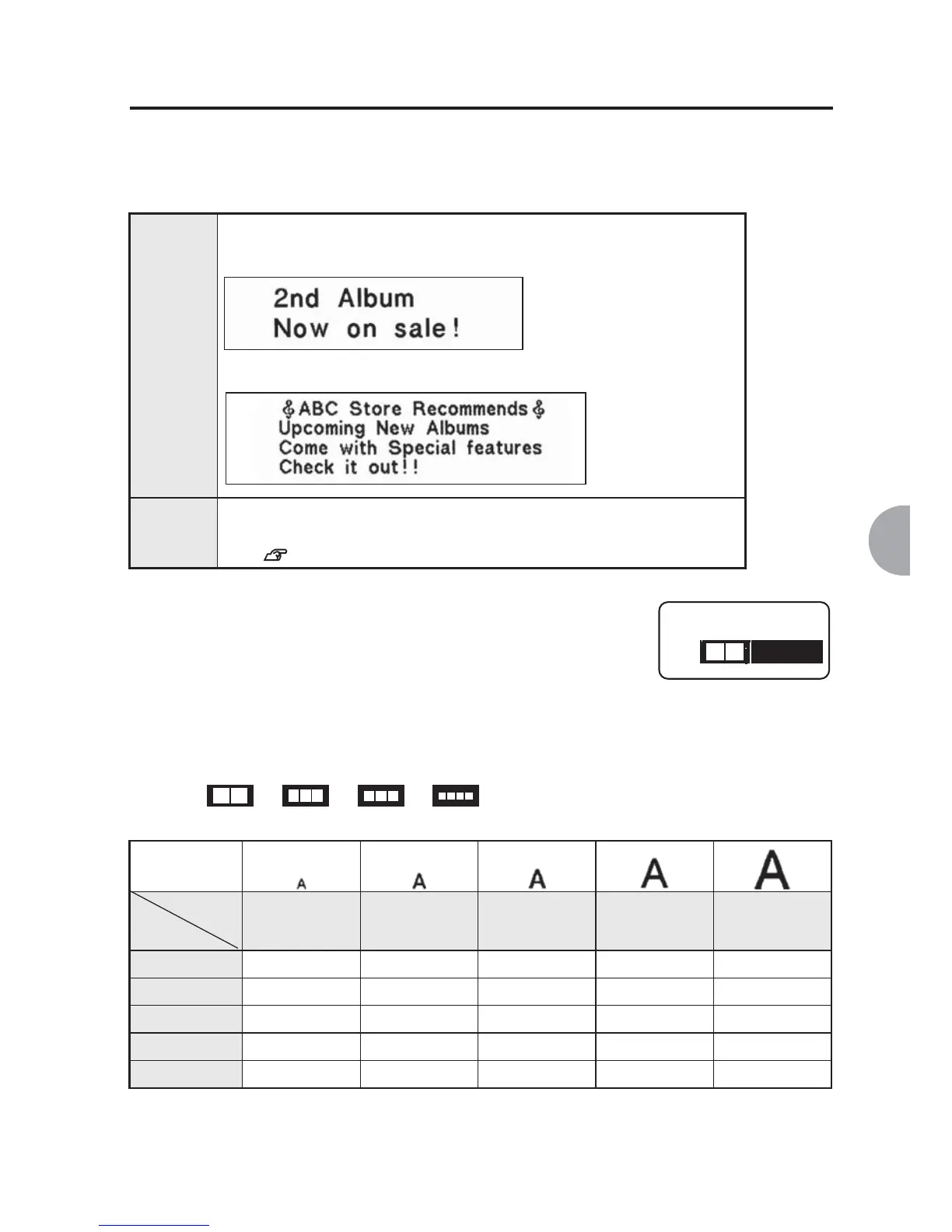
Lines
Changes the size of the texts.
Set the text size using "Equal" or "Auto format".
Auto format (1 line)
Selecting 1a/ 1b/ 1c/ 1d will print characters of the following size
depending on the tape width:
Equal
(default)
Sets a equal text size for each line.
Auto
format
Selects the text size of each line (line spacing) from preset
combinations (semi auto).
See p.64
Auto format (1 to 4 lines)
Select text size from the options. Check the layout and the
balance of the characters for each line using the displayed
pictographs.
Print sample
P
[6]
S
[10]
M
[13]
L
[19]
G
[24]
0.7" (218)
-
1d 1c 1b 1a
0.5" (212)
-
1d 1c 1b 1a
0.4" (209) 1d 1c 1b 1a
-
0.2" (206) 1c, 1d 1b 1a
--
0.16" (204) 1a, 1b,1c, 1d
----
0.5" tape
0.7" tape
1 Line
1 a
Text size
[pt]
Tape
width



 To Next Page