Getting Started 29
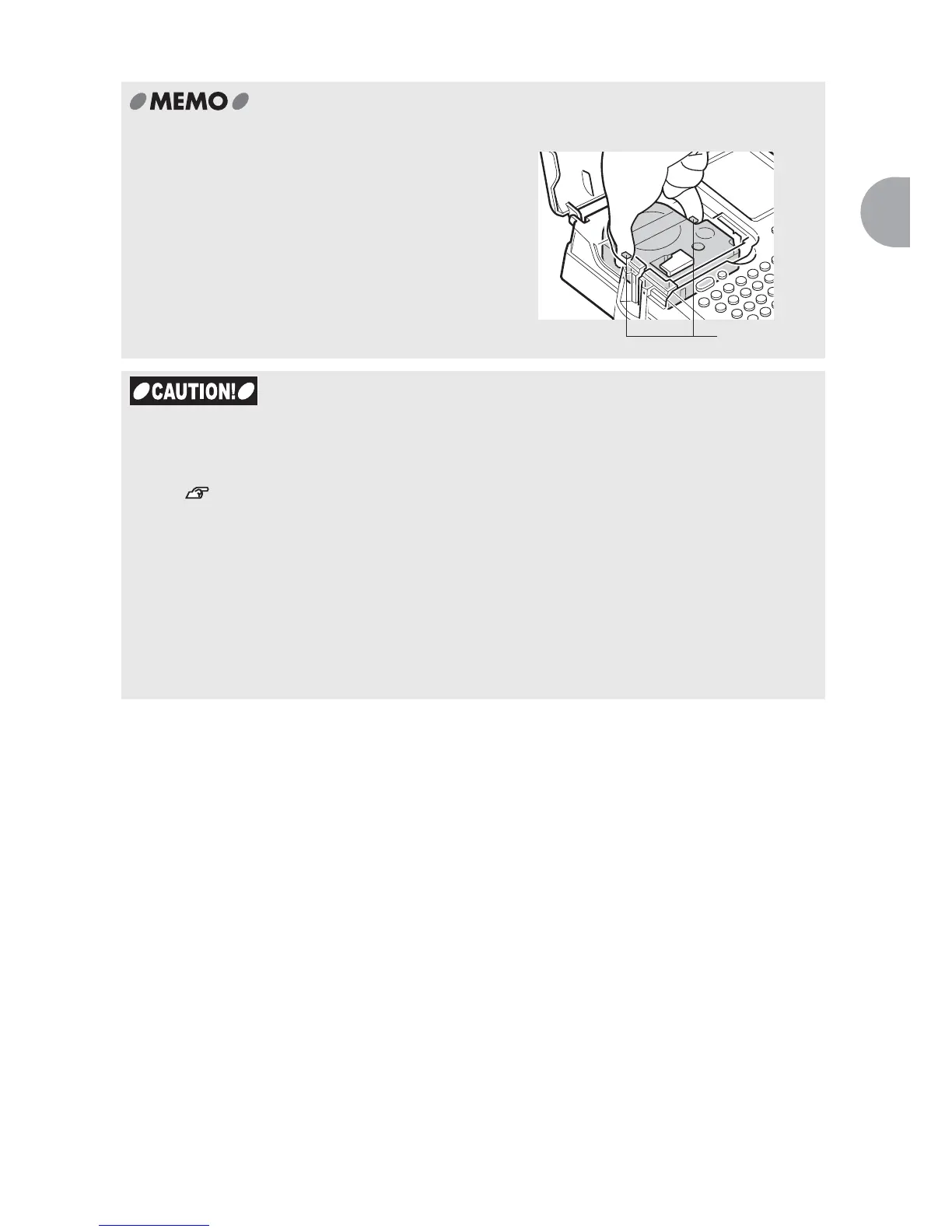
Removing the tape cartridge
To ensure proper and beautiful printing, the
tape cartridge is secured to the main unit
firmly. To remove, place your fingers on the
tabs provided on both sides of the cartridge as
shown in the figure, lift the tabs straight up to
pull out the cartridge.
x LABELShop
£
BEE3 supports five different width of the tape cartridges (4mm, 6mm,
9mm, 12mm, 18mm). Number of lines printed on the tape varies depending the tape
width.
See "Adding New Lines (Line Break)" (p.49).
x Tape cartridges should be stored in a dark cold place away from direct sunlight,
excessive temperature and humidity, and dust.
x It is recommended that you use the tape cartridge as soon as possible after opening.
x When installing the tape cartridge, insert it firmly as far as it can go.
x The maximum character size printable on 212-width and 218 width tapes are the same.
x When the tape cartridge that is not supported by the LABELShop
£
BEE3 is installed, a
message; "Check Tape!" or "No Tape!" appears. Reinstall the supported tape cartridge
properly.
Tabs



 To Next Page