Additional Functions 85
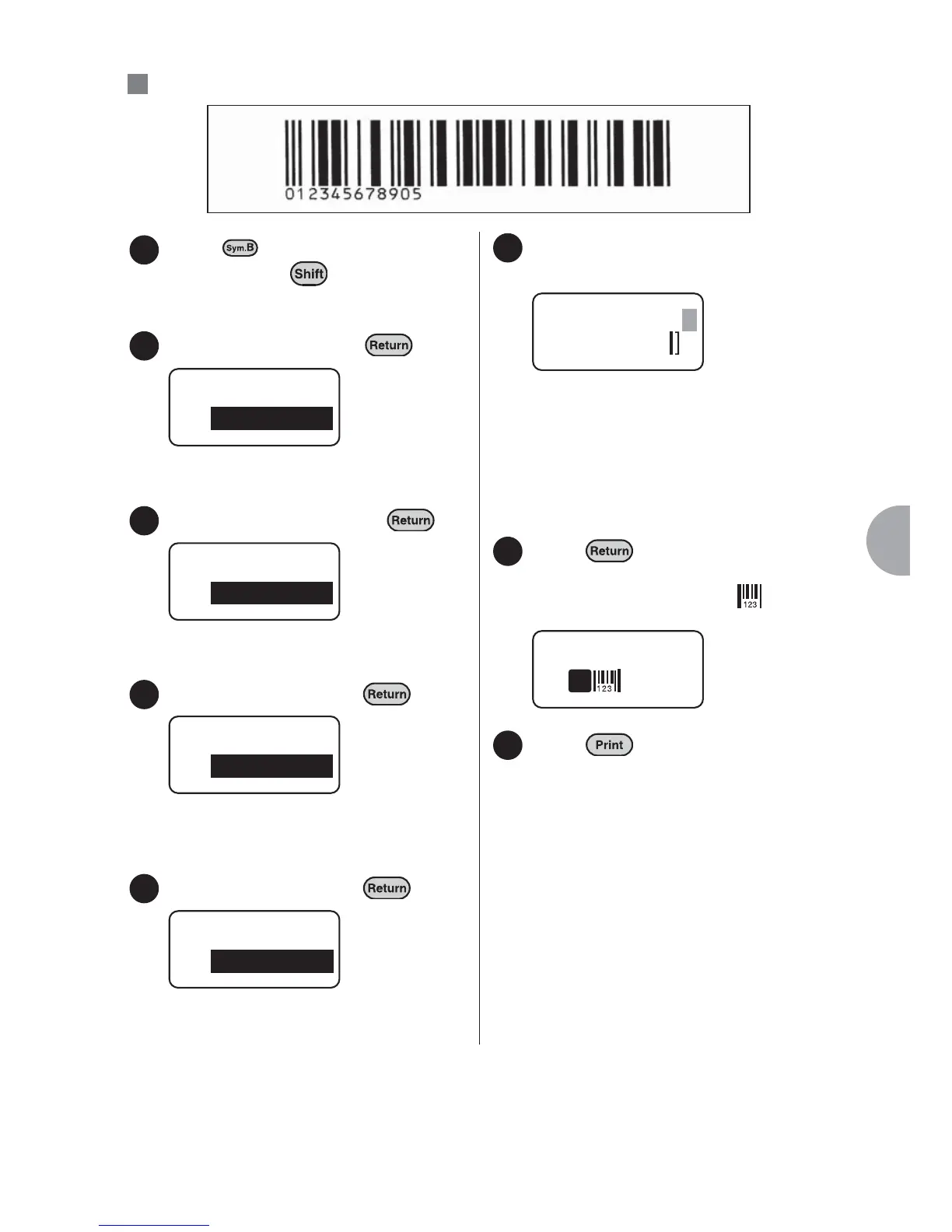
: Printing an "ITF" bar code (Width = Large, Ratio = 3.0, C/D on)
Press (= Bar Code) while
holding down .
Select "ITF" and press .
The "Width" menu will be displayed.
Select "Large" and press .
The "Ratio" menu will be displayed.
Select "3.0" and press .
The "Check Digit" menu will be
displayed.
Select "On" and press .
The bar code number input screen will be
displayed.
Enter the bar code number using
the character keys.
The number will be displayed.
The check digit is automatically
displayed in the shaded field in the right
upper corner. The digit numbers that
can be entered depend on the type of
bar code.
Press .
The text enter screen will be displayed
again. The bar code mark " " will be
displayed in the position of the cursor.
Press .
The bar code label is printed.
Ex.
1
2
Bar Code
ITF
3
Width
Large
4
Ratio
3.0
5
Check Digit
On
6
ITF
C/D
1234567890
5
7
1
8



 To Next Page