KONE NanoSpace™
Owner’s Manual
143 (196) OM-01.03.086
(B) 2016-01-11
© 2014 KONE Corporation
All rights reserved.
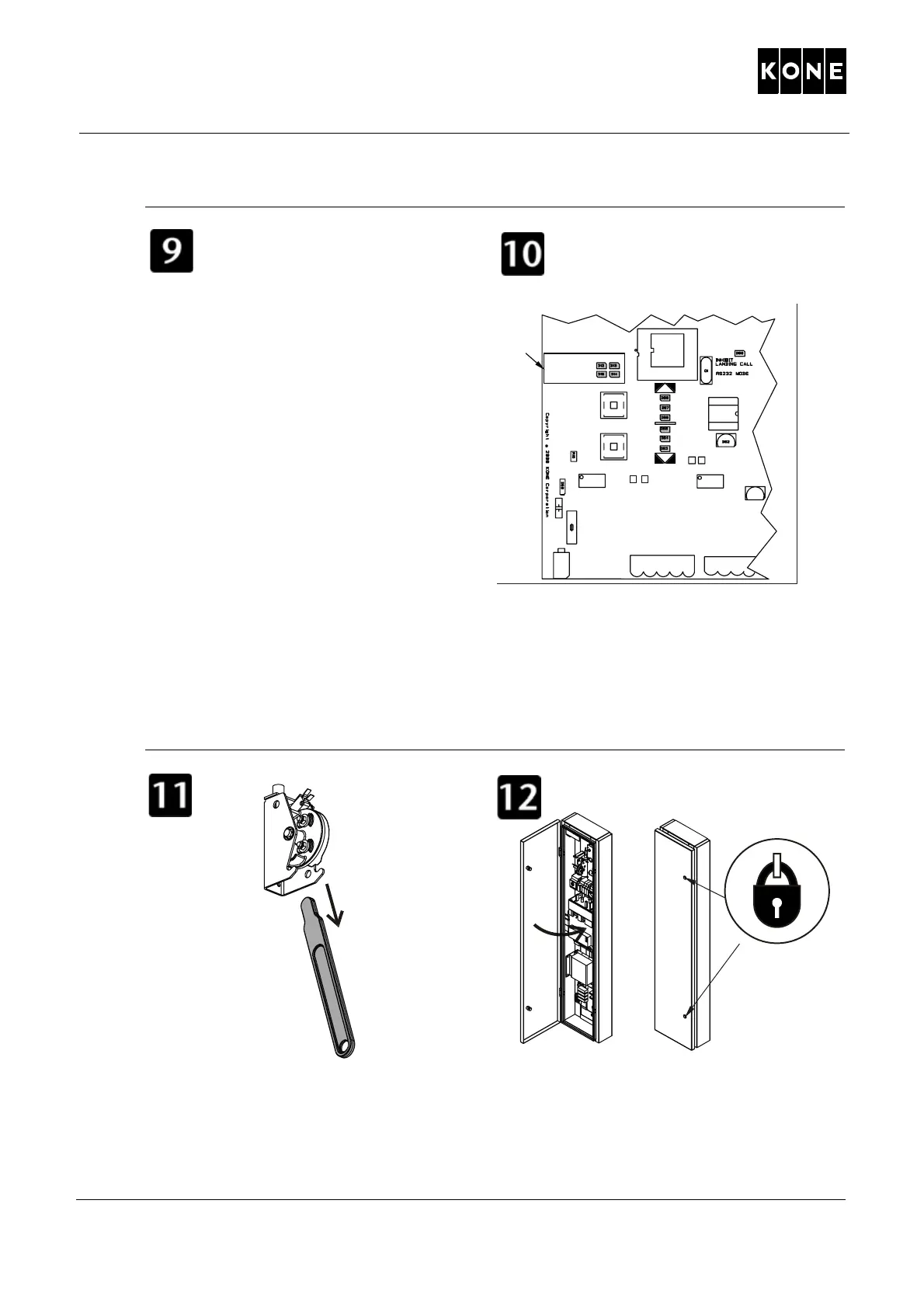
Check the elevator car position.
Select one of the following:
A: If speed and direction LEDs indicated that
the
elevator moved when the brakes were
opened, continue to the next step.
B: If speed and direction LEDs did not turn
on
, but the elevator car has moved, go to
section 11.7.5 Moving the elevator car using
the manual brake releasing device with car
position checks at landing. (Page 14
6.)
If the elevator car has not moved, select one
of the followin
g:
C: Ask the pa
ssengers to change their
positions in the elevator car and maybe also
to jump. Then repeat steps 8 – 9.
D: Use the car lifting equipment, see 1
1.7.2
Moving the elevator car with lifting
equipment (Page 130.)
Repeat steps 8 – 9 until the elevator car
arrives to do
or zo
ne.
Remove the brake release lever. Store the
bra
k
e release lever inside the maintenance
access panel.
Close and lock the maintenance access
p
anel.
XL2
XL4 XL5
TP6 TP5
LWD
1071023.wmf
GAIN
OFFSET
DOOR ZONE
INDICATOR
SPEED
MEANSUREMENTS
SPEED
RDF
UP
RDF
DW
R127
TP4 TP3
S1
S2
F2
C77
U7
R145
U2
>0.5m/s
=0m/s
>0.5m/s
A
1084115.wmf
1
11.wm



 To Next Page