EasyManua.ls Logo

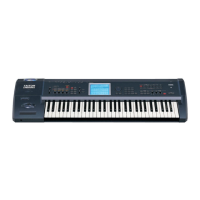
Korg Trinity series - User Manual

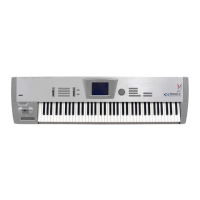
Korg Trinity series
81 pages
Print Icon
To Next Page IconTo Next Page
Loading...
5E

Table of Contents

Questions and Answers

  • A
    April SalinasSep 3, 2025
    Why can’t I save data to a floppy disk on my Korg Musical Instrument?
    • R
      Raymond NewtonSep 3, 2025
      Make sure that the floppy disk is inserted correctly and that it is formatted. Also, verify that the write protect tab of the floppy disk is not covering the hold in the “write permit” position.
  • J
    Juan MoodySep 1, 2025
    What to do if I can’t format a floppy disk on my Korg Musical Instrument?
    • S
      Stephen SmithSep 1, 2025
      Check if the floppy disk is a 3.5 inch 2DD or 2HD. Ensure that the floppy disk is inserted correctly. Verify that the write protect tab of the floppy disk is not covering the hole in the “write permit” position.
  • J
    Jacob McguireAug 30, 2025
    Why can’t I record on the sequencer of my Korg Musical Instrument?
    • S
      Stephen MartinAug 31, 2025
      Confirm that the Global mode P2 Protect setting Protect Song is un-checked. Also, check if the remaining amount of memory is at 0%.
  • W
    William FisherAug 29, 2025
    Why can’t I write programs or combinations on my Korg Musical Instrument?
    • M
      mitchell23Aug 29, 2025
      Ensure that the Global mode P2 Protect setting is un-checked.
  • A
    Allison NelsonAug 27, 2025
    Why does the sound not stop on my Korg Musical Instrument?
    • M
      michelle74Aug 27, 2025
      Check if the Program Edit mode P1 Hold setting is un-checked. Also, verify if the Global mode P1 Sustain Pedal Polarity setting is correct. For an oscillator whose amp EG Sustain Level is set above 0, check if the Delay Time is set to other than Key Off in Program Edit mode P1–2.
  • D
    Dustin CookAug 26, 2025
    What to do if nothing appears on the LCD of my Korg Musical Instrument?
    • S
      skennedyAug 26, 2025
      Verify that the rear panel CONTRAST knob is adjusted.
  • B
    Brian WilsonAug 25, 2025
    How to turn on Korg Musical Instrument if power does not come on?
    • J
      James BarajasAug 25, 2025
      Make sure the power cable is connected to an AC outlet.
  • E
    Evan CastroAug 22, 2025
    How to control Korg Musical Instrument via MIDI?
    • R
      Ralph GarciaAug 22, 2025
      Check if the MIDI cables are connected correctly. Ensure that the settings are configured so that the MIDI data is being received on the same channel on which the transmitting device is sending it. Verify that the Global mode P2 Filter setting is checked.

Summary

STEP 1

Main Features of the TRINITY Series

Details core features: ACCESS, MOSS, Touch View, expansion, programs, parameters, drum kits, controllers, sequencer, and effects.

Connections

Explains how to connect audio, pedals, and MIDI devices to the TRINITY.

STEP 2

Performance Functions

Describes how keyboard, joystick, ribbon controller, and pedals control sound parameters.

STEP 3

Program Edit Mode

Explains program organization and how to edit parameters for pitch, tone, and volume.

MIDI Applications

Covers MIDI connections, global settings, channels, and various MIDI message applications.

Troubleshooting

Lists common problems and their solutions for operating the TRINITY.

Korg Trinity series Specifications

General IconGeneral
Multitimbrality16 parts
MIDIIn, Out, Thru
Oscillators2 per voice
Year Released1995
Keyboard61 keys (Trinity, Trinity Plus, Trinity Pro), 76 keys (Trinity ProX)
Sequencer16-track sequencer
StorageFloppy disk drive
OutputsStereo output, 4 individual outputs
Inputs2 audio inputs
WaveformsPCM samples
FilterResonant low-pass, high-pass, band-pass
LFO2 LFOs per voice

Related product manuals