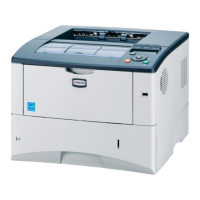
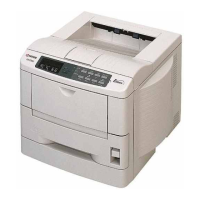
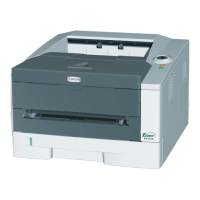
2J0/2J1/2J2-4
CONTENTS
1-1 Specifications
1-1-1 Specifications..........................................................................................................................................1-1-1
1-1-2 Parts names............................................................................................................................................1-1-4
(1) Overall...............................................................................................................................................1-1-4
(2) Operation panel.................................................................................................................................1-1-5
1-1-3 Machine cross section ............................................................................................................................1-1-6
1-2 Installation
1-2-1 Installation environment ..........................................................................................................................1-2-1
1-2-2 Unpacking ...............................................................................................................................................1-2-2
(1) Unpacking .........................................................................................................................................1-2-2
1-2-3 Installing the expanded memory (option)................................................................................................1-2-3
1-2-4 Installing the memory card (option).........................................................................................................1-2-4
1-3 Maintenance Mode
1-3-1 Maintenance mode .................................................................................................................................1-3-1
(1) Executing a maintenance item ..........................................................................................................1-3-1
(2) Contents of maintenance mode items...............................................................................................1-3-2
(3) Printing an event log (EVENT LOG)................................................................................................1-3-10
1-4 Troubleshooting
1-4-1 Paper misfeed detection .........................................................................................................................1-4-1
(1) Paper misfeed indication...................................................................................................................1-4-1
(2) Paper misfeed detection....................................................................................................................1-4-1
1-4-2 Self-diagnostic function...........................................................................................................................1-4-2
(1) Self-diagnostic function .....................................................................................................................1-4-2
(2) Self diagnostic codes ........................................................................................................................1-4-2
1-4-3 Image formation problems ......................................................................................................................1-4-9
(1) Completely blank printout..................................................................................................................1-4-9
(2) All-black printout..............................................................................................................................1-4-10
(3) Dropouts..........................................................................................................................................1-4-11
(4) Black dots........................................................................................................................................1-4-11
(5) Black horizontal streaks. .................................................................................................................1-4-13
(6) Black vertical streaks.......................................................................................................................1-4-13
(7) Unsharpness. ..................................................................................................................................1-4-13
(8) Gray background.............................................................................................................................1-4-14
(9) Dirt on the top edge or back of the paper........................................................................................1-4-14
(10) Undulated printing at the left edge (scanning start position). ..........................................................1-4-14
1-4-4 Electric problems ..................................................................................................................................1-4-15
1-5 Assembly and Disassembly
1-5-1 Precautions for assembly and disassembly............................................................................................1-5-1
(1) Precautions .......................................................................................................................................1-5-1
(2) Drum..................................................................................................................................................1-5-1
(3) Toner container .................................................................................................................................1-5-1
(4) How to tell a genuine Kyocera Mita toner container..........................................................................1-5-2
1-5-2 Outer covers ...........................................................................................................................................1-5-3
(1) Detaching and refitting the top cover.................................................................................................1-5-3
(2) Detaching and refitting the right cover and left cover ........................................................................1-5-4
1-5-3 Paper feed section..................................................................................................................................1-5-6
(1) Detaching and refitting the paper feed assembly (paper feed roller and pickup roller) .....................1-5-6
(2) Detaching and refitting the retard roller .............................................................................................1-5-7
(3) Detaching and refitting the registration upper and lower roller.........................................................1-5-8
(4) Detaching and refitting the MP tray paper feed roller......................................................................1-5-10
1-5-4 Developing section................................................................................................................................1-5-11
(1) Detaching and refitting the developing unit .....................................................................................1-5-11
1-5-5 Drum section.........................................................................................................................................1-5-12
(1) Detaching and refitting the drum unit ..............................................................................................1-5-12
(2) Detaching and refitting the main charger unit..................................................................................1-5-13



 To Next Page
 Loading...