5.REGISTERING FROM COMMAND CENTER
Managing Templates 49
5 REGISTERING FROM COMMAND CENTER
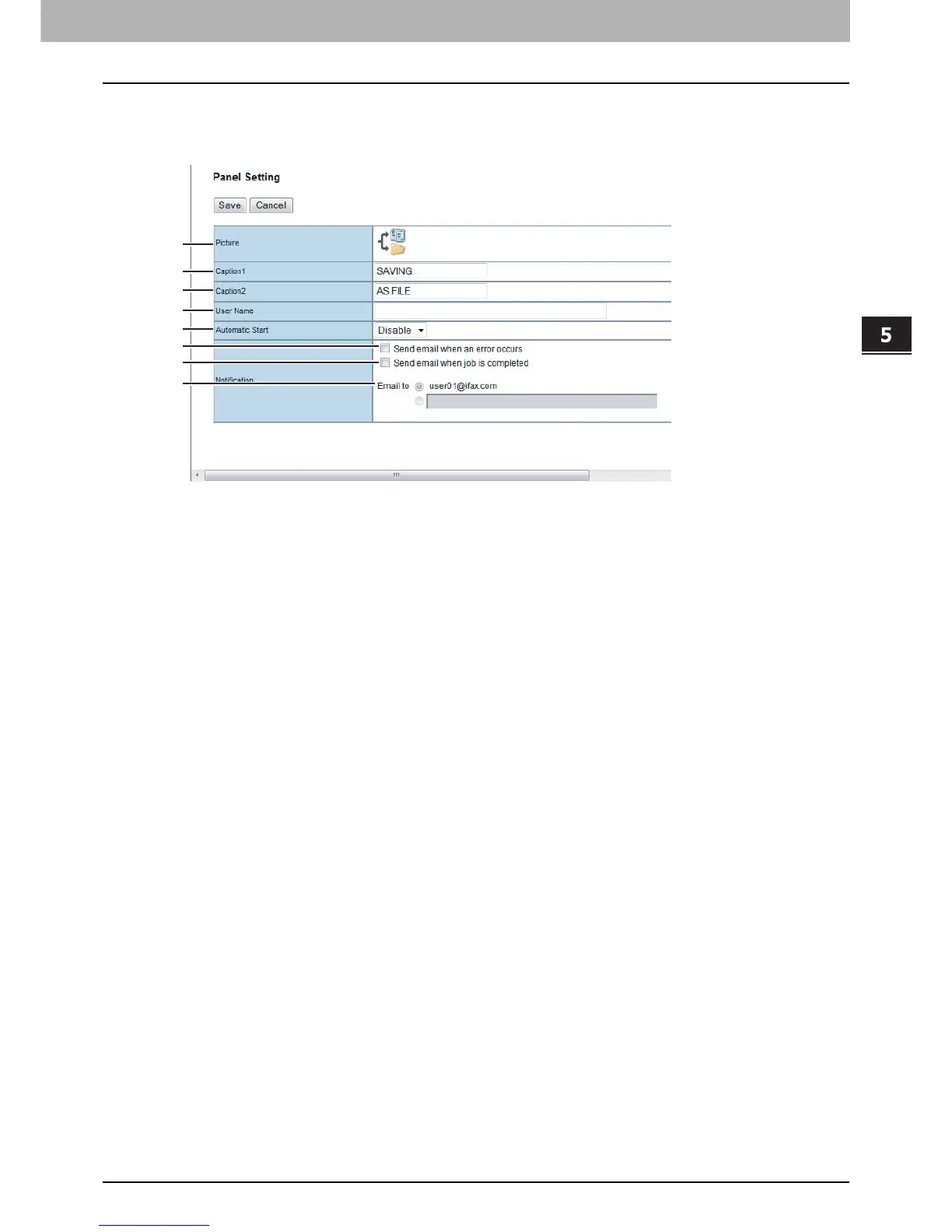
Panel Setting (Private template)
In the Panel Setting page, specify how the icon for the template is displayed in the touch panel, and the notification
settings for the template.
1) Picture
This indicates the icon that will be displayed in the touch panel. The icon is automatically designated according to the
agent that you select.
2) Caption1
Enter the text that will be displayed next to the icon in the touch panel. You can enter up to 11 alphanumeric
characters.
3) Caption2
Enter the text that will be displayed next to the icon in the touch panel. You can enter up to 11 alphanumeric
characters.
4) User Name
Enter the owner name of the template. You can enter up to 30 alphanumeric characters.













 To Next Page