55
LeeBoy Model 8515D Conveyor Paver 5-33
Maintenance
PV480 Digital Display
Under certain conditions, the PV480 digital display can
become inoperable. If the display screen is completely
black, it must be replaced. If the gauges on the screen
become gray (Figure 5-42), the display panel is not
receiving communication over the CANbus. If this
occurs, check the connector. If the gauges are still gray,
check the ECU powering up.
Figure 5-42. Gauges Grayed on Screens
Check PV480 Connector
1. Ensure the ignition switch is in the OFF position
before starting the machine.
2. Remove the main connector from the rear of the
PV480 digital display controller.
3. Inspect the terminals in positions 14 (green) and 26
(yellow) for the CANbus communication.
4. If terminals are properly seated, carefully “unlock”
the red retaining clip and slide away from the wires.
(Figure 5-43)
Clip
Figure 5-43. PV480 Main Connector
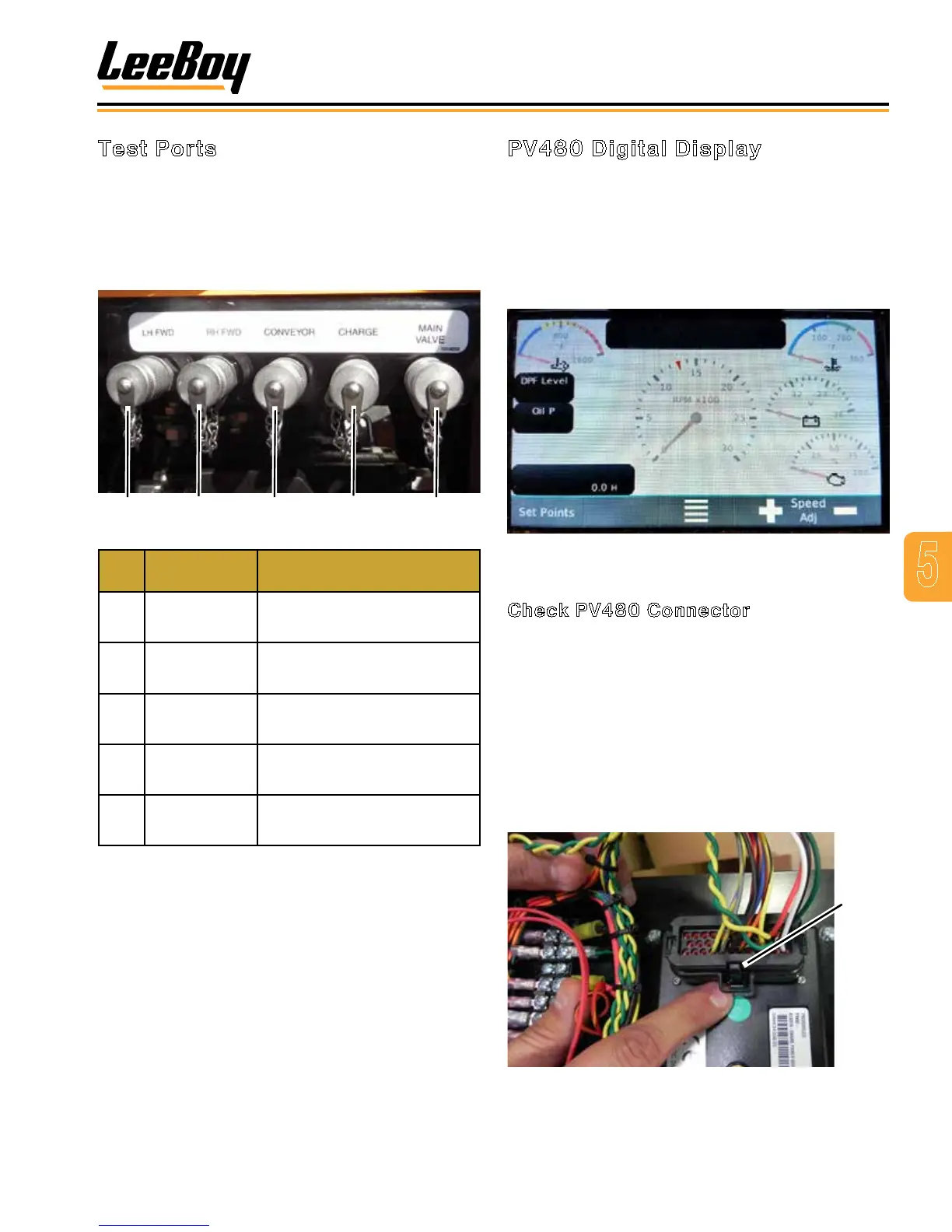
Test Ports
The hydraulic test ports provide an easy and convenient
means of checking pressure for the ve main functions
of the paver: Forward drive (left and right sides),
conveyor, charge pressure and the main manifold valve.
The test ports are located together just under the hose
reel on the right side of the paver. (Figure 5-41)
Figure 5-41. Test Port
Item
No.
Function PSI Relief / Gauge
1 Left Forward
Relief set at 3625 PSI.
Use 4000 PSI gauge.
2 Right Forward
Relief set at 3625 PSI.
Use 4000 PSI gauge.
3 Conveyor
Relief set at 2600 PSI.
Use
4 Charge
Relief set at
Use 320 PSI gauge.
5 Main Valve
Relief set at 2900 PSI.
Use 3000 PSI gauge.
To check pressure:
1. Using the table above, connect the appropriate
gauge to the port being tested.
2. Start the engine, then check gauge for the proper
pressure reading.
3. If adjustment is needed, locate the pressure-
reducing valve on left side of main manifold.
4. Remove valve cap with an allen wrench.
5. Adjust the pressure-reducing valve clockwise for
more tension or counterclockwise for less tension.



 To Next Page