21/40
Basic Operations
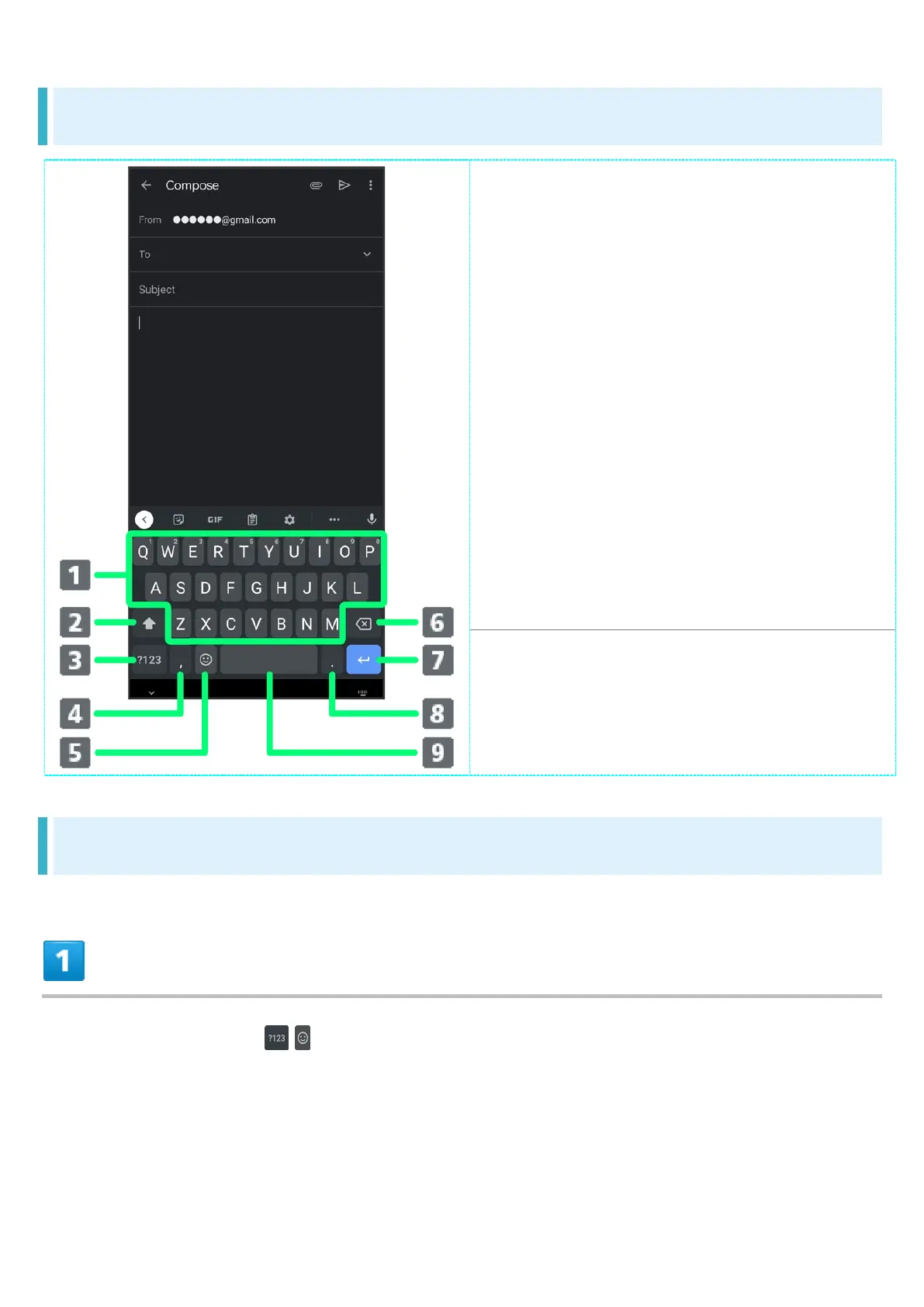
Keyboard Layout
Enter characters.
Toggle case.
Switch to number/symbol keyboard.
Enter comma. Touch & Hold to
specify settings or enable One-handed
mode.
Switch to emoji/emoticon keyboard.
Delete characters.
Insert line break. Touch & Hold for
options; enable One-handed mode, or
move to other entry fields.
Enter period. Touch & Hold for a set
of other punctuation marks and
symbols.
Enter space.
Switching Keyboards
In a text entry window, /



 To Next Page