177/178
Handset Settings
Troubleshooting
Check FAQ on Support Website and do a self-check.
Check FAQ on Support Website.
Search for items in settings menu.
Troubleshooting Operations
Checking FAQ on Support Website
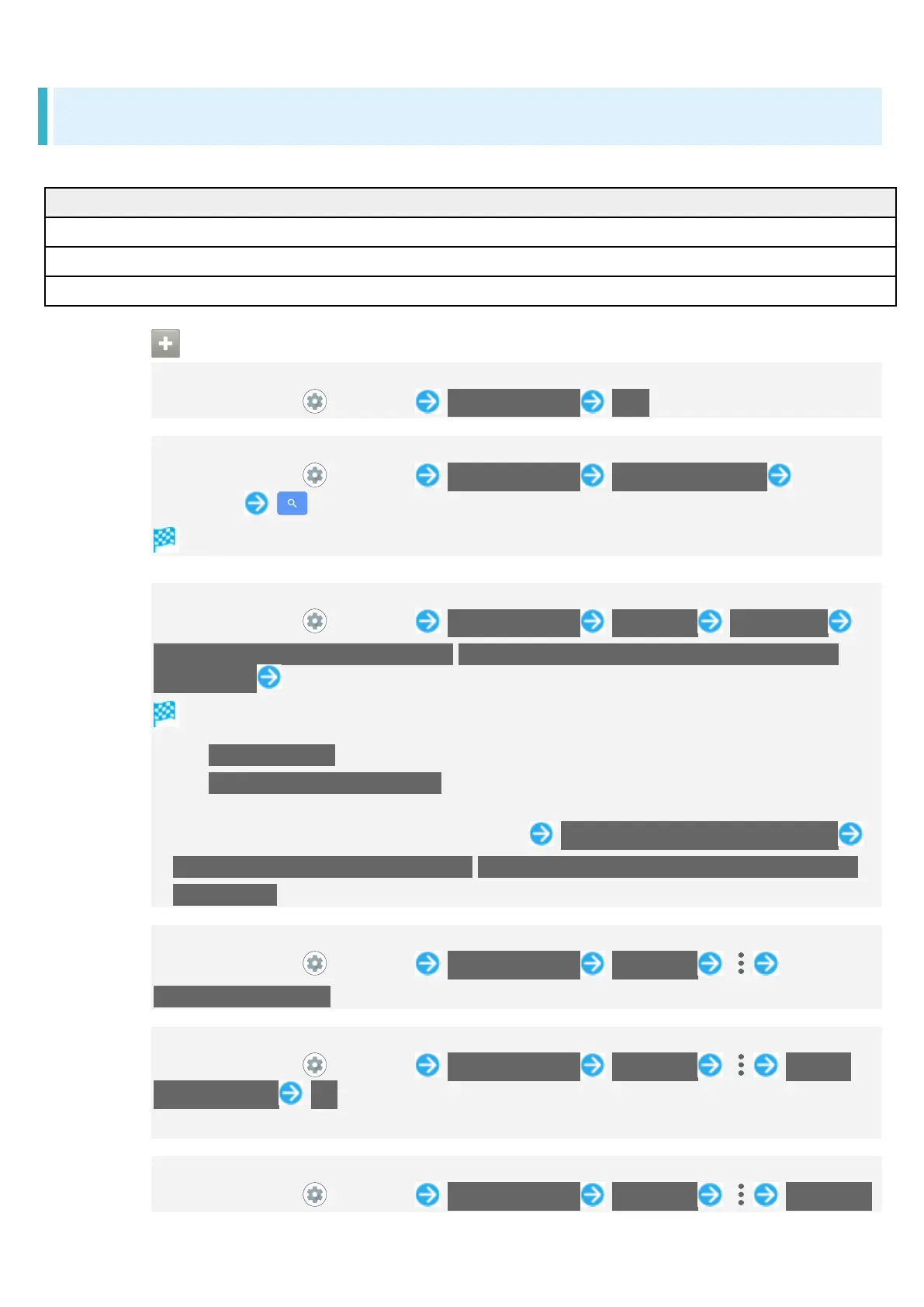
In Home Screen, (Settings) Troubleshooting FAQ
Searching for Items in Settings Menu
In Home Screen, (Settings) Troubleshooting Search for settings Enter
search text
Search results appear.
Performing Self-Check
In Home Screen, (Settings) Troubleshooting Self check DIAGNOSE
CHOOSE FROM THE SYMPTOMS./CHOOSE THE PLACE THAT YOU WANT TO
DIAGNOSE. Follow onscreen prompts
Diagnosis results appear.
Tap Secure storage to delete cache used by the application.
Tap Frequently Asked Questions to check FAQ on Support Website.
Tap diagnosis result for detailed result screen.
Use Power Key for self-check (Long Press) Think if it might be a malfunction?
CHOOSE FROM THE SYMPTOMS./CHOOSE THE PLACE THAT YOU WANT TO
DIAGNOSE.
Checking Memory Usage
In Home Screen, (Settings) Troubleshooting Self check
Memory(RAM) usage
Restarting Handset in Safe Mode
In Home Screen, (Settings) Troubleshooting Self check Reboot
with safe mode OK
Handset restarts in a state near to its state at time of purchase.
Exiting Safe Mode and Restarting Handset
In Home Screen, (Settings) Troubleshooting Self check Reboot to


 To Next Page