8/77
Getting Started
Do not insert Card Tray upside down.
Insert gently all the way horizontally in direction shown.
Push Card Tray firmly where circled (○) so that there is no gap between handset and Card Tray.
To maintain water and dust resistance, use handset with Card Tray completely closed.
Removing SIM Card
Always power off beforehand.
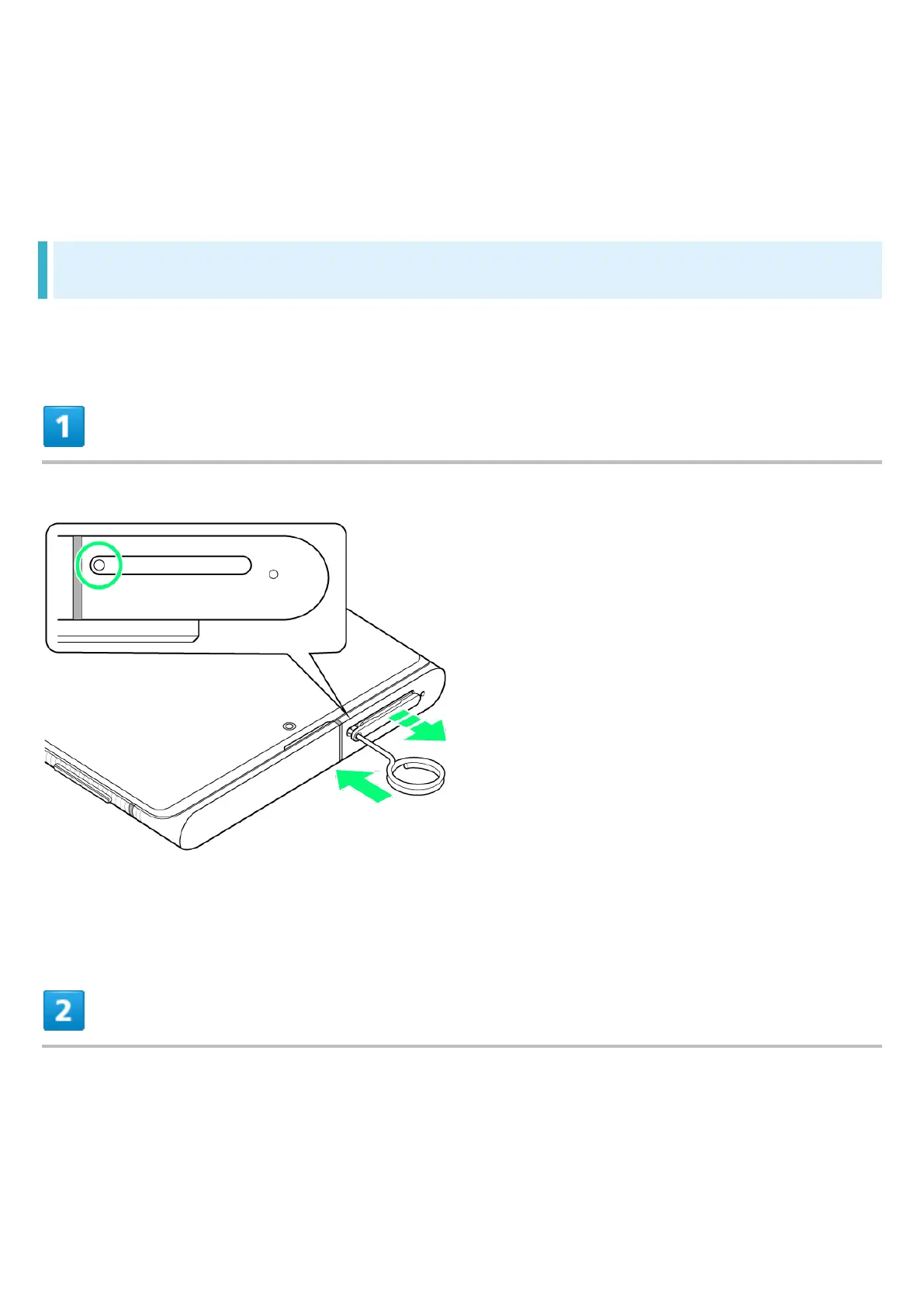
With Display upward, insert SIM Removal Tool in removal hole in Card Tray
Press firmly and straight until Card Tray ejects.
Pull out Card Tray



 To Next Page