EasyManua.ls Logo

LEITZ Phone 1 - Main Status Indicators

LEITZ Phone 1
692 pages
Print Icon
To Next Page IconTo Next Page
To Previous Page IconTo Previous Page
Loading...
32/59
Handset Interface
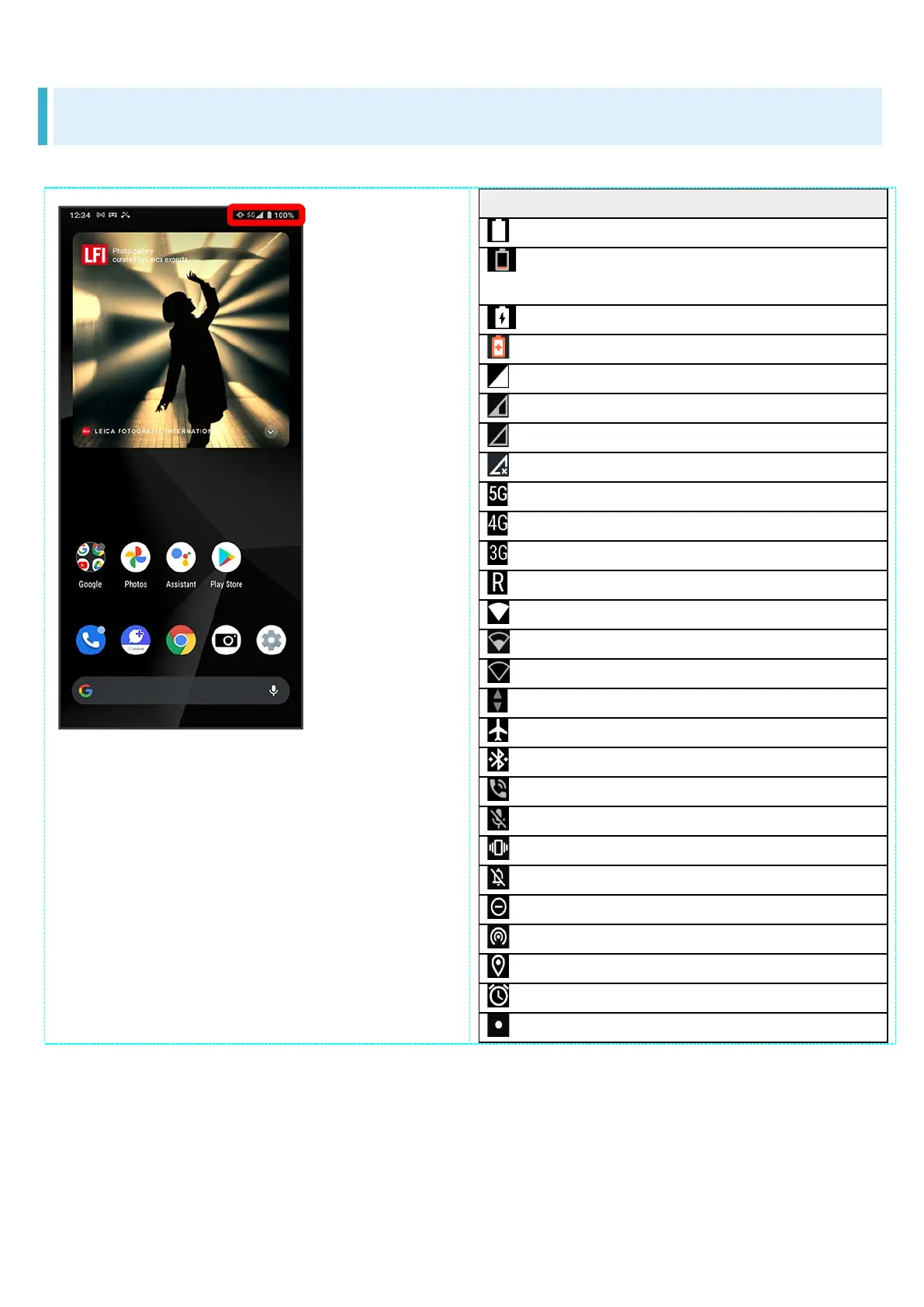
Main Status Indicators
Status Indicators appear on the right.
Indicator
Description
Battery Strength(100%)
Battery Strength (less than about
15%)
Energizing
Battery Saver On
Signal Strength (Strong)
Signal Strength (Fair)
Signal Strength (Weak)
No Signal (5G/4G LTE/4G/3G)
5G Data in Use
1
4G LTE/4G Data in Use
2
3G Data in Use
Roaming
Wi-Fi Connected (Strong)
Wi-Fi Connected (Fair)
Wi-Fi Connected (Weak)
Communication in Use
Airplane Mode
Bluetooth
®
Connected
Talking with Speakerphone
Talking while Muted
Manner Mode (Vibe)
Manner Mode (Mute)
Do Not Disturb Set
Wi-Fi Hotspot Tethering in Use
Getting Location Information
Alarm Set
Hidden Statuses
1 Although "5G" may appear in standby (top of Display), this may change to "4G" with data
communication then being by the 4G network.
2 Corresponding indicator appears when handset is connected to FDD-LTE (SoftBank 4G LTE) or
AXGP (SoftBank 4G). Between these Networks, handset connects to SoftBank 4G whenever
possible.


Table of Contents