82/178
Handset Settings
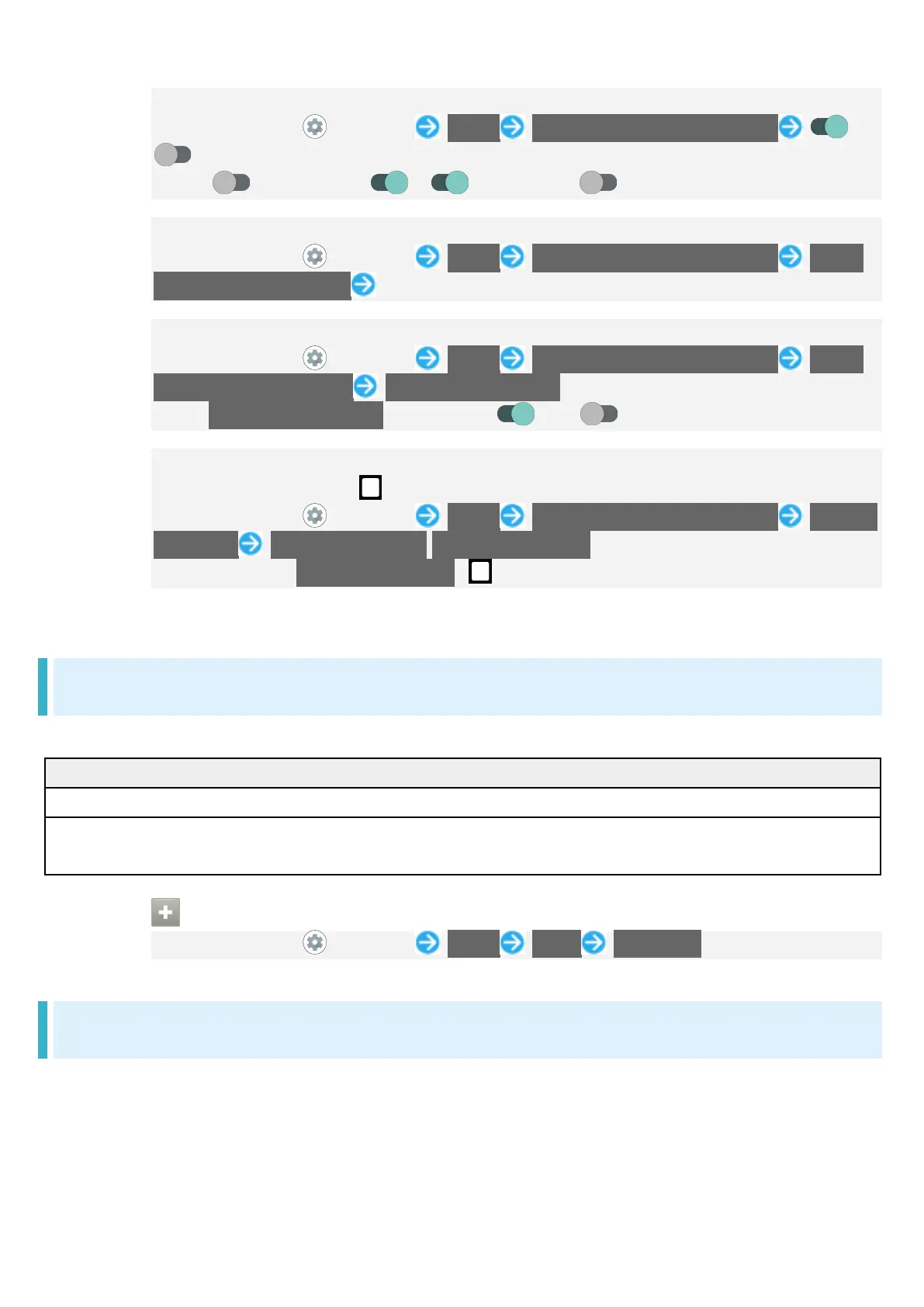
Setting Whether to Long Press Power Key to Start Application
In Home Screen, (Settings) Useful Convenient operation settings /
for "Press and hold to activate app"
Tap to toggle on ( ), to toggle off ( ).
Setting Application to Start by Long Pressing Power Key
In Home Screen, (Settings) Useful Convenient operation settings Press
and hold to activate app Tap name of application
Setting Whether to Activate Camera by Pressing Power Key Twice
In Home Screen, (Settings) Useful Convenient operation settings Press
twice to activate camera Quickly open camera
Tap Quickly open camera to toggle on ( )/off ( ).
Setting Whether to List Recently Used Applications by Dragging Bottom of
Display Up or Tapping
In Home Screen, (Settings) Useful Convenient operation settings System
navigation Gesture navigation/3-button navigation
After selecting 3-button navigation, appears on Navigation Bar.
Home Settings
Switch to and make settings for the standard home application.
Tap to change Home application to Home.
Settings Home Make Home Screen settings.
See "Making Home Screen Settings" for details.
Changing Home Application to Home
In Home Screen, (Settings) Useful Home Use Home
Simple Mode Settings
Set a simple and intuitive Home Screen and easy-to-read text.



 To Next Page