3/59
Handset Interface
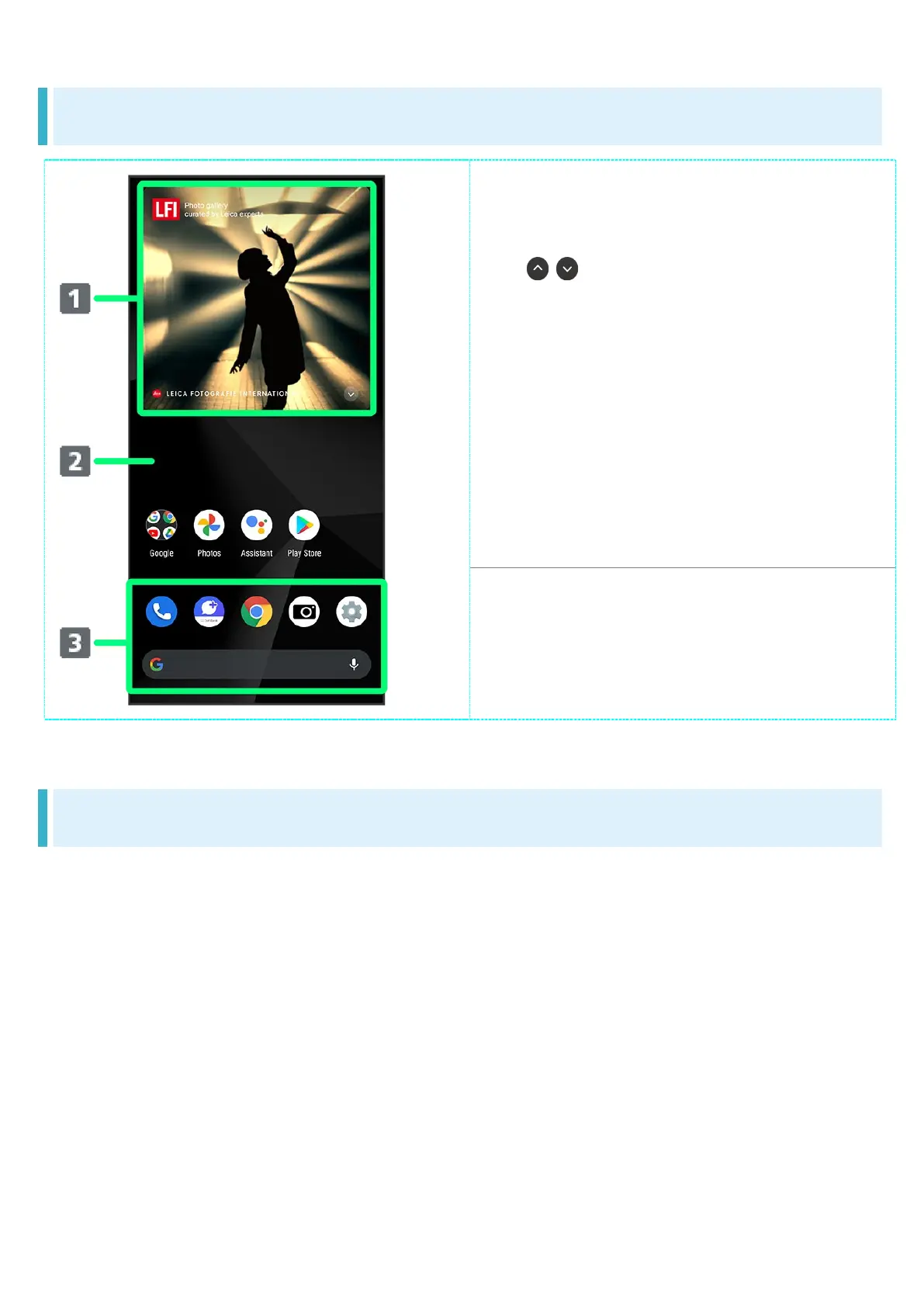
Home Screen Layout
LFI Widget
Show photos published in LEICA
FOTOGRAFIE INTERNATIONAL (LFI).
Tap / to toggle display of photos.
1
Desktop sheet
Place application shortcuts, folders,
widgets freely. Flick left/right to toggle
sheets.
Favorites Tray
Place application shortcuts and folders
freely. Activate applications quickly
from any Home Screen sheet or use
Google™ Search Bar.
1 Set photo type to display beforehand. See "Setting LFI Widget" for details.
Toggling Home Screen Sheets
Home Screen consists of several sheets.
Flick left/right to toggle Home Screen sheets.
Adding widgets and function shortcuts in Home Screen adds more Home Screen sheets. See
"Adding Shortcuts" and "Adding Widgets" for details.


 To Next Page