28/178
Handset Settings
Battery Settings
Check battery usage, or save battery power by restricting some handset features.
Battery Settings
Using Battery Saver
Battery Settings
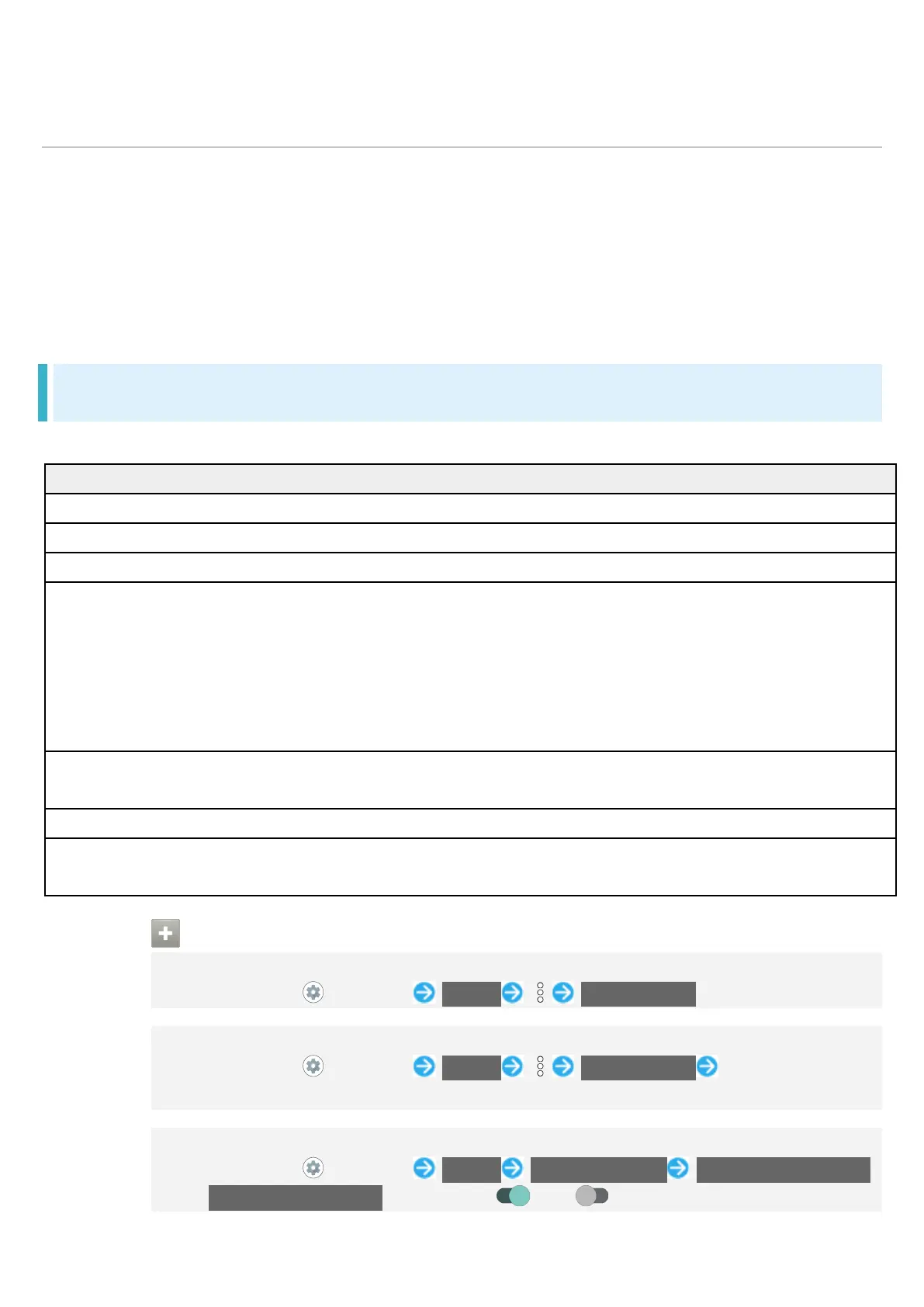
Settable items are the following.
Check battery strength, condition, etc.
Save battery power by restricting some handset features.
Set whether to limit battery usage of seldom-used applications.
Intelligent charging Enable smart charging and charging adapts to handset and ambient
temperature for smooth, long-life operation.
Also set whether to stop charging when battery level reaches about
90% and change to direct charging, and whether to charge only when
Display is off (screen lock) and change to direct charging when
Battery percentage Set whether to show battery strength in percent beside battery
Check time elapsed since last full charge.
Screen usage since full
Check screen battery usage since full charge.
Battery Operations
Checking Battery Usage
In Home Screen, (Settings) Battery Battery usage
Checking Battery Usage for Each Application
In Home Screen, (Settings) Battery Battery usage Tap application
name
Setting Whether to Limit Battery Usage of Seldom-Used Applications
In Home Screen, (Settings) Battery Adaptive Battery Use Adaptive Battery
Tap Use Adaptive Battery to toggle on ( )/off ( ).



 To Next Page