22/40
Safety Precautions
Proximity Sensor prevents Touchscreen misoperation during calls. Do not cover or place a
sticker/label over Proximity Sensor; Display may remain off during calls, disabling handset
operation.
If your hair is between Earpiece and your ear during calls, Proximity Sensor may not function
properly.
Display may remain on; touching Display accidentally may end the call.
Do not cover Light Sensor or place a sticker/label over it; may hinder ambient light detection,
resulting in malfunction of Light Sensor.
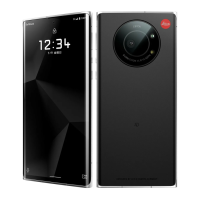
Handset Earpiece is located at the center of Display upper end. If other party's voice is hard to
hear during calls, hold handset so that Earpiece is next to your earhole for better audibility.
Display (Touchscreen)
Touchscreen is designed to be touched lightly with fingers.
Do not press Display strongly with fingers or press on it with sharp objects (fingernails, ballpoint
pens, pins, etc.).
Touchscreen may not respond even if touched in these situations. Operating the display as
follows may cause it to malfunction:
・Use with gloves
1
・Use with long fingernails
・Use with objects on/against Display
・Use by sticking protective film or sticker, etc. on Display
・Use while wet
・Use when your fingers are wet or sweaty
・Use underwater
1 When using handset with gloves on, enable glove mode. To set:
In Home Screen, (Settings) Display Advanced glove mode( )
Quick Switch Adapter
Keep Quick Switch Adapter free of water or other liquids (drinking water, sweat, sea water, pet
urine, etc.) or a foreign object such as dust.
Quick Switch Adapter is not water and dust resistant.
Do not use in high humidity (e.g., bathroom) or in rain, etc. With the adapter put on your body, the
moisture from perspiration may corrode the inside and cause it to malfunction.
Clean the terminals, etc. from time to time to maintain them in clean condition.
Use in a soiled condition may prevent normal use.
Avoid damaging terminal when cleaning.


 To Next Page