171/178
Handset Settings
Enable Touch vibration beforehand. See "Sound Settings" for details.
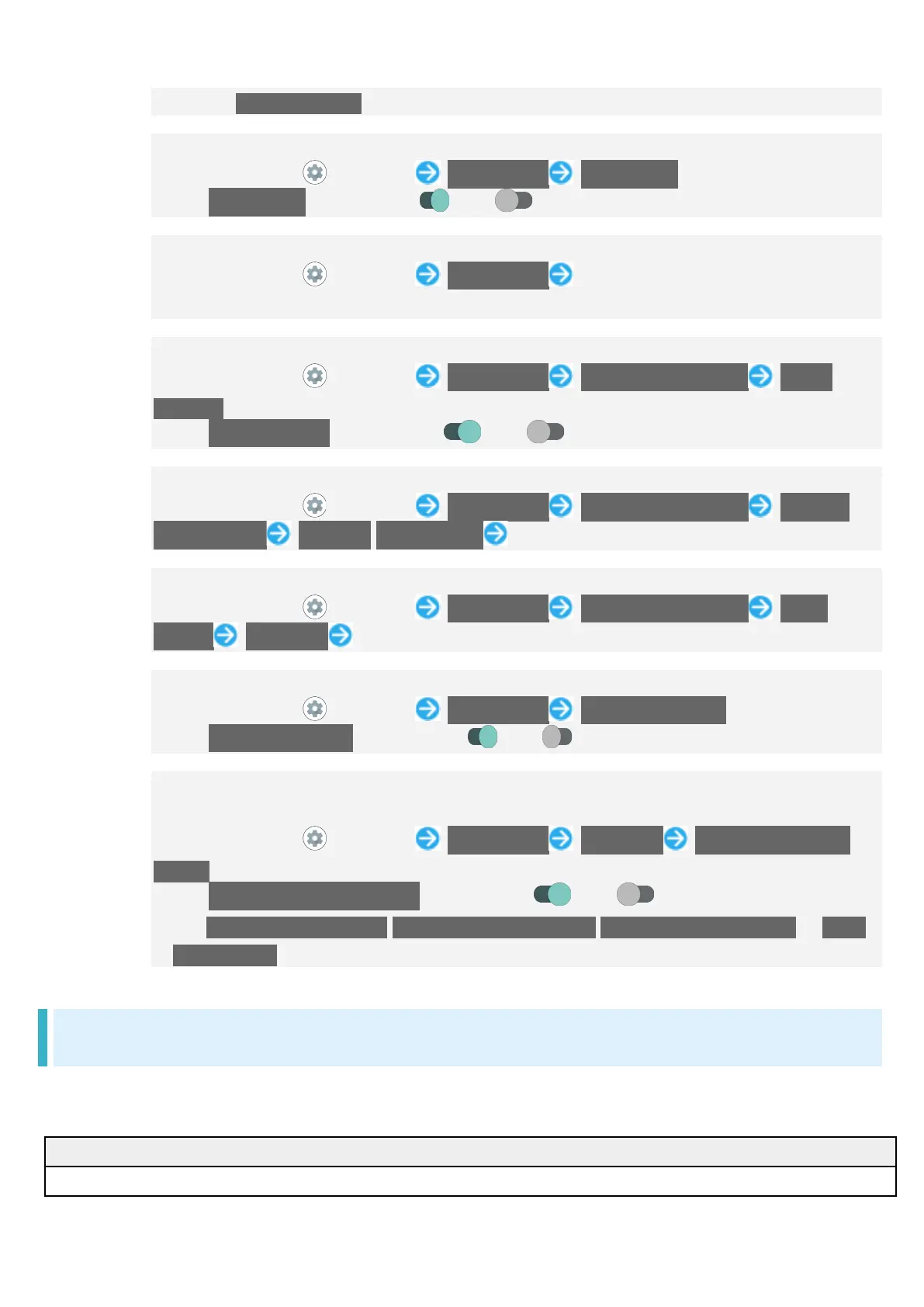
Setting Whether to Use Monaural Audio Playback
In Home Screen, (Settings) Accessibility Mono audio
Tap Mono audio to toggle on ( )/off ( ).
Setting Left/Right Balance of Audio
In Home Screen, (Settings) Accessibility Drag bar for "Audio balance" to
adjust left/right balance
Setting Whether to Show Captions
In Home Screen, (Settings) Accessibility Caption preferences Show
captions
Tap Show captions to toggle on ( )/off ( ).
Setting How Captions Shown
In Home Screen, (Settings) Accessibility Caption preferences Caption
size and style Text size/Caption style Tap item
Setting Caption Language
In Home Screen, (Settings) Accessibility Caption preferences More
options Language Tap language
Making Text Easier to See by Adding Outline, Etc.
In Home Screen, (Settings) Accessibility High contrast text
Tap High contrast text to toggle on ( )/off ( ).
Setting Whether to Enable Enlarged View or Color Correction, or Color Inversion
by Long Pressing Volume Up/Down keys Simultaneously in Lock Screen
In Home Screen, (Settings) Accessibility Advanced Shortcut from lock
screen
Tap Shortcut from lock screen to toggle on ( )/off ( ).
Set Magnification shortcut/Color correction shortcut/Color inversion shortcut to Hold
volume keys beforehand.
Digital Wellbeing & Parental Controls
Prevent excessive handset use by setting timers for each application or showing number of
notifications received and frequency of screen unlocking, etc. Settable items are the following.
1
View total duration of handset use today.


 To Next Page