29/48
Application Basics
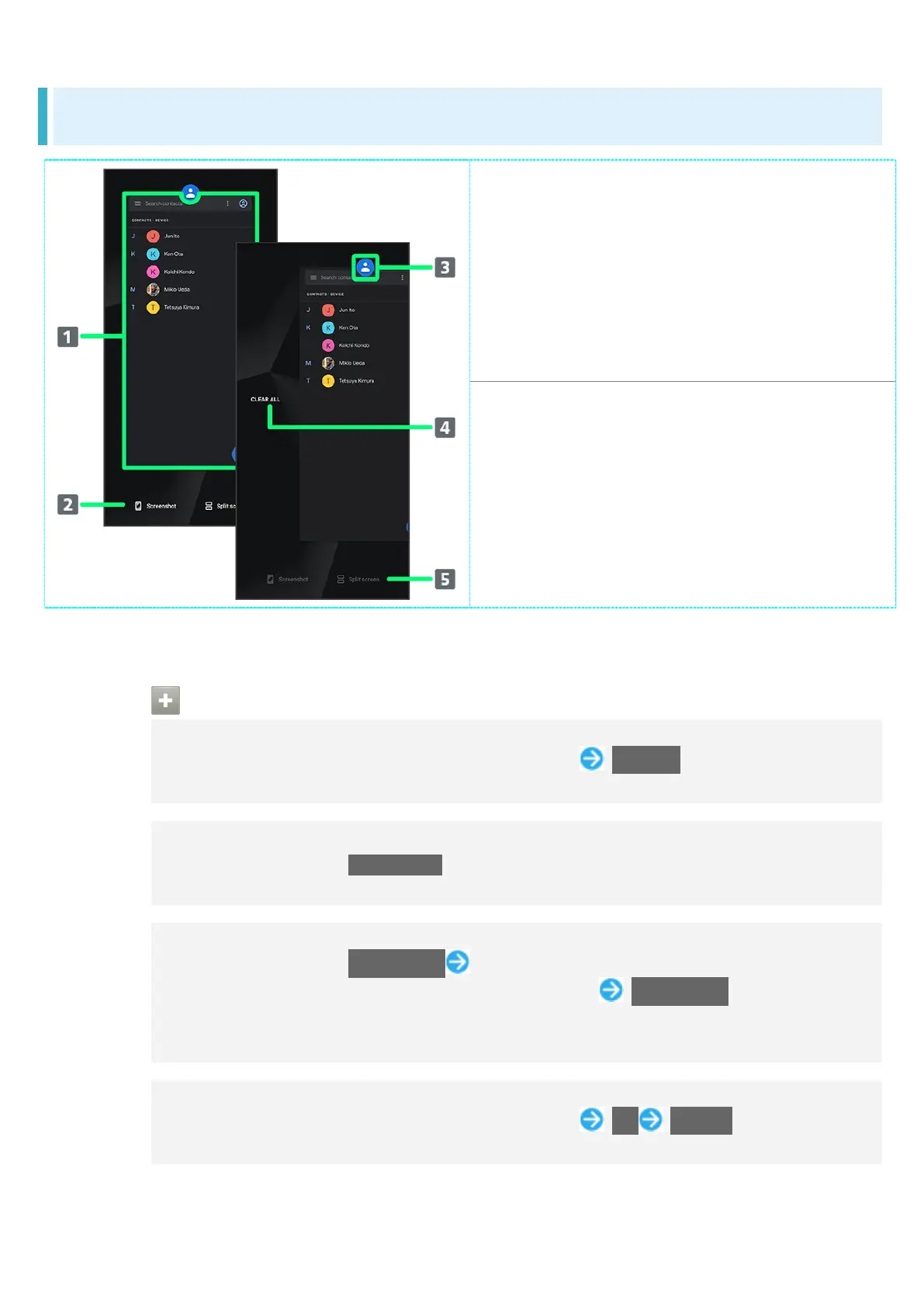
Recent Apps Window Layout
Activate recently used
applications.
1
Capture Screenshots.
Show application menu.
Remove all applications from the
list.
2
Split screen (Multi-Window).
1 Flick up to remove from the application list.
2 Appears when Flicking application list to the right.
Application Menu Operations
Checking Application Information
In recent apps window, Tap icon of application in list App info
May not be usable with some applications.
Capturing Screenshot of Application in Recent Apps Window
In recent apps window, Screenshot
May not be usable with some applications.
Splitting Screen (Multi-Window)
In recent apps window, Split screen Follow onscreen prompts
In recent apps window, Tap icon of application in list Split screen to split window.
See "Multi-Window" for details.
May not be usable with some applications.
Pinning Screen
In recent apps window, Tap icon of application in list Pin GOT IT
Appears when "App pinning" is enabled. See "Security Settings" for details.



 To Next Page