166/178
Handset Settings
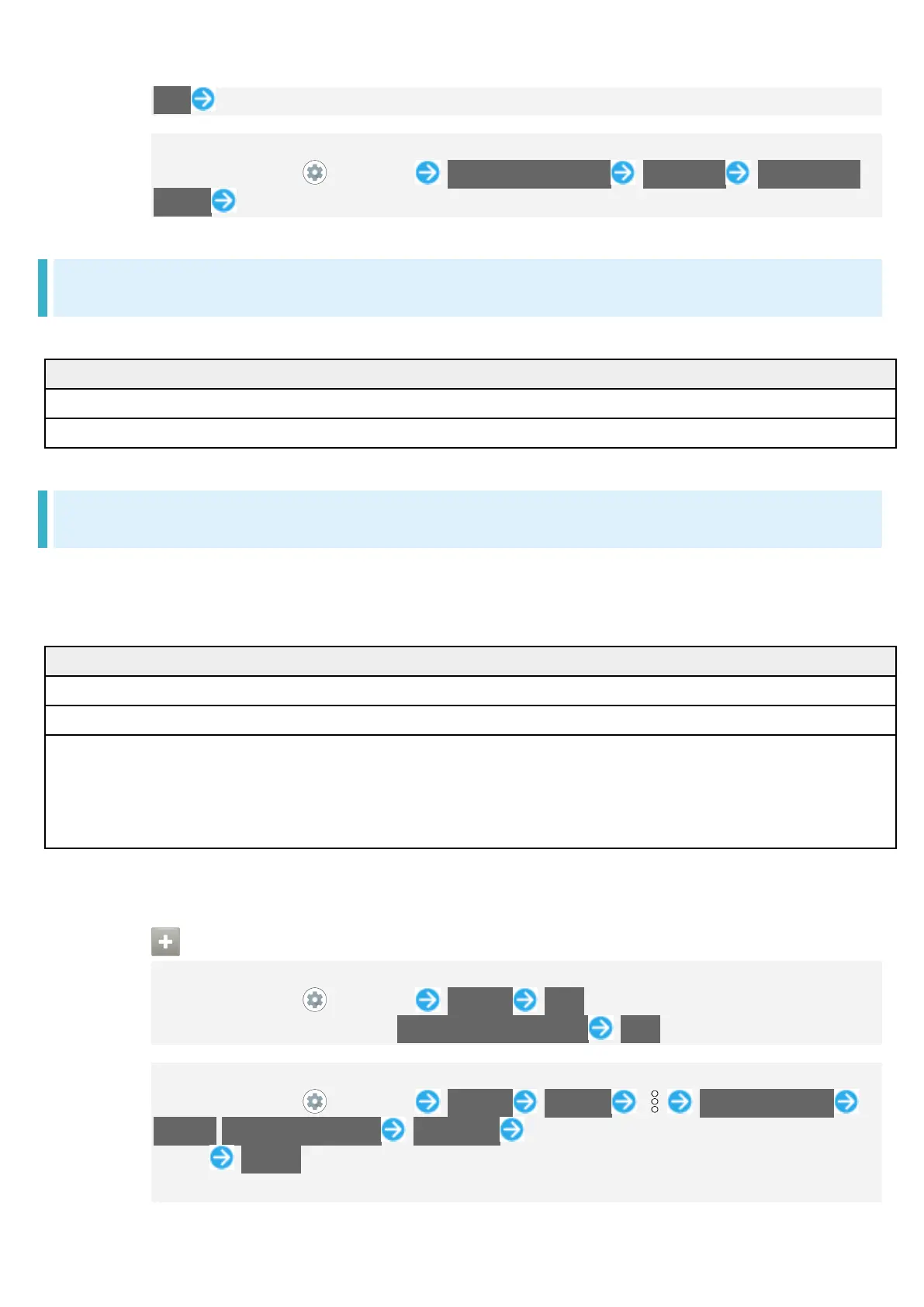
links Follow onscreen prompts
Make Settings for Special Application Access
In Home Screen, (Settings) Apps & notifications Advanced Special app
access Set each item
Home Applications
Change the home application. You can change to a home application installed via Google Play.
Change home application to Home.
Change home application to Simple Home.
Storage
Check memory space of internal storage, USB drive and SD Card, mount or unmount SD Card,
erase data on SD Card, etc. Settable items are the following.
Available items vary depending on USB drive status.
View information on internal storage usage.
1
Check data saved on USB drive.
SD Card Check data saved on SD Card.
Mount or unmount SD Card, encrypt SD Card, etc.
For details on mounting/unmounting SD Card, see "Internal Storage and
1 Appears when the USB host function is in use. See "USBホスト機能を利用する" (Japanese) for
details.
Storage Operations
Checking Data Saved in Internal Storage
In Home Screen, (Settings) Storage Files
If SD Card is installed, Tap Internal shared storage Files.
Encrypting/Decrypting SD Card Data
In Home Screen, (Settings) Storage SD card Storage settings
Encrypt/Release encryption CONFIRM Enter lock no. (PIN)/password to unlock
screen START
Set lock no. (PIN)/password for unlocking screen beforehand.



 To Next Page