35/59
Handset Interface
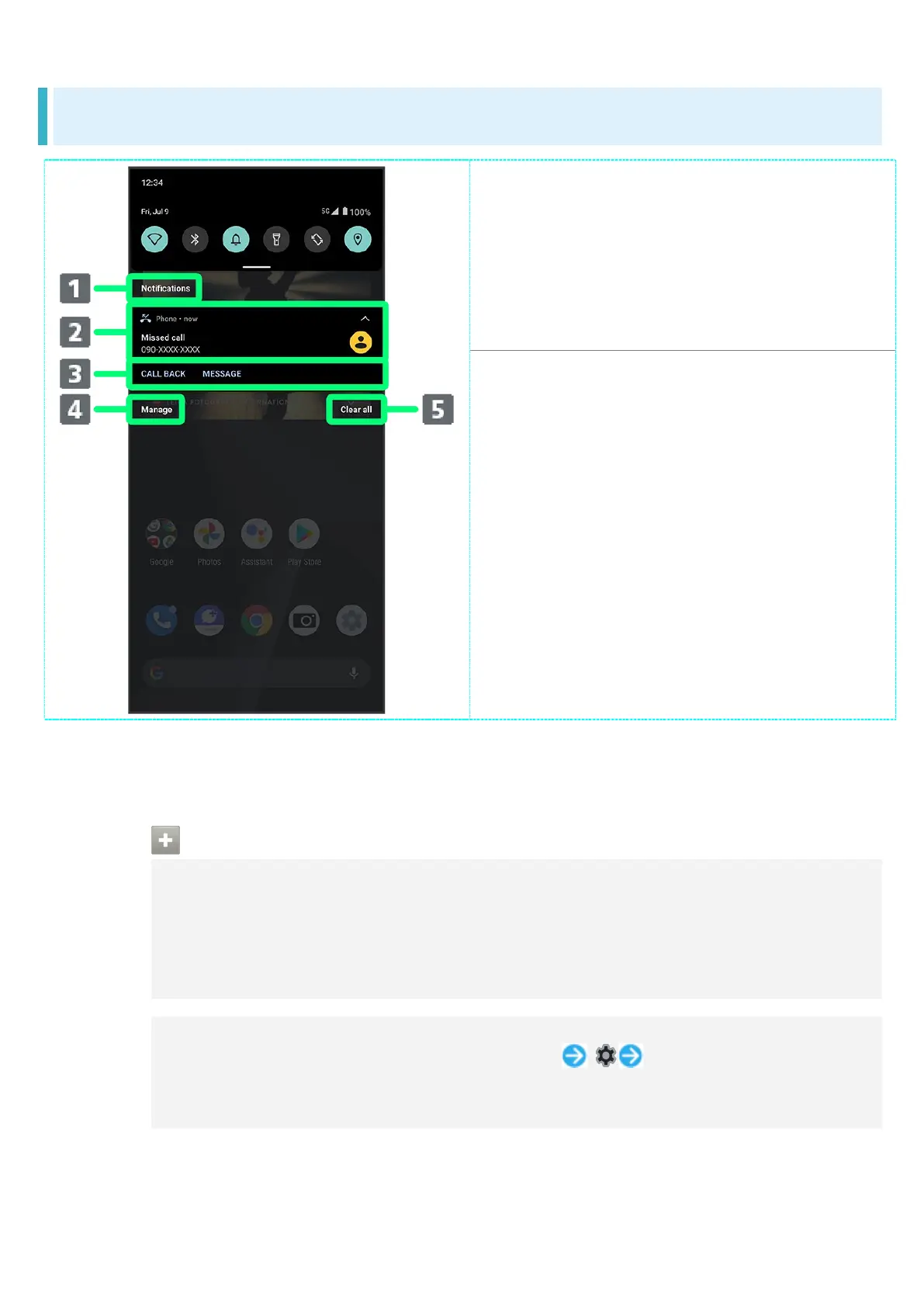
Notifications Window Layout
Category.
1
Notifications and active functions.
Use corresponding functions.
2
Manage notifications.
Delete all notifications and close
Notifications Window.
1 Notifications are shown in "Conversations," "Notifications," and "Silent" categories.
2 Usable functions depend on the notification. As an example, dial or send an SMS to the phone
number of a new call.
Notifications Window Operations
Switching between Detailed & Simple Views for Notifications in Notifications
Window
In Notifications Window, Drag notification down/up with two fingers at the same time, or
Pinch/Spread
Unavailable for some notifications.
Making Notification Settings
In Notifications Window, Drag notification left/right Follow onscreen
instructions
Settable items depend on the notification.



 To Next Page