2/59
Handset Interface
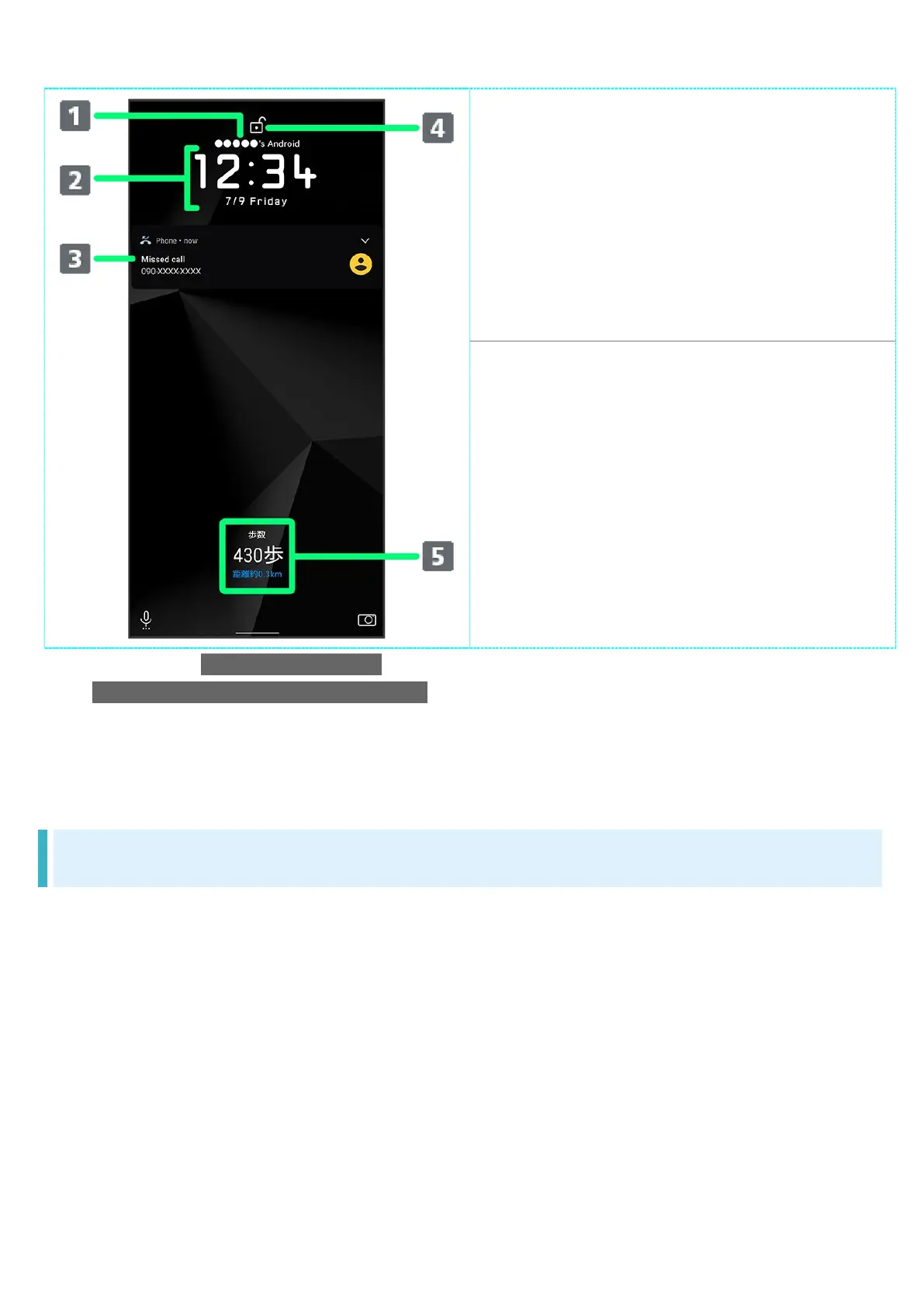
Show message set for lock screen.
1
Time and date appear here.
Notifications of incoming
calls/messages or from applications,
etc. appear here.
2
Display screen lock status.
Messages and news from emopa
appear here (emopa area).
3
1 Appears when Lock screen message is set. See "Display Settings" for details.
2 If Organize notifications on the lock screen is enabled, a notification viewed the first time does not
appear the second and subsequent times. See "Display Settings" and "Applications &
Notifications" for details.
3 Appear when emopa is configured. See "エモパーを利用する" (Japanese) for details.
Home Screen & App List
Most handset operations start in Home Screen or in app list. Flick Home Screen up to display app
list and activate applications or change handset settings (To change Home Screen, switch to
another home screen app.)



 To Next Page