33/178
Handset Settings
Display Settings
Set Display brightness, wallpaper, etc.
Display Settings
Setting Display Timeout
Setting Font Size
Setting Size of Images and Icons
Display Settings
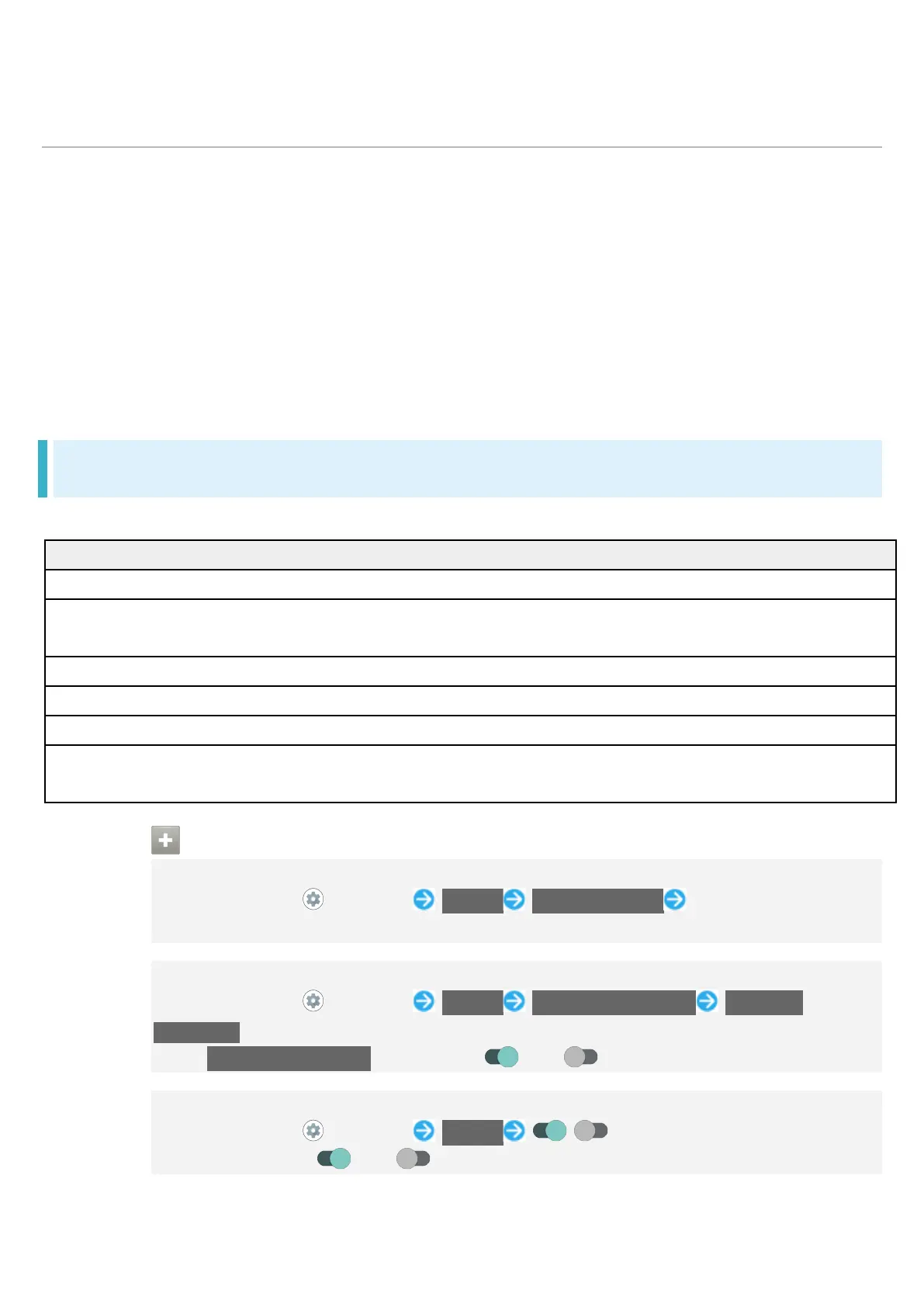
Settable items are the following.
Adaptive brightness Set whether to automatically adjust of Display brightness for
Set whether to enable Dark theme and time for using Dark theme.
Set a period of inactivity after which Display turns off automatically.
Set whether to keep Display from turning off while handset is held.
Advanced Make settings for Wallpaper, Font Settings, High-speed display, etc.
See "High-Speed Display Settings" for details on High-speed display.
Display Operations
Setting Display Brightness
In Home Screen, (Settings) Display Brightness level Drag bar to adjust
brightness
Setting Whether to Automatically Adjust Display Brightness for Surroundings
In Home Screen, (Settings) Display Adaptive brightness Adaptive
brightness
Tap Adaptive brightness to toggle on ( )/off ( ).
Setting Whether to Enable Dark Theme
In Home Screen, (Settings) Display / for "Dark theme"
Tap to toggle on ( )/off ( ).



 To Next Page