145/178
Handset Settings
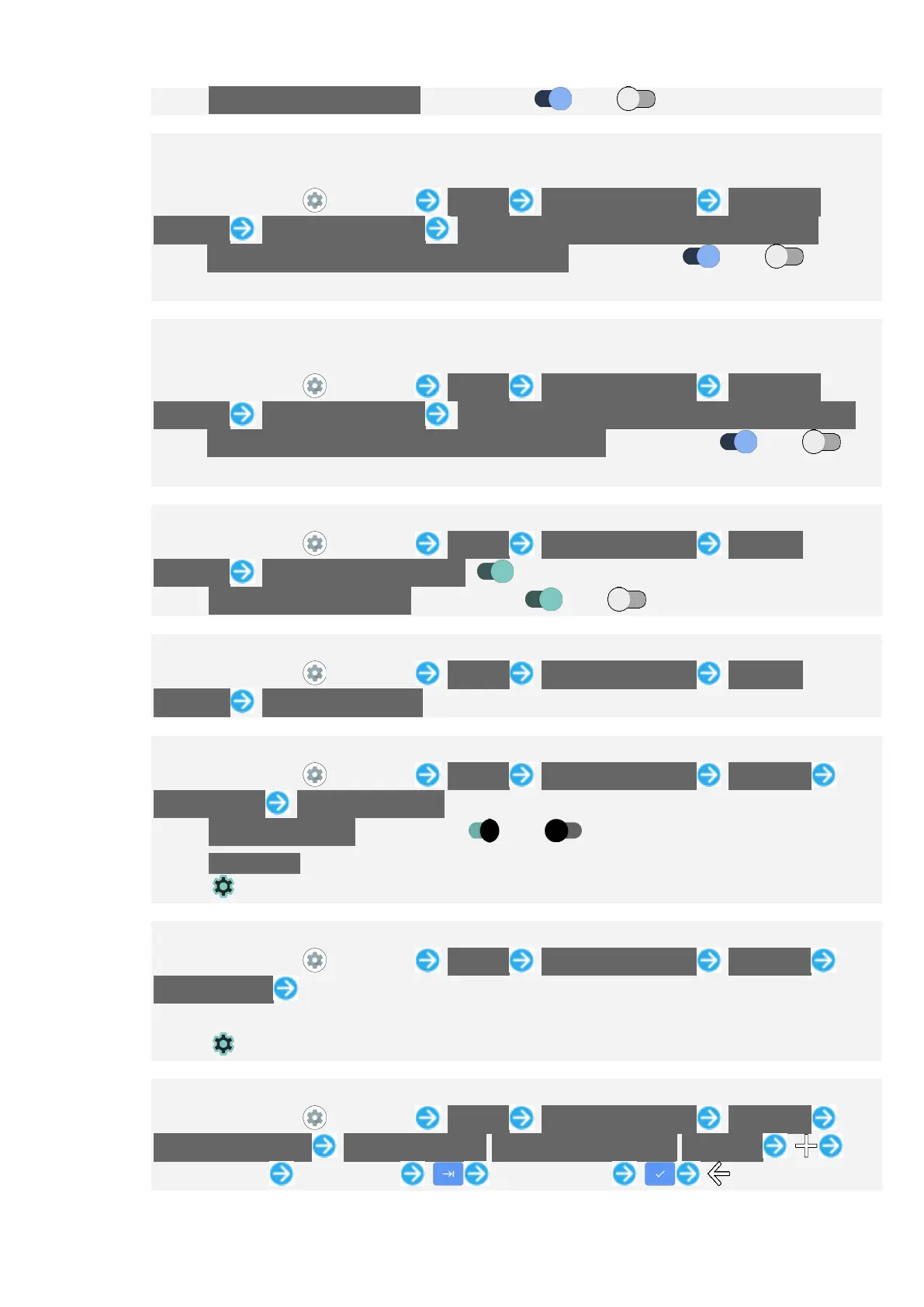
Tap Bluetooth audio recording to toggle on ( )/off ( ).
Setting Whether to Enable Voice Typing with Bluetooth
®
Headset when Display Is
Turned Off (Screen Lock)
In Home Screen, (Settings) System Languages & input On-screen
keyboard Google voice typing Allow Bluetooth requests with device locked
Tap Allow Bluetooth requests with device locked to toggle on ( )/off ( ).
If confirmation appears, follow onscreen prompts.
Setting Whether to Enable Voice Typing with Wired Headset when Display Is
Turned Off (Screen Lock)
In Home Screen, (Settings) System Languages & input On-screen
keyboard Google voice typing Allow wired headset requests with device locked
Tap Allow wired headset requests with device locked to toggle on ( )/off ( ).
If confirmation appears, follow onscreen prompts.
Showing Virtual Keyboard when Using Physical Keyboard
In Home Screen, (Settings) System Languages & input Physical
keyboard Use on-screen keyboard ( )
Tap Use on-screen keyboard to toggle on ( )/off ( ).
Showing Shortcuts List when Using Physical Keyboard
In Home Screen, (Settings) System Languages & input Physical
keyboard Keyboard shortcuts
Setting Whether to Check Spelling During Entry
In Home Screen, (Settings) System Languages & input Advanced
Spell checker Use spell checker
Tap Use spell checker to toggle on ( )/off ( ).
Tap Languages to set languages to check spelling.
Tap for "Default spell checker" to set spelling check operation.
Using Autofill Service
In Home Screen, (Settings) System Languages & input Advanced
Autofill service Follow onscreen prompts
Log in to a Google account beforehand.
Tap for "Autofill service" to make settings.
Adding Words to Personal Dictionary
In Home Screen, (Settings) System Languages & input Advanced
Personal dictionary For all languages/English(United States)/Japanese
Tap entry field Enter words Enter shortcut


 To Next Page