70
Scanning a tape for backup indexes
If the backup index files are missing, the NAS server will not be able to restore the data. In this case,
please insert the tapes and scan them for backup indexes. The NAS server will copy the backup
indexes from the tapes. To scan a tape, please click the radio button in front of the slot and click the
Scan button.
Defining a Media Pool
A media pool is a group of tapes managed as a unit. You must define a media pool before assigning
any backup schedules.
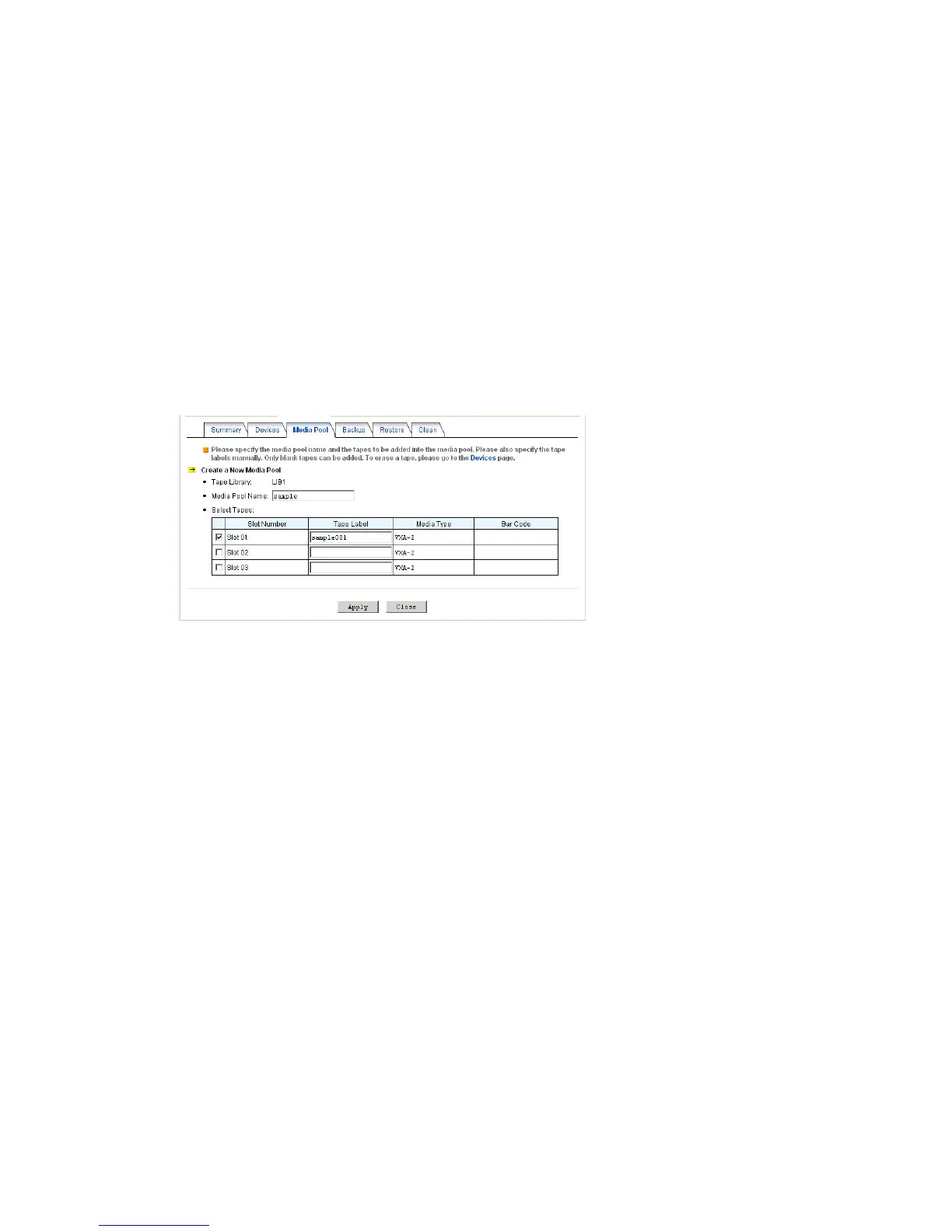
To define a media pool, please go to the Backup→Tape Library→Media Pool menu and click New
Pool.
Each media pool is divided into two sets, the save set and the scratch set.
The save set is consisted of the tapes containing important data which cannot be overwritten. On the
other hand, the scratch set is consisted of the tapes which are free to be overwritten. At the very
beginning, all tapes are empty and locate in the scratch set. When the NAS server backs up data to a
tape, the tape is moved to the save set. After the retention period is passed, the tape expires and is
moved to the scratch set for recycling.
The retention period is the number of days for which the tape must be kept in the save set after it is
last written. You can define the retention period when creating a backup task.
Backing Up Data
To start a backup task immediately, please go to the Backup→Tape Library→Backup menu on the
administration page. Click the Backup Now button and specify the following.



 To Next Page