Preparing for Installation
Understanding the shelf-controller back panel
MAX TNT Hardware Installation Guide 2-5
Understanding the shelf-controller back panel
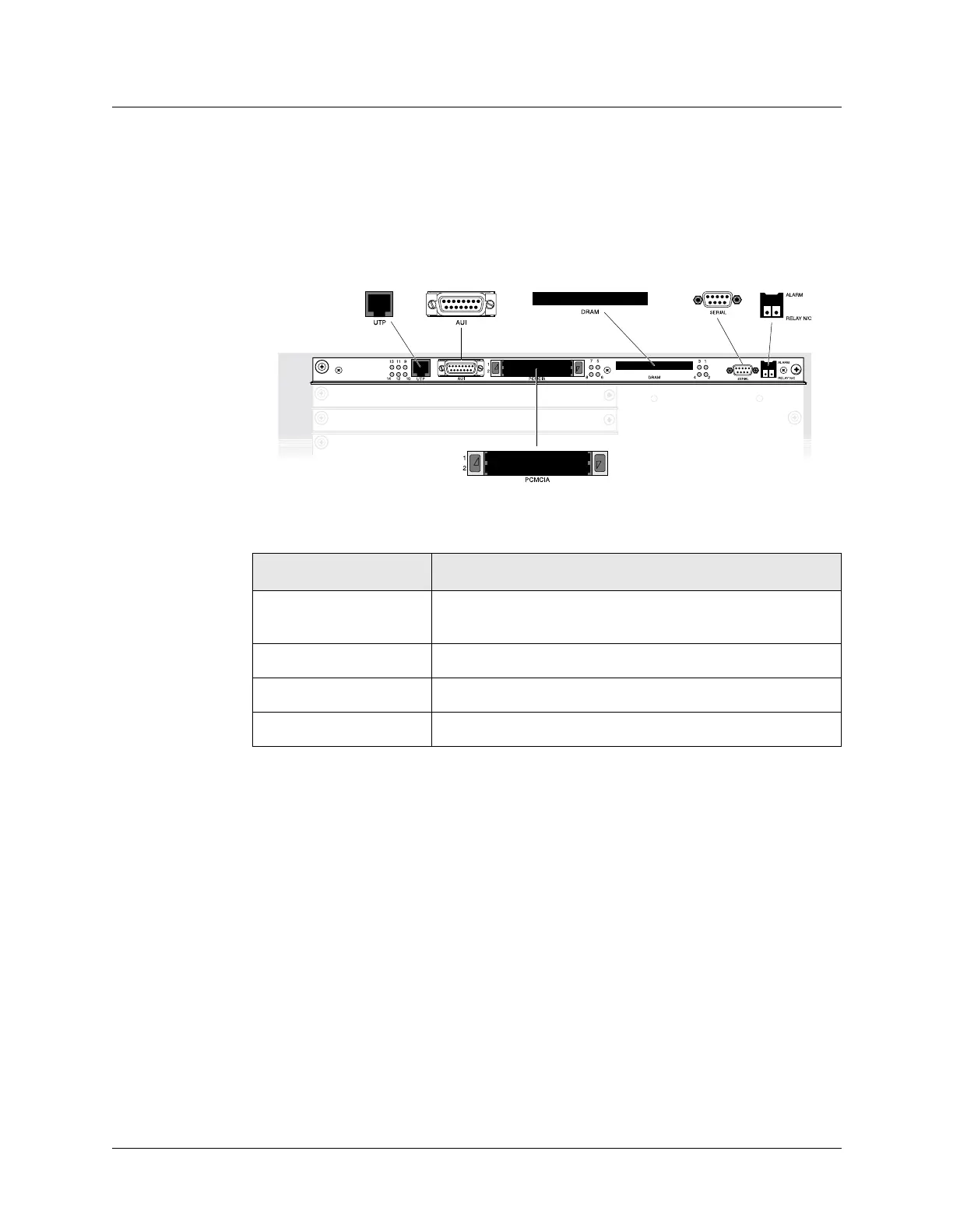
Before you begin installing the hardware, you need some understanding of the ports and other
items on the MAX TNT shelf controller. Figure 2-3 shows the location and Table 2-1 describes
the function of each element on the shelf controller.
Figure 2-3. MAX TNT shelf-controller back panel
Table 2-1. Description of shelf-controller back-panel items
Back-panel item Description
UTP port Ethernet port to connect unshielded twisted-pair (UTP)
Ethernet LAN cable to the MAX TNT unit.
SERIAL port Serial console port for MAX TNT management.
PCMCIA slots Two flash PCMCIA slots, labeled 1 and 2.
DRAM upgrade slot PCMCIA slot for DRAM upgrades.



 To Next Page