Installing a MAX TNT Chassis
Installing or replacing high-output power supplies
MAX TNT Hardware Installation Gulide 3-7
Installing or replacing high-output power supplies
If you have purchased a new MAX TNT unit, it includes high-output power supplies. If you
have an older unit and want to install Series56 II or Series56 III Digital Modem cards or
MultiDSP cards, you might need to replace the existing power supplies with high-output
power supplies.
!
Caution: Read this section in its entirety before installing Series56 II or Series56 III Digital
Modem cards or high-output power supplies. Improper installation of the power supplies can
damage the unit.
Before you begin
Before installing the high-output power supply, consider the following:
• The high-output power supply cannot be hot-swapped with existing power supplies. You
must power down the unit to replace the power supplies.
• The high-output power supply cannot be used in redundant configurations with existing
power supplies. Attempting to mix and match different power supplies will invalidate
associated warranties.
• The high-output power supply is 100% plug-in compatible with the existing MAX TNT
power supplies. However, because the high-output power supply is not compatible with
the old power supply, new power supplies must be installed in pairs.
• The capacitor card installed beneath the power supplies of older MAX TNT units provides
redundancy to existing power supplies. Although this card is not used for the high-output
power supplies, it must be left in place when installing a high-output power supply to
direct the airflow and help cool the unit. New MAX TNT units contain a plate in this space
to reduce EMI.
Identifying the high-output power supply
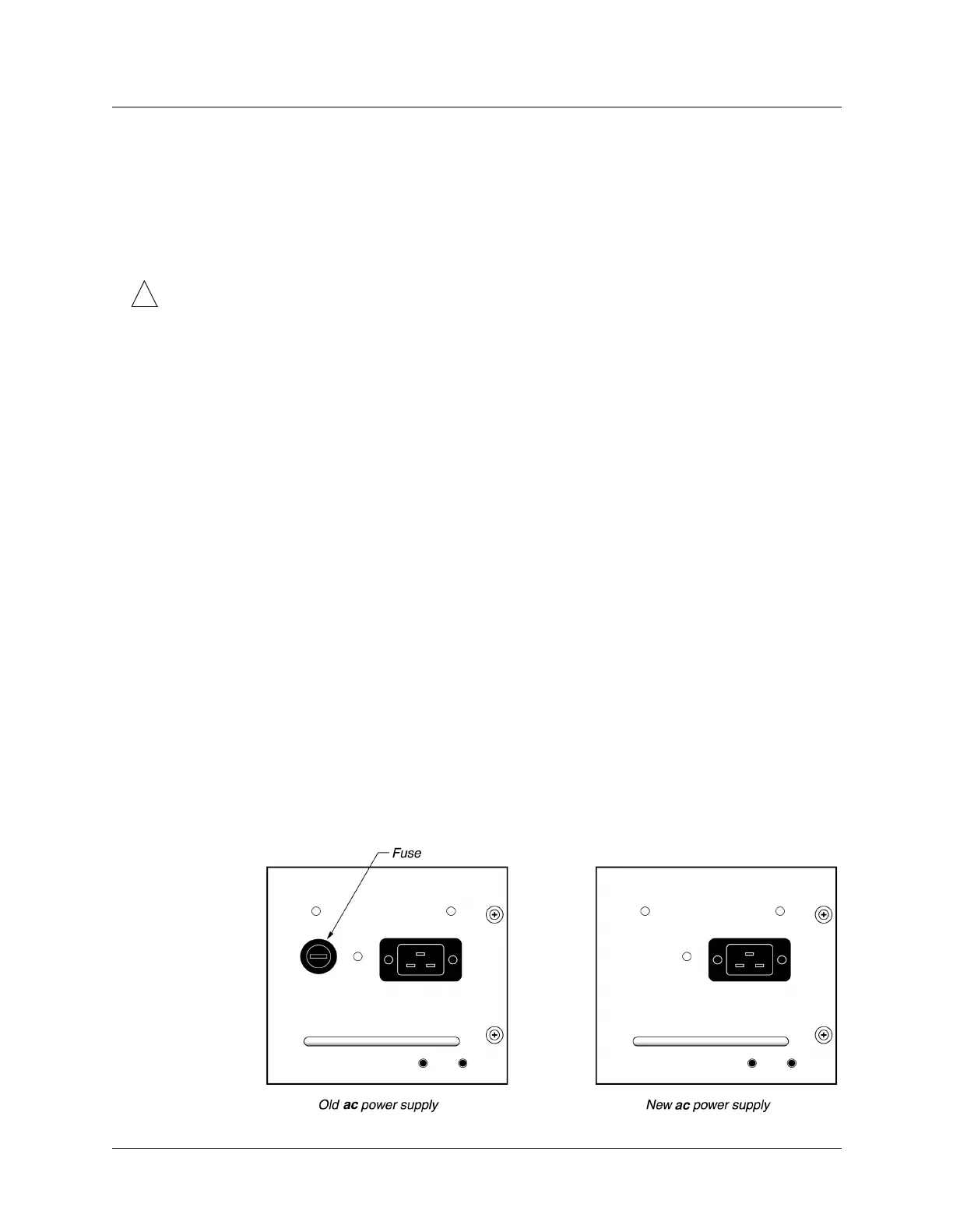
New MAX TNT units have the high-output power supplies preinstalled. Figure 3-5 shows how
to identify the new high-output ac power supply and Figure 3-6 shows how to identify the new
high-output dc power supply.
Figure 3-5. Identifying the high-output ac power supply



 To Next Page