A-12 MAX TNT Hardware Installation Guide
Slot Card Specifications and Connection Information
E3-ATM card
Connecting an E3-ATM slot card to the WAN
Use two 75-ohm coaxial cables to connect an E3 line to an E3-ATM slot card’s LINE RX and
LINE TX ports.
Inform your service provider that the equipment is connected so the provider can activate the
line.
Connecting redundant E3-ATM slot cards
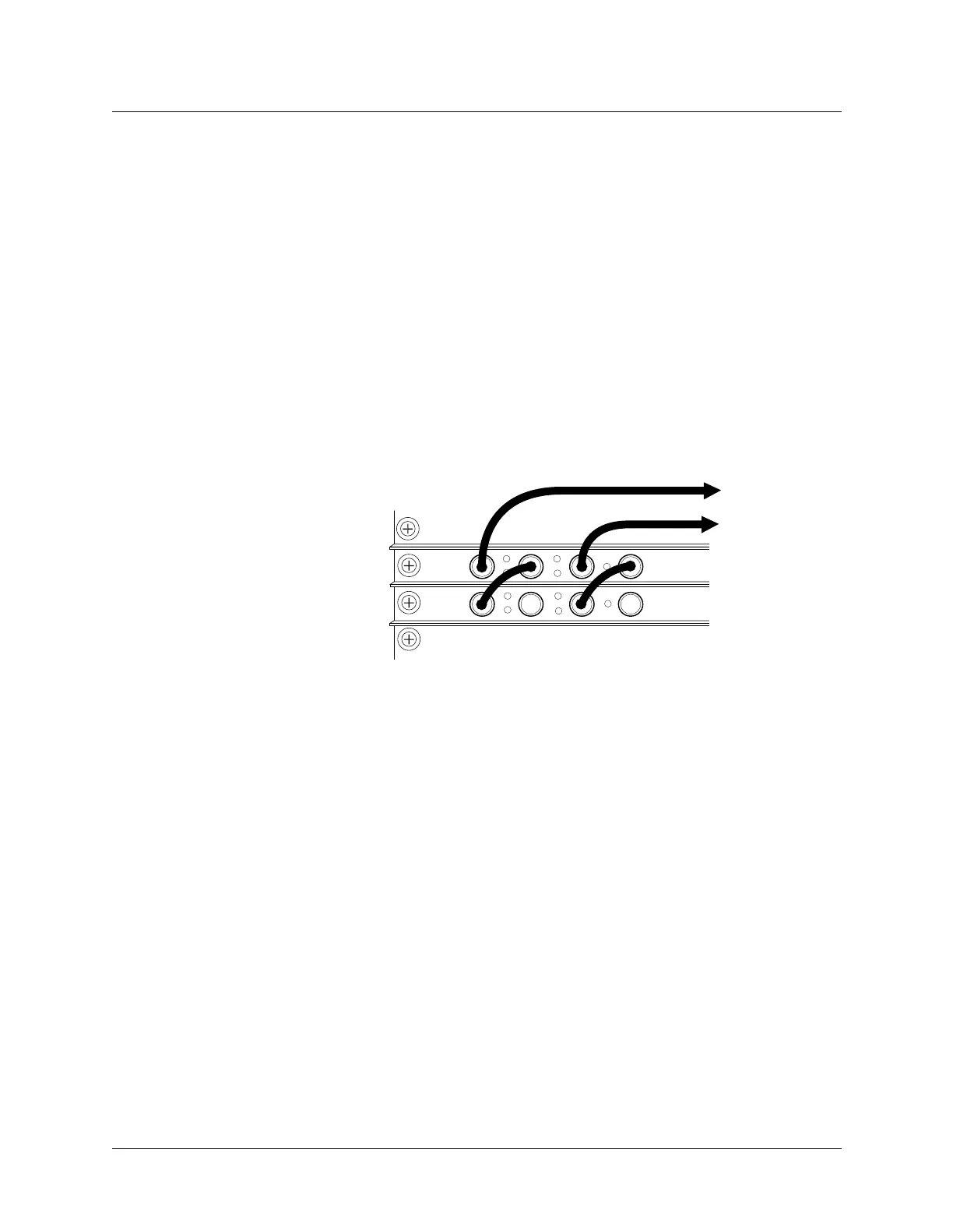
You can install two E3-ATM slot cards to provide redundancy. If the primary card either fails
to boot up or is in a fault state, the secondary slot card takes over.
For information about
configuring a redundant connection, see the APX 8000/MAX TNT/DSLTNT Physical Interface
Configuration Guide.
Figure A-9 illustrates a redundant connection.
Figure A-9. E3-ATM redundant configuration
RX-BYP
TX-BYP
LOS
LOF
YEL
AIS
ACT
RX-BYP
TX-BYP
LOS
LOF
YEL
AIS
ACT
Primary
Secondary
LINE TX
LINE RX



 To Next Page