Installing a MAX TNT Chassis
Connecting a workstation to the serial port
MAX TNT Hardware Installation Gulide 3-11
Warning: Before installing wires to the unit’s dc power terminal block, verify that these wires
are not connected to any power source and that the MAX TNT power supply switch is in the
Off (down) position. Installing live wires (wires connected to a power source) is hazardous.
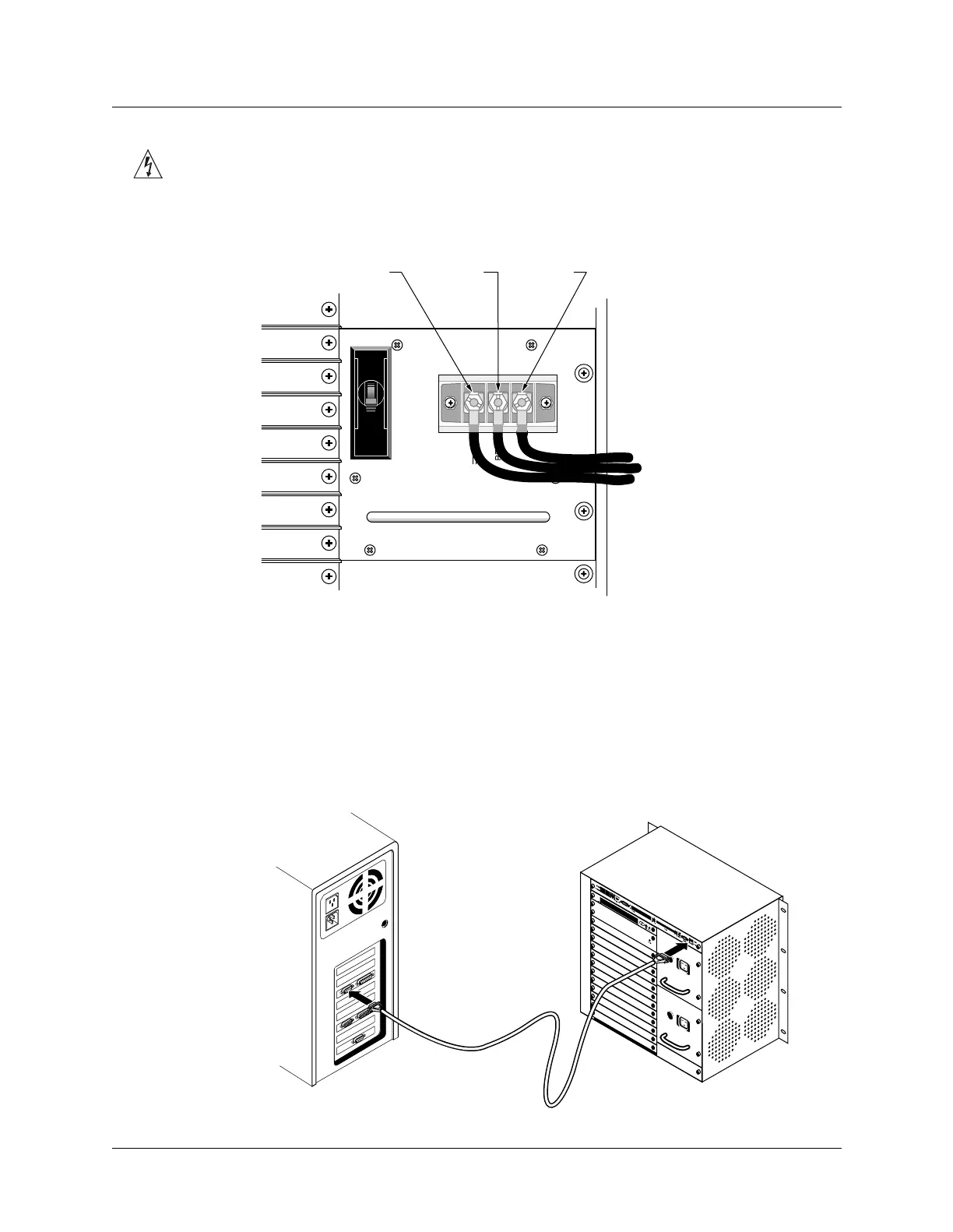
Figure 3-11. Connecting to dc power
Connecting a workstation to the serial port
To perform the initial configuration of the MAX TNT unit, you must connect a workstation to
the unit’s serial port.
1 Connect a serial cable from your workstation to the unit as shown in Figure 3-12.
Figure 3-12. Connecting a serial cable to a MAX TNT unit
-48V Return Ground



 To Next Page