Slot Card Specifications and Connection Information
T1 card
MAX TNT Hardware Installation Guide A-29
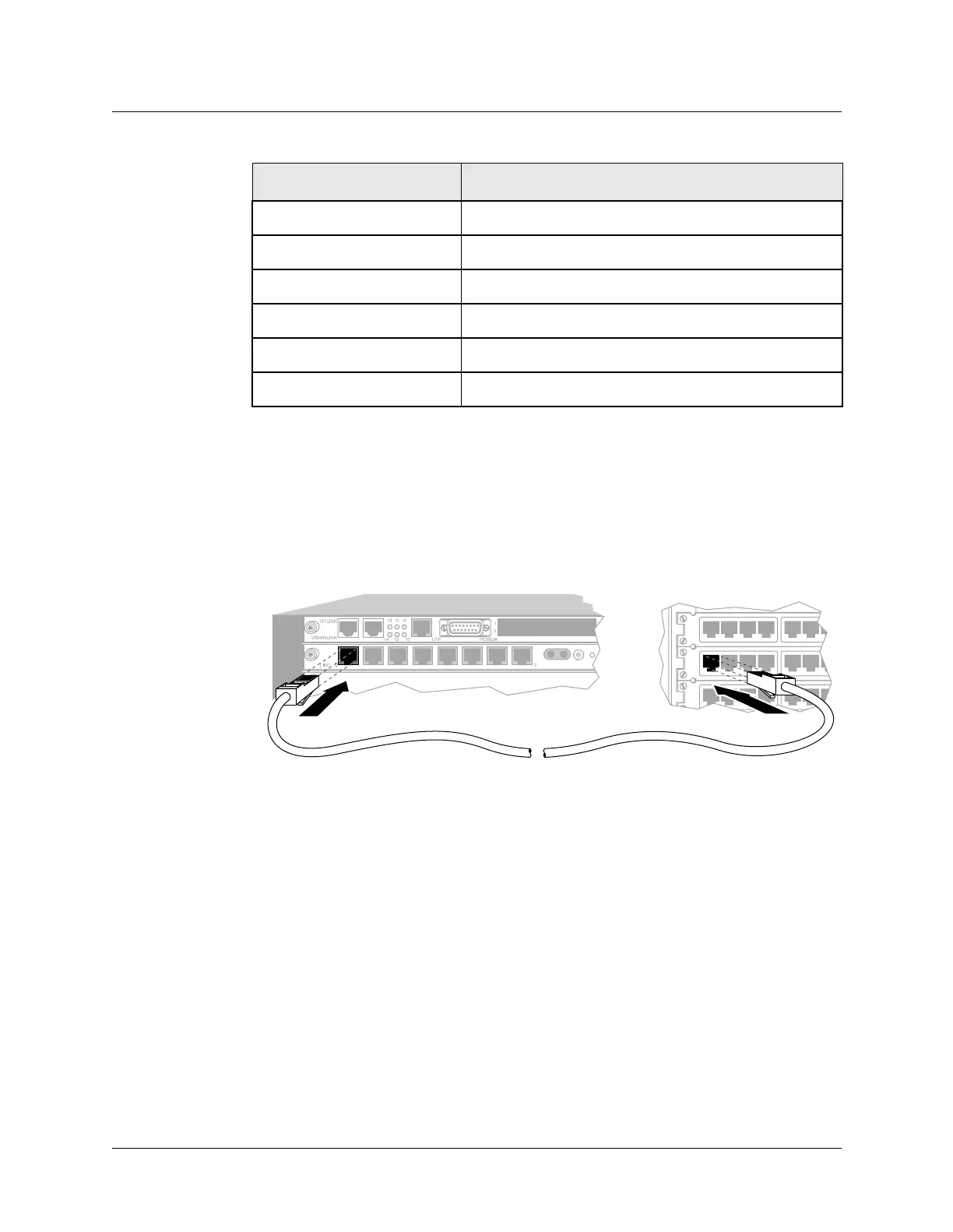
Connecting the T1 card to the WAN
If your MAX TNT unit’s T1/PRI ports have internal channel service units (CSUs), connect
them to the demarcation point, which is where the T1/PRI line’s metallic interface connects to
other equipment. Otherwise, you must install external CSUs or other network (WAN) interface
equipment between the MAX TNT unit and the demarcation point.
Figure A-18. Connecting the MAX TNT unit T1 card to the WAN
Inform your service provider that the equipment is connected, so the provider can activate the
line.
Monitoring the T1 lines with bantam jacks
Each T1 card provides transmit and receive bantam jacks to monitor the status of the T1 lines.
The Tx line carries what the MAX TNT unit transmits to the network. The Rx line carries what
the unit receives from the network. The bantam jacks do not interfere with the signal either
coming into or going out of the unit.
To monitor the T1 lines:
1 Select the line to monitor by setting the select switch on the T1 card.
2 Plug in the bantam jacks.
Alarm signaling Red Alarm and Yellow Alarm
Connectors Eight RJ-45 (100-ohm line)
Card dimensions 5.6 inches high x 10.7 inches long (14.2cm x 27cm)
Card weight ~2 pounds (0.9kg)
Operating humidity 0-90%, noncondensing
Operating temperature 32-104° F (0-40° C)
Table A-22. T1 card specifications (continued)
Category Specification
RX TX SEL FAULT
MONITOR



 To Next Page