3-8 MAX TNT Hardware Installation Gulide
Installing a MAX TNT Chassis
Installing or replacing high-output power supplies
Note: Verify that your unit is equipped with high-output power supplies before installing
components in the MAX TNT chassis.
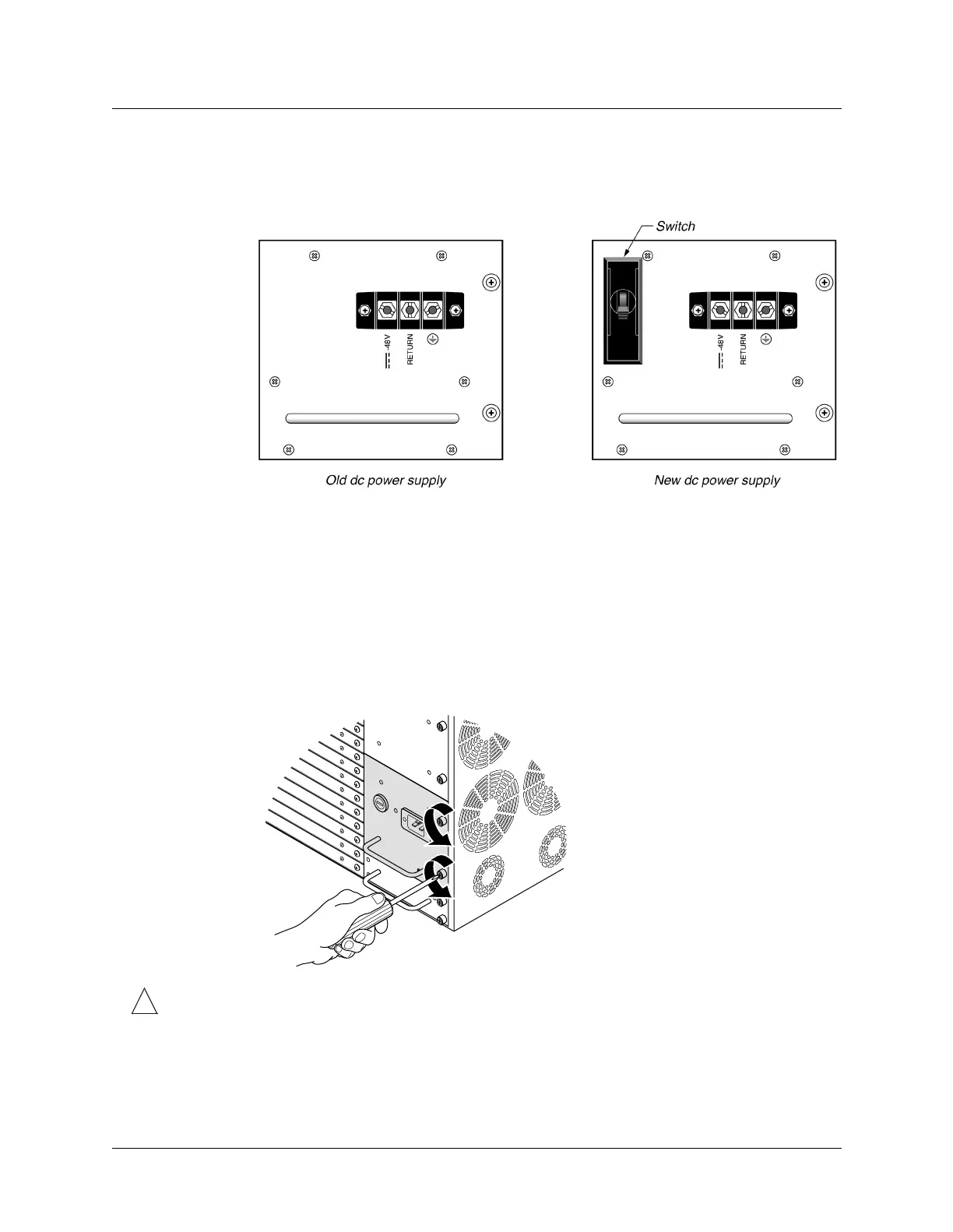
Figure 3-6. Identifying the high-output dc power supply
Installing a high-output power supply
To install a high-output power supply, proceed as follows:
1 Power down the unit if necessary. For ac power supplies, unplug the power cord. For dc
power supplies, remove dc power from the source.
2 If you have a dc power supply unit, remove the terminal block wires.
3 Unscrew the power supply units from the chassis as shown in Figure 3-7.
Figure 3-7. Unscrewing the power supply
!
Caution: Do not remove the power supply capacitor card located below the MAX TNT
power supplies. Doing so will disrupt airflow within the MAX TNT chassis.



 To Next Page