LX iris EFIS
Basic operation
Document name: LX HUM
Document revision: R1
Basic operation
3.1 Push-rotary knobs and buttons
3.1.1 Overview
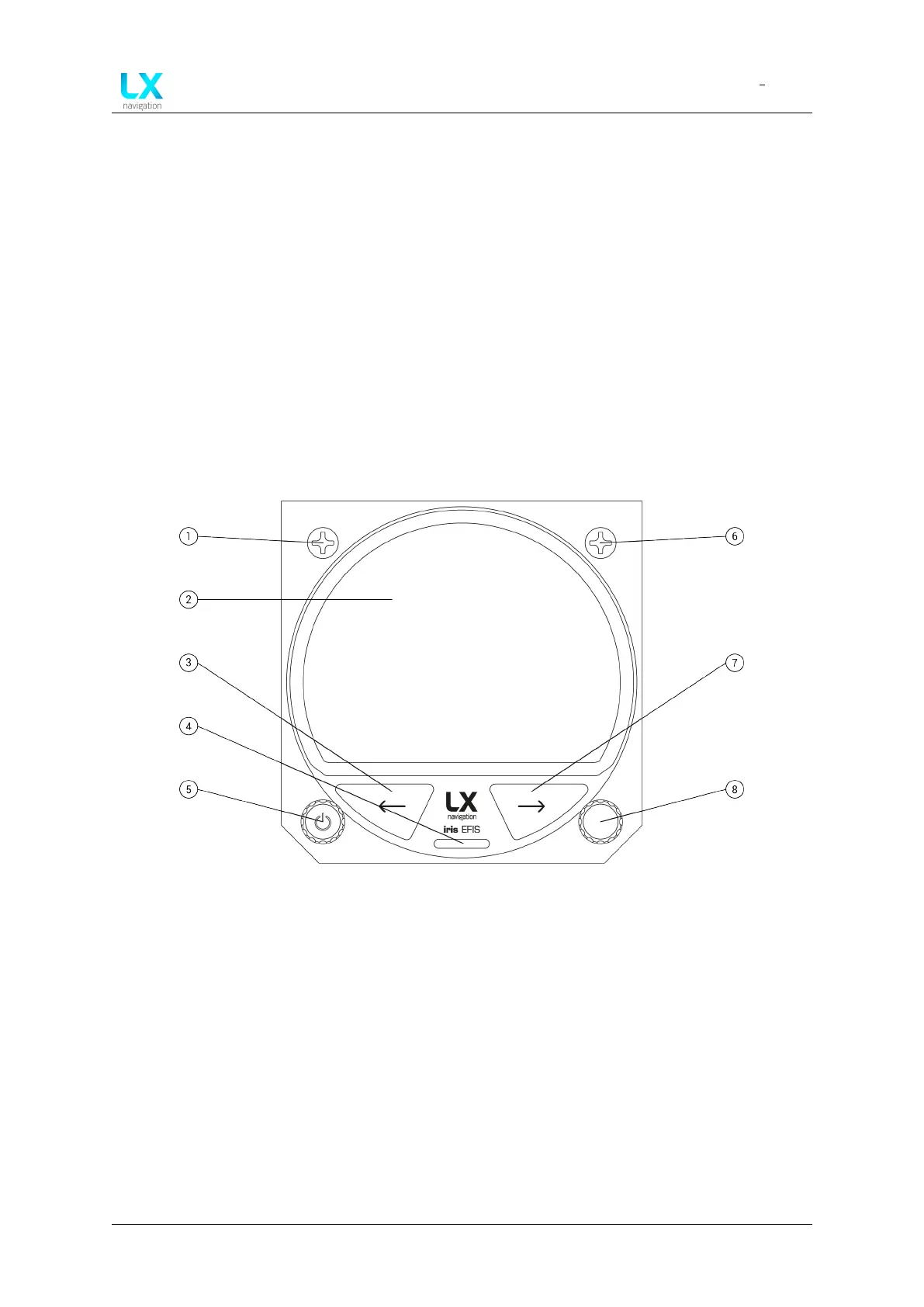
Bezel overview of the device.
Figure 1. Device overview
• M4X6 black mounting screw (1)
• Display (2)
• Left-hand button (3)
• Micro SD card slot (4)
• Left-hand push-rotary knob (5)
• M4X6 black mounting screw (6)
• Right button (7)
• Right-hand push-rotary knob (8)
3.2 Switching the unit on
To turn the unit on, press and hold the left push-rotary knob for 3 seconds. (Marked with the
power symbol)
Device manual Public 11



 To Next Page