LX iris EFIS
PFD page
Document name: LX HUM
Document revision: R1
5.12 Quick settings menu
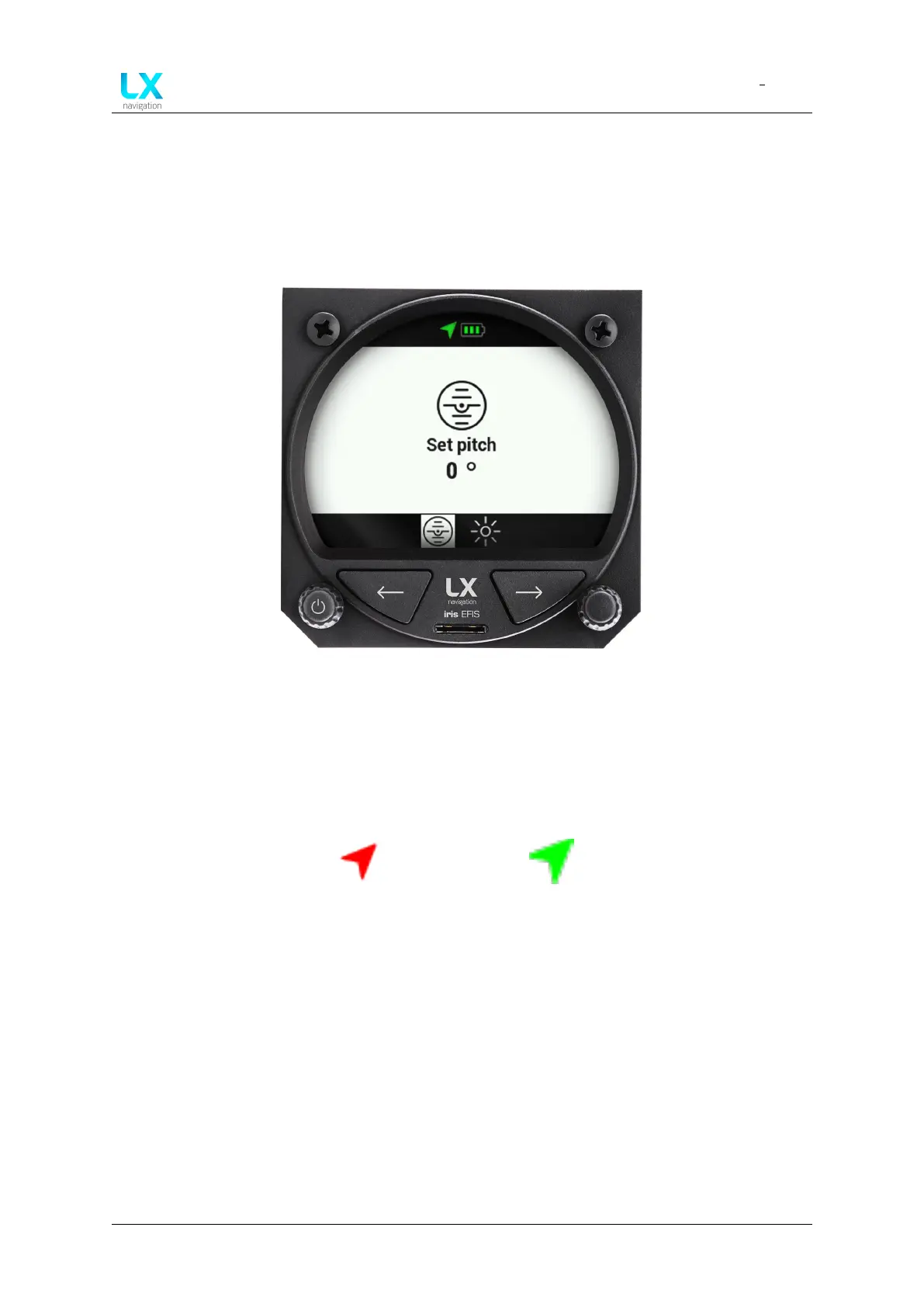
Access the quick setting menu by long press of a right-hand push-rotary knob while on PFD
page. In the menu, pilot can adjust “Pitch attitude offset” and “Brightness”.
At the top of the display, pilot can see the GPS status icon and Battery status icon.
Figure 24. Quick settings menu
5.12.1 GPS status
At the top of Quick settings menu, pilot can quickly access to GPS indication icon. GPS icon
will be green if LX horizon has a valid GPS signal and red if LX horizon doesn’t have a valid GPS
signal.
Figure 25. GPS signal is
not valid
Figure 26. GPS signal is
valid
Device manual Public 25



 To Next Page