LX iris EFIS
Setup page
Document name: LX HUM
Document revision: R1
13.3.5 Network
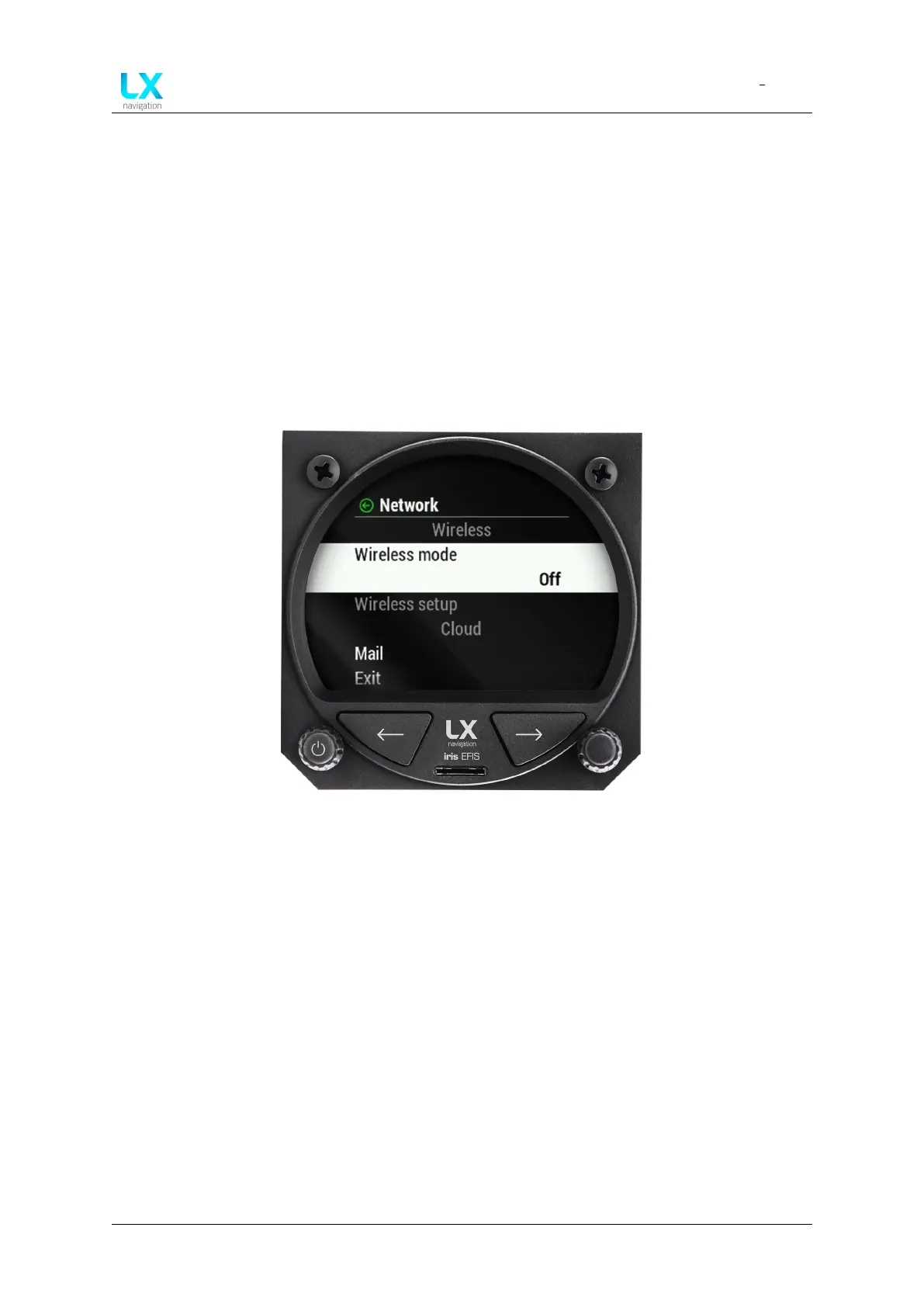
In the ”Network” section, pilot can adjust all the network settings. The menu is divided into
”Wireless” section and ”Cloud” section.
”Wireless” section of ”Network” menu:
• “Wireless mode” ”Off”, ”Bluetooth server”, ”Bluetooth client”, ”WiFi Access point” or ”WiFi
client”.
• “Wireless setup” Enter ”BT Server” with ”Name” and ”Password”.
Figure 102. Setup page, ”Network” section
”Wireless” section of ”Cloud” menu:
• “Mail” Enter ”Mail” with ”Add mail” option.
13.3.6 Localisation
In the ”Localisation” section, pilot can adjust ”Language” and ”Timezone”.
• “Language” Select ”English” or ”Slovene” option.
• “Timezone” Select timezone from the list.
• “DST” Daylight saving time. ”On” or ”Off” option.
Device manual Public 75



 To Next Page