LX iris EFIS
Setup page
Document name: LX HUM
Document revision: R1
Included ”PFLAU”, ”PFLAA”, ”PFLAC”, ”PFL AE”, ”PFLAL”, ”PFLAQ”. For individual sentence
specification check Flarm documentation.
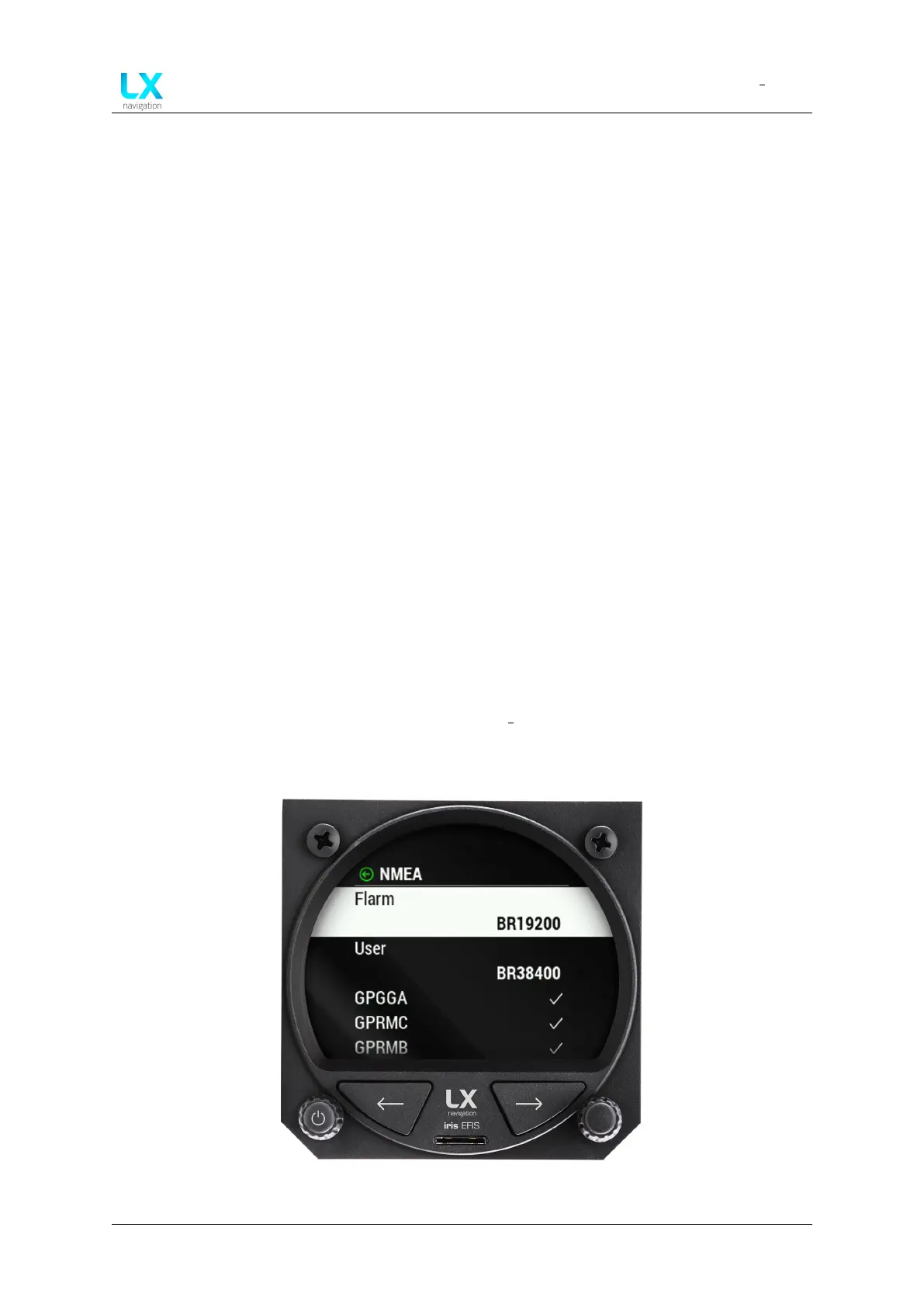
• “User” Select baud rate ”BR4800”, ”BR9600”, ”BR19200”, ”BR38400”, ”BR57600” or
”BR115200”.
• “GPGGA” ”On” or ”Off” option. LX device forwards GPGGA (Fix information) sentences
received from GNSS module.
• “GPRMC” ”On” or ”Off ” option. LX device forwards GPRMC (Recommended minimum
data for gps) sentences received from GNSS module.
• “GPRMB” ”On” or ”Off” option. LX device outputs Recommended minimum navigation
info.
• “LXWPx” ”On” or ”Off” option. LX device outputs LXWP0 (flight data), LXWP1 (device info),
LXWP2 (basic parameters), LXWP3 (detailed parameters) sentences.
• “LXDT” ”On” or ”Off” option. LX device enables LXDT communication (input and output).
”On” or ”Off” option. LX device outputs LXBC sentences (AHRS data, etc.)
• “LXBC” ”On” or ”Off” option. LX device outputs LXBC sentences (AHRS data, etc.)
“When Radio option is enabled - ”On”, all other outputs on ”User” port are disabled, but
are still present via ”Bluetooth” port.”
• “Send APT frequency” ”On” or ”Off” option if ”Radio” is selected.
• “Transponder” ”On” or ”Off” option. If enabled - ”On”, baudrate on ”Flarm” port will go to
”BR9600” and GPS data will be transmitted on ”Flarm” port.
For detailed description of LXWPx, LXDT and LXBC sentences refer to LX Navigation
Data Port documentation (document name: LX CP).
Figure 100. Setup page, ”NMEA” section
Device manual Public 73



 To Next Page