EasyManua.ls Logo

MAHA POWERDYNO MSR Series - Additional Settings under Windows 7 or Higher

MAHA POWERDYNO MSR Series
125 pages
To Next Page IconTo Next Page
To Previous Page IconTo Previous Page
Loading...
56
BA053101-en
Pos: 201 /Tech nische D okumen tation/A lle G eräte/ Überschr iften/Üb ers chrifte n 1.1/Z/Üb ers chrift 1.1: Zus ätzliche Ei nstel lungen a b Wind ows 7 @ 19\mod_1265371886726_75.docx @ 715952 @ 2 @ 1
7.10
Additional Settings under Windows 7 or higher
Pos: 202 /Tech nische D okumen tation/ Leistu ngsmess techni k/- Ar chiv -/00 LPS A lle/In ha lte/I nhal t: Win 7-Upda te deak tivier en LP S @ 23\mod_1298906991185_75.docx @ 980998 @ @ 1
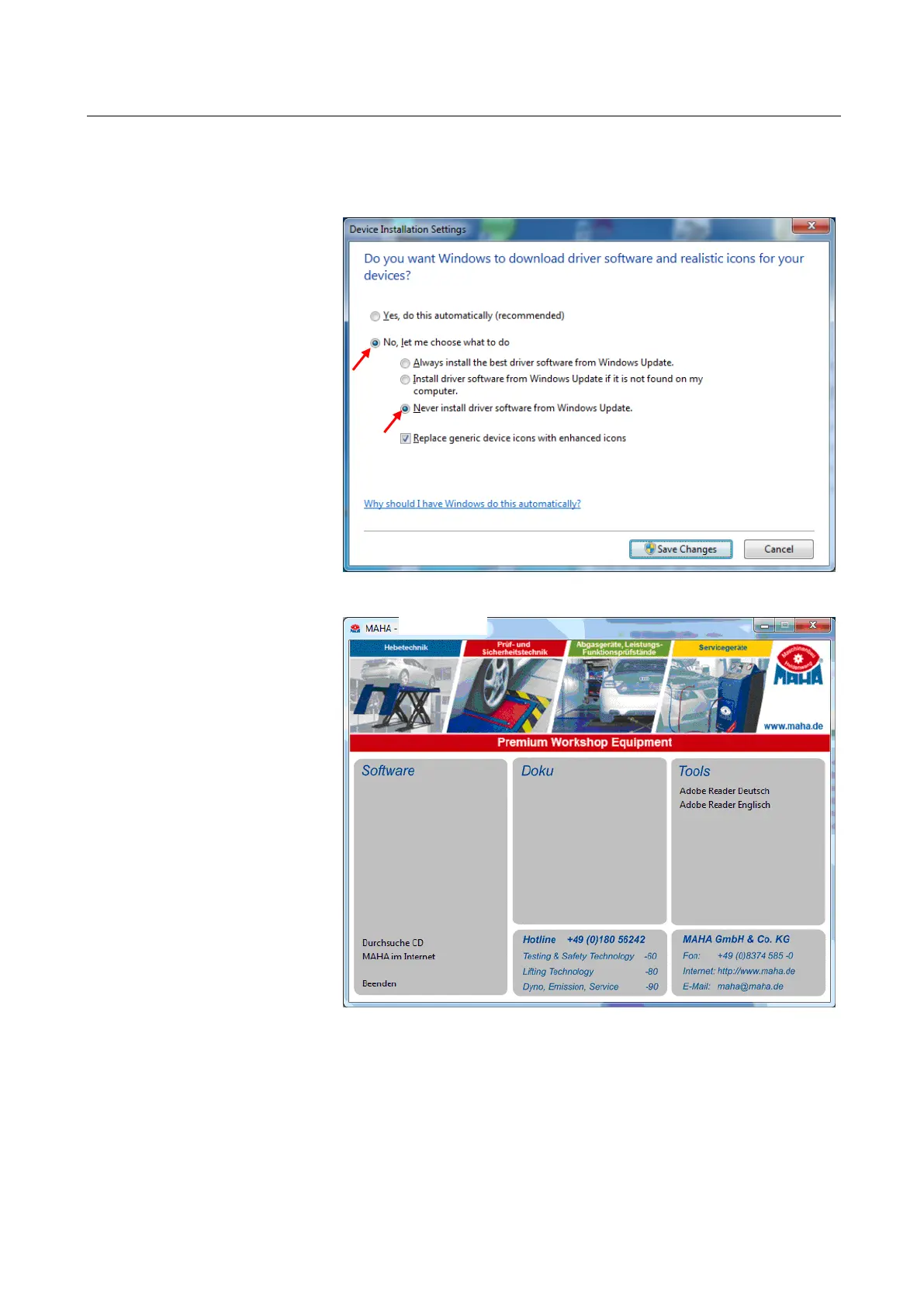
Prior to installation
disable the Windows
Update function:
Control Panel
System
Advanced system
settings
Hardware
Device Installation
Settings
Pos: 203 /Tech nische D okumen tation/ Leistu ngsmess techni k/- Ar chiv -/00 LPS A lle/In ha lte/I nhal t: Win 7-Ei nstel lunge n LPS @ 2 3\mod_1297770155068_75.docx @ 976584 @ @ 1
After inserting the EU-
ROSYSTEM CD "Au-
toRun" is started.
Use this program to
install your version of
EUROSYSTEM.
Click the equipment
being used (
1
).

Table of Contents

Related product manuals