BA053101-en
Pos: 270 /Tech nische D okumen tation/ Leistu ngsmess techni k/POWE RDYNO /052301 LPS 3000 R100/BA/Inhalt: 0523 Speichern @ 13\mod_1234769025084_75.docx @ 339621 @ @ 1
1 Use the button
<F5 STORE>.
The following screen appears:
2 Input the vehicle data and information in the
entry boxes.
3 Use the button <F8 COMPLETE>.
The measurement is stored.
The inserted comments are also stored in the database.
Pos: 271 /Technische Dokumentation/Leistungsmesstechnik/POWERDYNO/052301 LPS 3000 R100/BA/Inhalt: 0523 Drucken @ 13\mod_1234770517657_75.docx @ 339647 @ @ 1
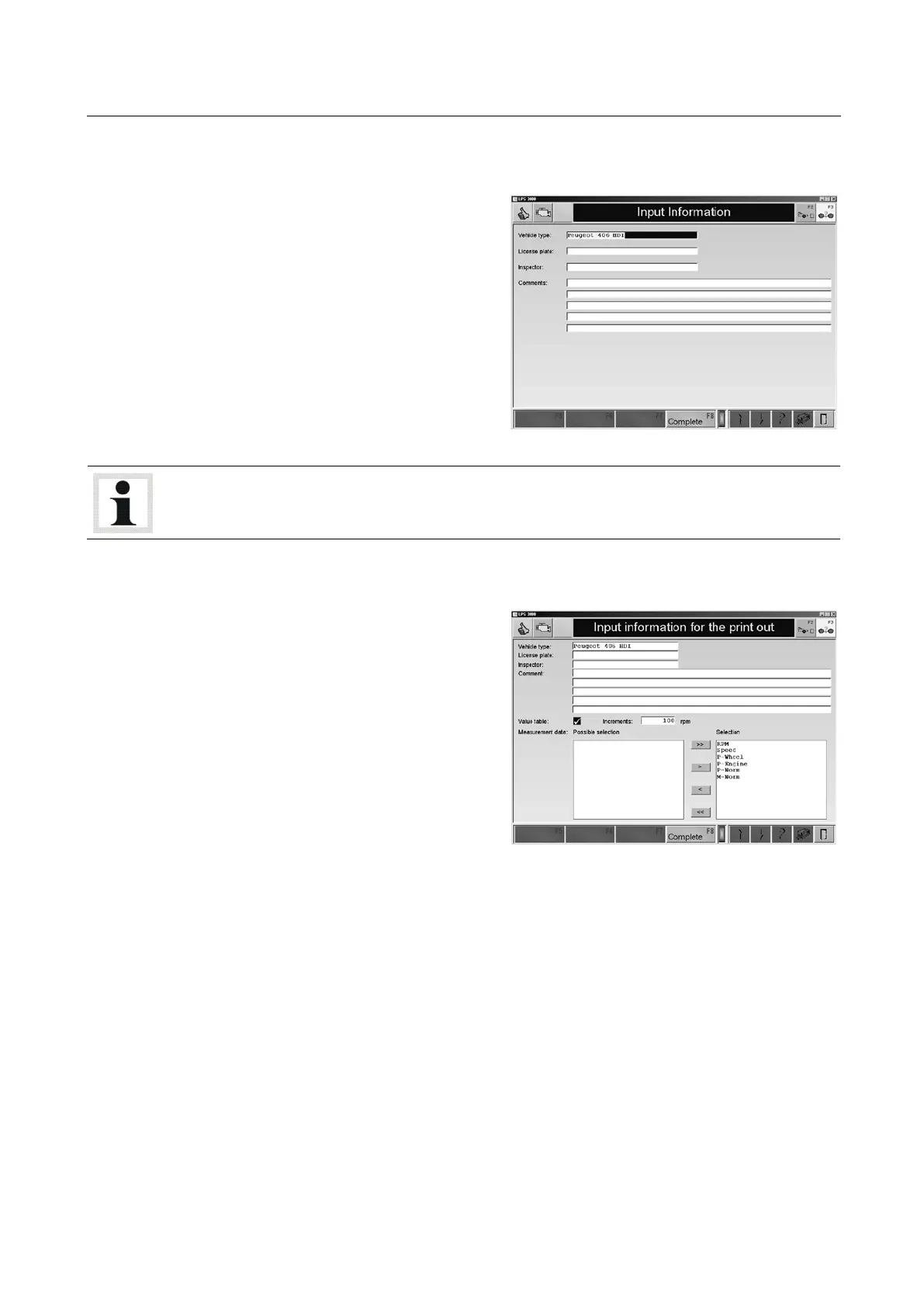
1 Use the button <PRINT> or key <F12>.
The following screen appears:
2 Enter the vehicle data and information in the
input boxes.
3 Using <MEASUREMENT DATA TABLE > an
additional, tabular print out of the measure-
ment data can be selected. Enter the incre-
ment.
4 Select the desired measurement data with
the <, <<, >, >> buttons.
<<, >>: Select all
<, >: Select individual
5 Use the button <F8 COMPLETE>.
The measurement is printed out.
Pos: 272 /-----For mat- ----/MAN UELLE R UMBRUCH Seitenumb ruch @ 0\mod_1134403577687_0.docx @ 1277 @ @ 1

 To Next Page
 Loading...