2 - 47
A
B
C
D
A
B
C
D
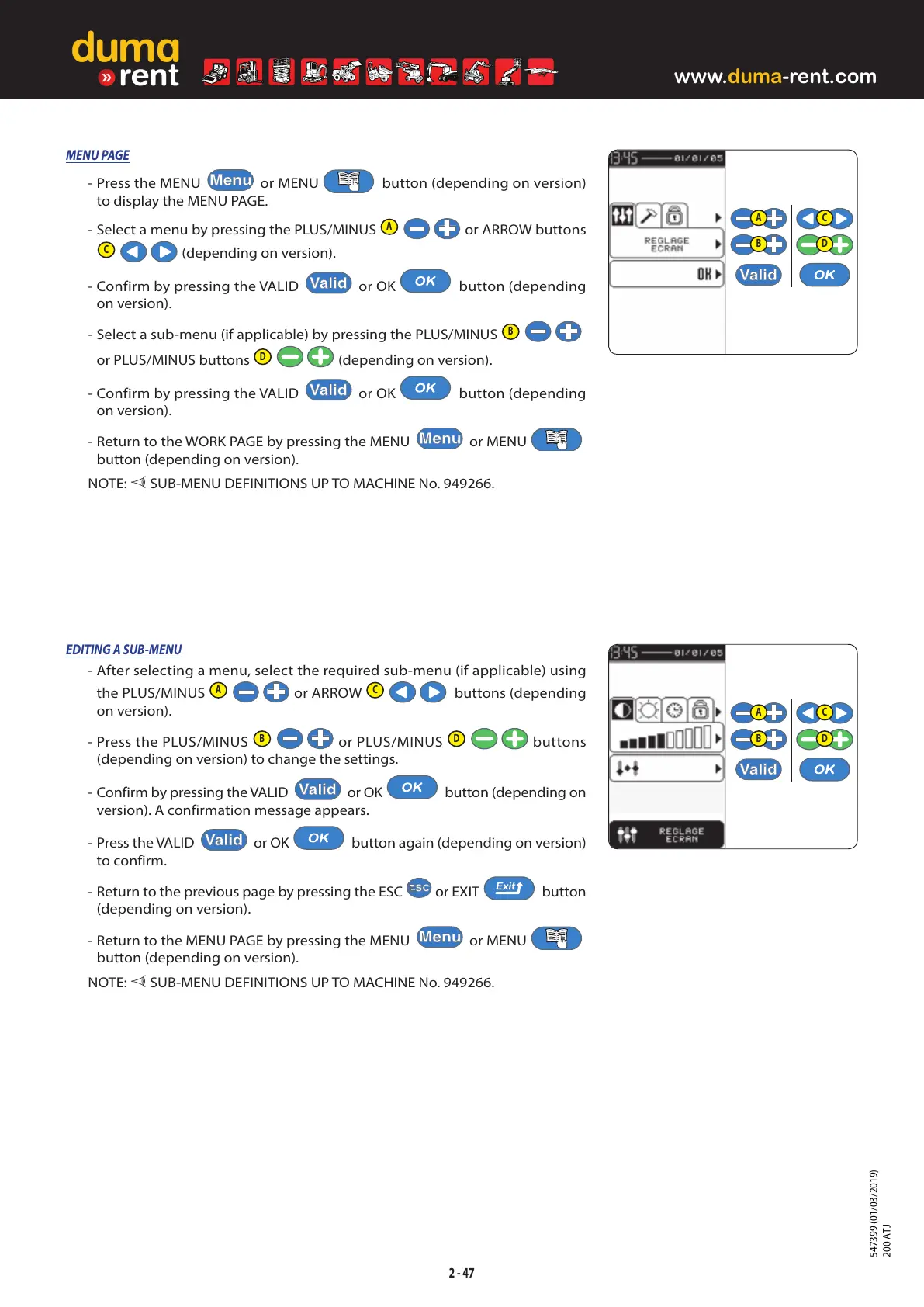
MENU PAGE
- Press the MENU or MENU button (depending on version)
to display the MENU PAGE.
- Select a menu by pressing the PLUS/MINUS
A
or ARROW buttons
C
(depending on version).
- Confirm by pressing the VALID
or OK button (depending
on version).
- Select a sub-menu (if applicable) by pressing the PLUS/MINUS
B
or PLUS/MINUS buttons
D
(depending on version).
- Confirm by pressing the VALID
or OK button (depending
on version).
- Return to the WORK PAGE by pressing the MENU
or MENU
button (depending on version).
NOTE:
SUB-MENU DEFINITIONS UP TO MACHINE No. 949266.
EDITING A SUB-MENU
- After selecting a menu, select the required sub-menu (if applicable) using
the PLUS/MINUS
A
or ARROW
C
buttons (depending
on version).
- Press the PLUS/MINUS
B
or PLUS/MINUS
D
buttons
(depending on version) to change the settings.
- Confirm by pressing the VALID
or OK button (depending on
version). A confirmation message appears.
- Press the VALID
or OK button again (depending on version)
to confirm.
- Return to the previous page by pressing the ESC
or EXIT button
(depending on version).
- Return to the MENU PAGE by pressing the MENU
or MENU
button (depending on version).
NOTE:
SUB-MENU DEFINITIONS UP TO MACHINE No. 949266.



 To Next Page
 Loading...