S
ection
6
SOFTWARE OPERATING MODES
The software has two modes of operation: On-Line and Off-Line. On-Line mode enables direct com-munication
with the DVR2000E. In On-Line mode, DVR2000E settings can be viewed and changed, and system alarms and
status indicators can be veried. The Off-Line mode can be used to view and edit settings les when the handheld
is not connected to the DVR2000E. The handheld can then be connected to the DVR2000E and the settings le
uploaded.
The following paragraphs describe how each software operating mode is accessed.
On-Line Mode
Tapping the On-Line button in the Which Mode Screen (Figure 6-10) establishes communication between the
software and the DVR2000E. When communication is established, the software downloads the settings from the
DVR-2000E so that they can be viewed and edited on the handheld. The screen shown in Figure 6-12 is displayed
when the software is downloading settings from the DVR2000E.
Off-Line Mode
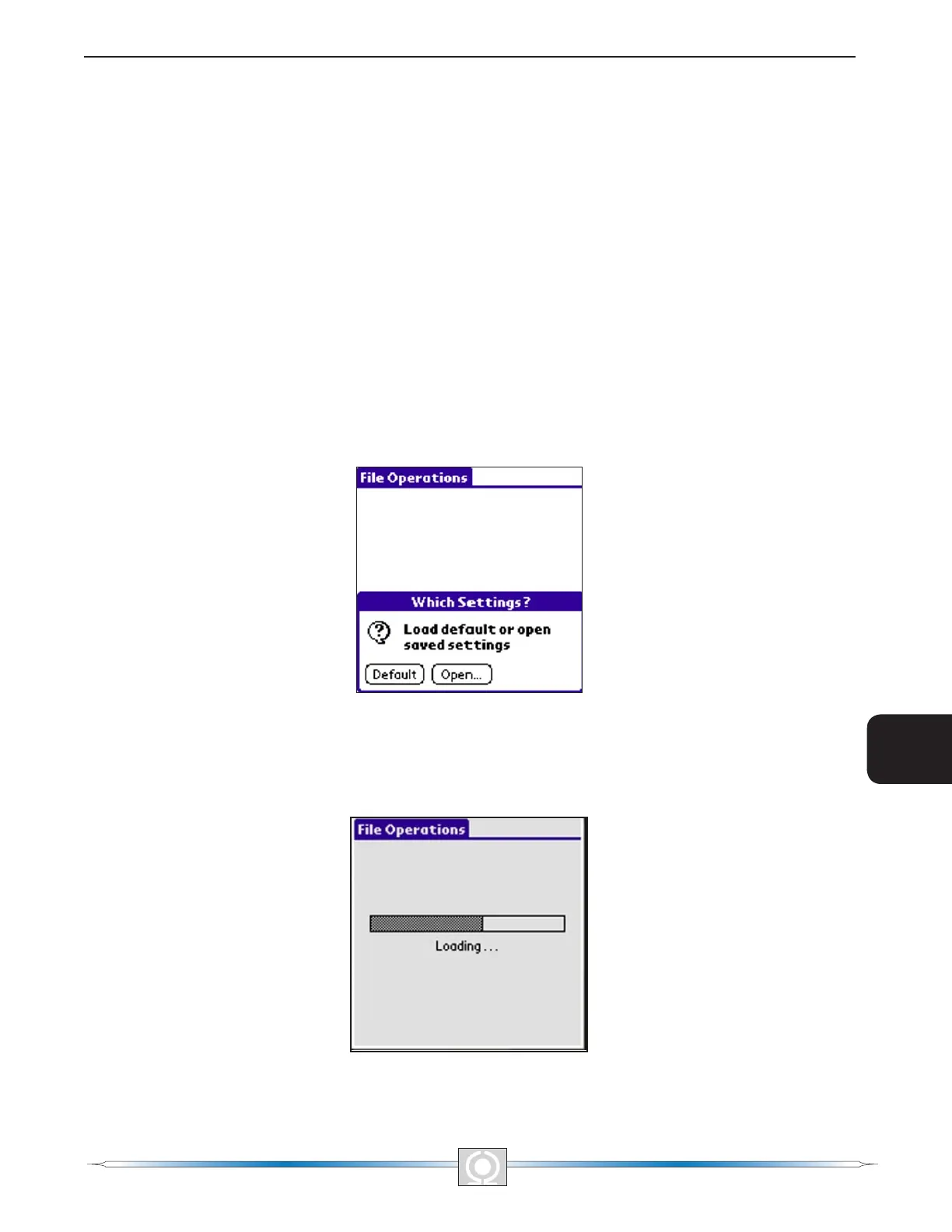
Tapping the Off-Line button in the Which Mode Screen (Figure 6-10) displays the Settings Selection Screen
(Figure 6-11) that asks the user Which Settings? The user is prompted to select either the factory-default
DVR2000E settings (Default button) or a user-created settings le (Open… button) from a list of settings les
stored on the handheld.
Figure 6-11. Settings Selection Screen
Tapping the Default button causes the software to retrieve the factory-default settings from the handheld so that
they can be viewed and edited. A screen similar to the one shown in Figure 6-12 is displayed while the software
retrieves the factory-default settings.
Figure 6-12. Downloading Progress
74
3
Main Index
5
Section 6 Index
75
3
Main Index
5
Section 6 Index



 To Next Page