S
ection
5
compatible PC running the Embedded Program Loader software. It is not necessary to physically replace EPROM
chips to update the program.
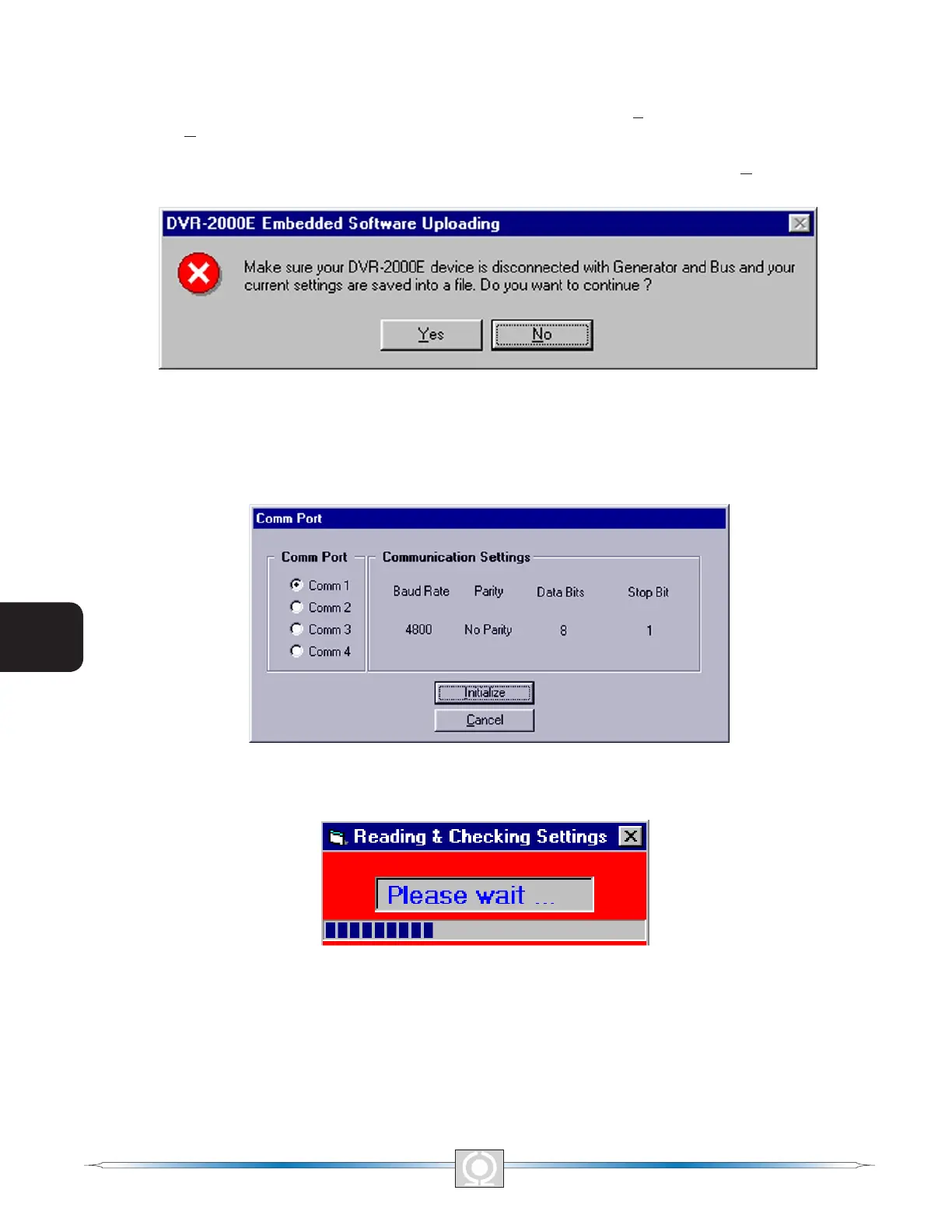
The process of updating the embedded rmware can be started by clicking DVR2000ELoad on the menu bar
and clicking Uploading Embedded Software. A warning window, Figure 5-28, will be displayed. The DVR 2000E
should be disconnected from the generator and bus before continuing with this procedure and the current settings
le should be backed up since uploading may replace some settings with defaults. Clicking No will cancel this
procedure.
Figure 5-28. Embedded Software Uploading
Click Yes to proceed with software uploading. When Yes is clicked, the following screen is shown to select
the communication port. When Initialize is selected, PC Software reads , checks within ranges and saves all
settings. The following progress bar is shown while in process.
Figure 5-29. Communication Settings
Figure 5-30. Comm Port
64
3
Main Index
5
Section 5 Index
65
3
Main Index
5
Section 5 Index



 To Next Page