S
ection
5
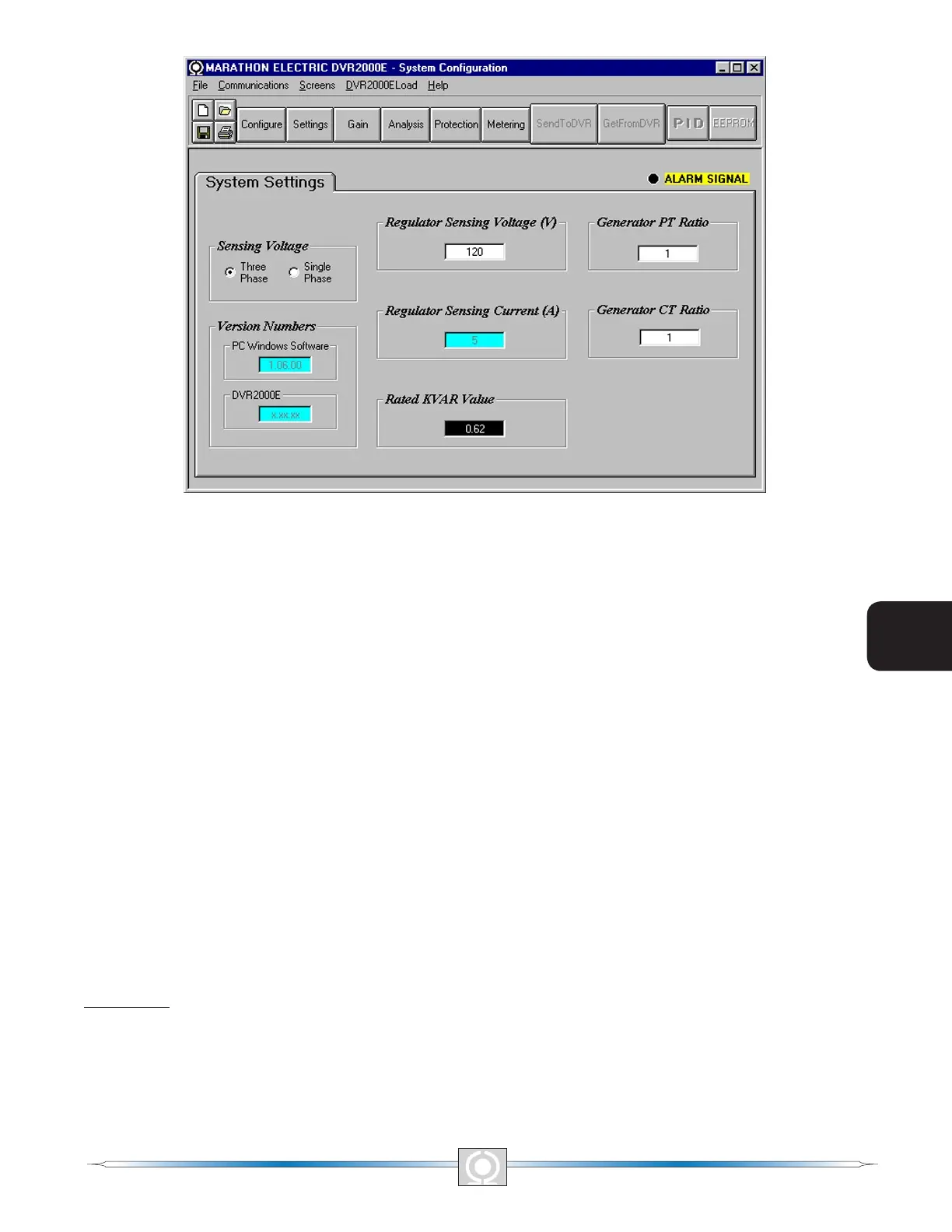
Figure 5-8. System Conguration Screen
Regulator Sensing Voltage (V). The nominal generator line-to-line ac voltage obtained from the generator sensing
transformer is entered in this setting eld. Voltages within the ranges of 100 to 140 Vac, 200 to 280 Vac, or 340 to
560 Vac may be entered in 0.1 Vac increments. A setting of 600 Vac is also possible.
Regulator Sensing Current (A). This read-only eld indicates the rated output of the current transformer (CT) that
supplies the DVR2000E with B-phase generator line current.
Version Numbers. These two version numbers are read-only. They indicate the MARATHON-DVR2000E-32
software version and the DVR2000E embedded software version. If a DVR2000E version number is not shown,
then the PC and software have not communicated with the DVR2000E. The DVR2000E version number is
indicated only when communication between the DVR2000E and MARATHON-DVR2000E-32 occurs.
Generator PT Ratio. The ratio of the generator sensing transformer is entered in this setting eld. This ratio allows
the voltage displayed through MARATHON-DVR2000E-32 to match the actual generator output voltage. A ratio of
1 to 150 may be entered in increments of 0.01.
Generator CT Ratio. The ratio of the generator B-phase current transformer is entered in this setting eld. This
ratio allows the current displayed by the DVR2000E to match the actual B-phase generator output current. A ratio
of 1 to 1,000 may be entered in increments of 0.1. Note: A 500:5 CT has a ratio of 100.
Rated KVAR Value. This read-only eld displays the rated KVAR value.
Setting Adjustments
The Setting Adjustments screen consists of three tabs: Setpoint, Startup, and Engine Unloading.
Setpoint Tab
The Setpoint tab settings of the Setting Adjustments screen are shown in Figure 5-9. Each setting of the Setpoint
tab is described in the following paragraphs.
44
3
Main Index
5
Section 5 Index
45
3
Main Index
5
Section 5 Index



 To Next Page