S
ection
5
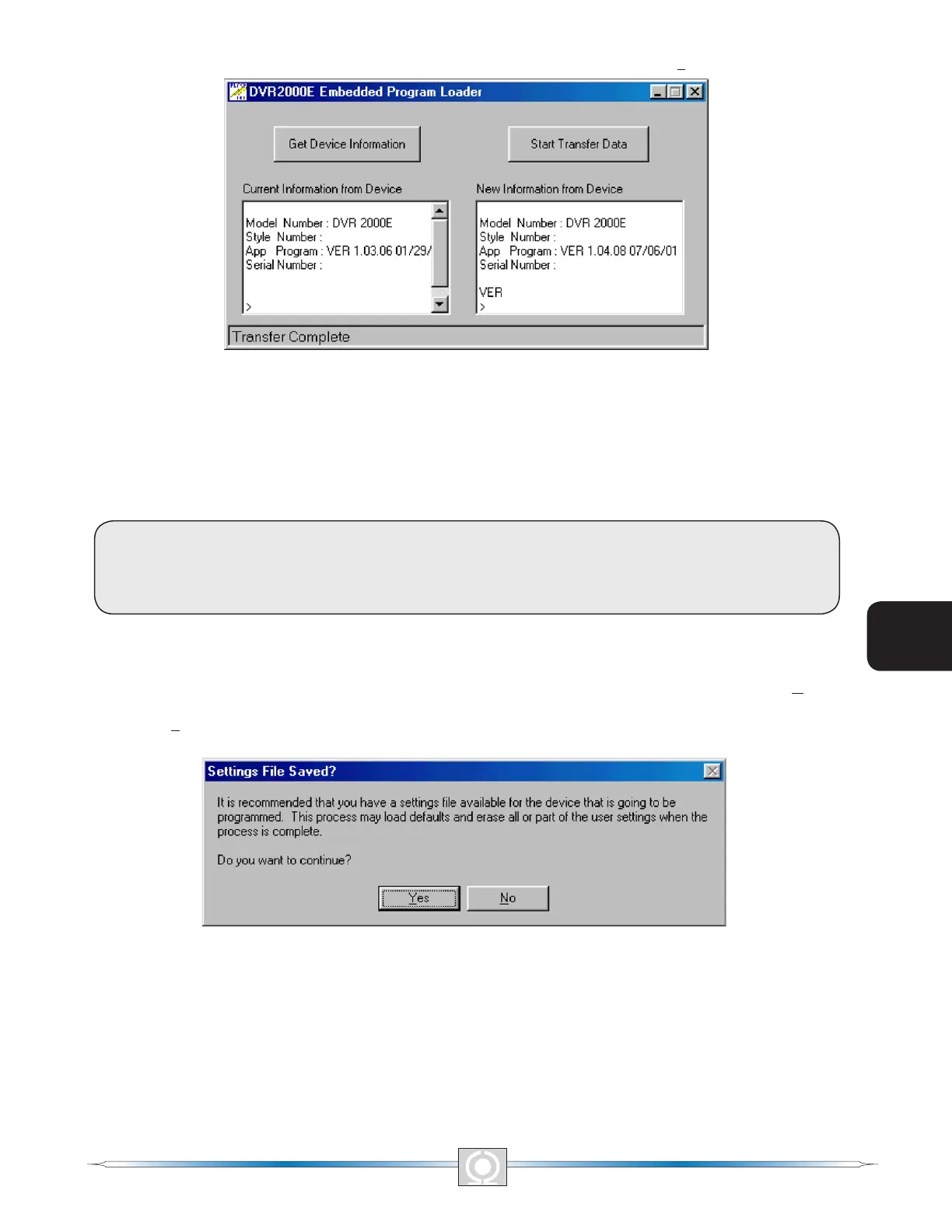
The DVR2000E Embedded Program Loader (Figure 5-31) will be displayed by clicking Yes.
Figure 5-31. DVR2000E Embedded Program Loader
Clicking the Get Device Information button displays the current device’s model number, style number, application
program version and serial number in the lower left hand corner of Figure 5-31.
CAUTION
If power is lost or communication is interrupted during transfer, the unit will not recover
and will no longer be operational.
Clicking the Start Transfer Data button displays the Settings File Saved? window (Figure 5-32). Clicking No in the
Settings File Saved window will return the user to the DVR2000E Embedded Program Loader screen (Figure 5-
29). Clicking Yes will display the Open Dialog box (Figure 5-33).
Figure 5-32. Settings File Saved Dialog Box
64
3
Main Index
5
Section 5 Index
65
3
Main Index
5
Section 5 Index



 To Next Page