26
LOADING THE CONSUMABLES
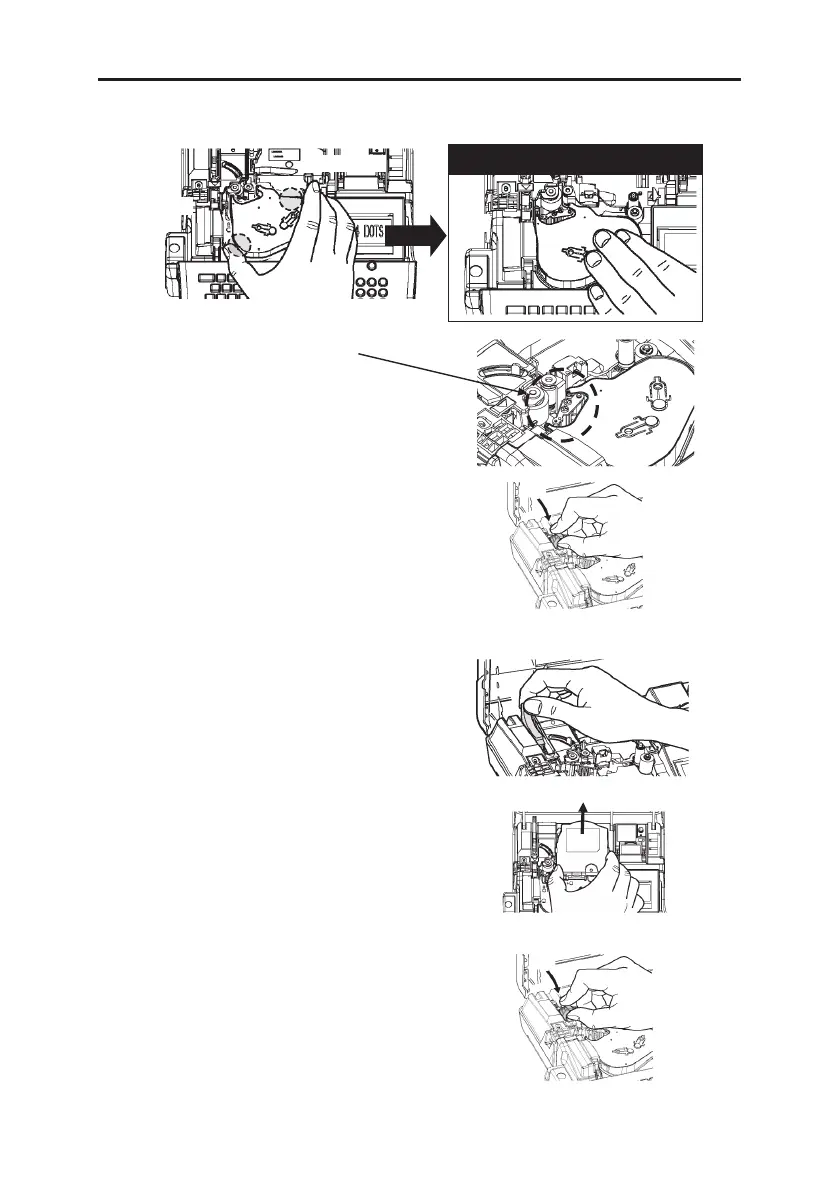
6. Hold the ink ribbon case as illustrated below and load it
Note: Make sure the ribbon is not slack.
7. Pull the head release lever (blue)
forward.
8. Close the cassette cover until it clicks.
(Removing the tape cassette)
1. Open the cassette cover.
2. Push the head release lever (blue) behind.
3. Remove the tape cassette
Note: You don’t need to remove the ink ribbon
case when removing tape cassette.
4. Pull the head release lever (blue) forward,
then close the cassette cover until it clicks.


 To Next Page
 Loading...


