31
BASIC OPERATION
6-1 PRINTING ON THE TUBE (PITCH PRINT)
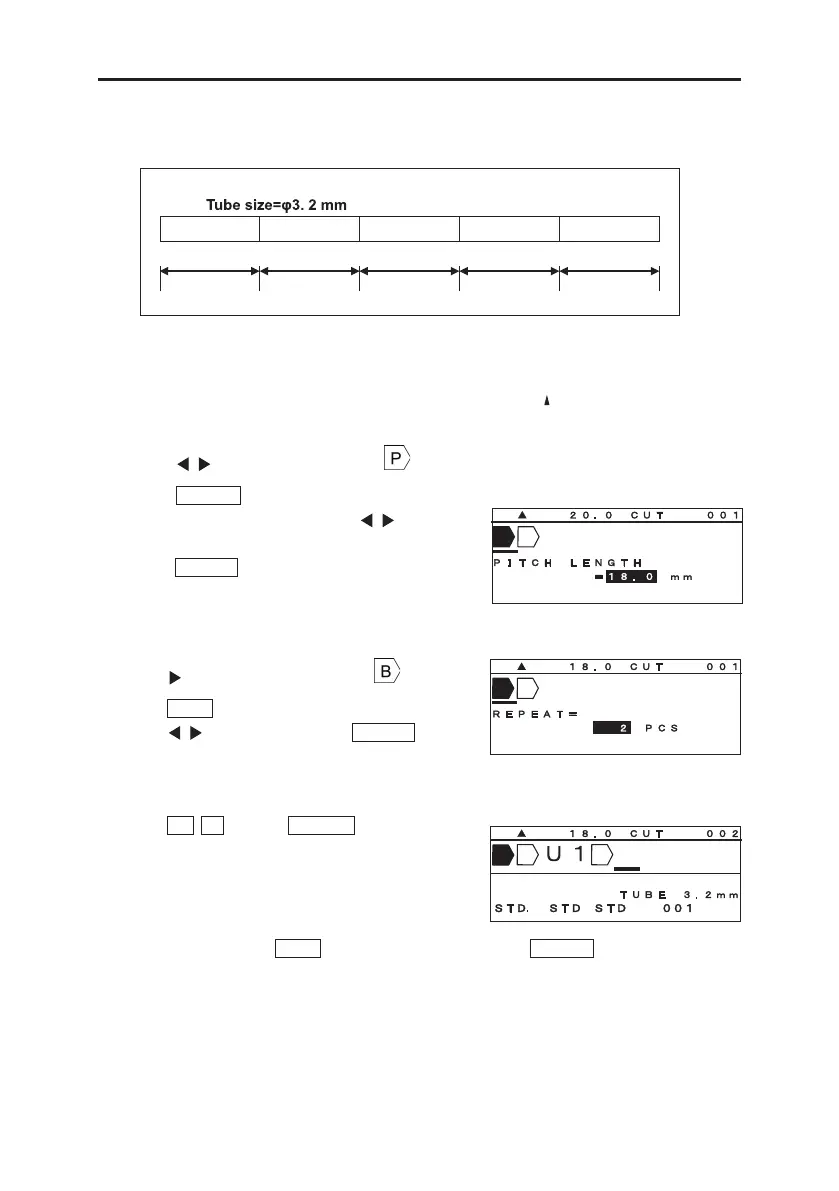
Printing the following contents on the tube.
Pitch length= 18mm
U1 COM X1005 X1006 X1007
1pcs. 5pcs. 2pcs. 2pcs. 2pcs.
18mm 18mm 18mm 18mm 18mm
1. Set “MATERIAL = TUBE” and “SIZE = 3.2mm” in the [PRINTED MATERIAL setting screen].
2. [INPUT screen] appears. Make sure that the arrow symbol “
” is indicating “A” = capital
letters.
Press / key to move the cursor to
.
3. Press PITCH to set “PITCH LENGTH.” (See
8-4-1: PITCH LENGTH) Press / key to set
“18.0.”
Press ENTER .
Note: It is also possible to input the value directly with
the Ten keys.
4. Press key to move the cursor after
.
Press RPT to set “REPEAT.” (See 8-7: REPEAT)
Press / key to set “1.” Press ENTER .
Note: It is also possible to enter the value directly with
Ten key.
5. Input U 1 . Press BLOCK to create a new
block.
6. As same as “4”, press RPT to set “Repeat” to “5.” Press ENTER .


 To Next Page
 Loading...


